Load Balancer for FreeIPA
For new and existing Cloudera environments, Load Balancer is added to FreeIPA during environment creation or upgrade.
The IP addresses of FreeIPA nodes are changing during operations, such as repair or upgrade, which can cause disruption of Cloudera Data Hub clusters and Data Services. The changing IP addresses also cause issues when using FreeIPA in DNS configuration or connecting directly to the Key Distribution Center (KDC). To avoid these issues, by default the Network Load Balancer is enabled for FreeIPA, which provides static IP addresses to ensure stability during repair and upgrade operations. Next to KDC (port:88) and DNS (port:53), LDAPS (port:636) is also available using the Network Load Balancer (NLB).
Cloud specific information
In Azure, cross-zone load balancing is enabled by default for the Standard SKU, ensuring traffic is distributed across all available zones. Azure NLB does not have it’s own security group. Traffic through the NLB is controlled by the Network Security Group attached to the NICs configured to the Load Balancer.
In case you selected Do not create firewall rule during the Cloudera environment creation on GCP, you need to ensure that the VPC network is set up with the required firewall rules for the instances behind the Load Balancer to ensure that the GCP health checks work. For more information, see the Firewall rules and Probe IP ranges and firewall rules - GCP documentations.
New Cloudera environments
For newly registered Cloudera environments, the Load Balancer is automatically added to FreeIPA during environment creation.
Existing Cloudera environments
For existing Cloudera environments, the Load Balancer is automatically added to FreeIPA during FreeIPA upgrade.
- Prerequisite for Cloudera environments on AWS
-
- Ensure that the
ec2:DescribeNetworkInterfacespermission is added to the Minimal policy before upgrading the FreeIPA instance to enable the Load Balancer.Failure to add the necessary permission to the Minimal and Default policies will result in a failed Load Balancer provisioning, which consequently causes the FreeIPA upgrade to fail.
- Ensure that the
Reviewing Load Balancer details
- CDP CLI
- Use the describe-environment command to view the Load Balancer
details:
describe-environment [...] "loadBalancer" { "fqdn": [***FQDN***], "privateIPs": [ "xx.xx.xxx.xx" "xx.xx.xxx.xxx" ], "resourceId": [***RESOURCE ID***] } - Cloudera Management Console
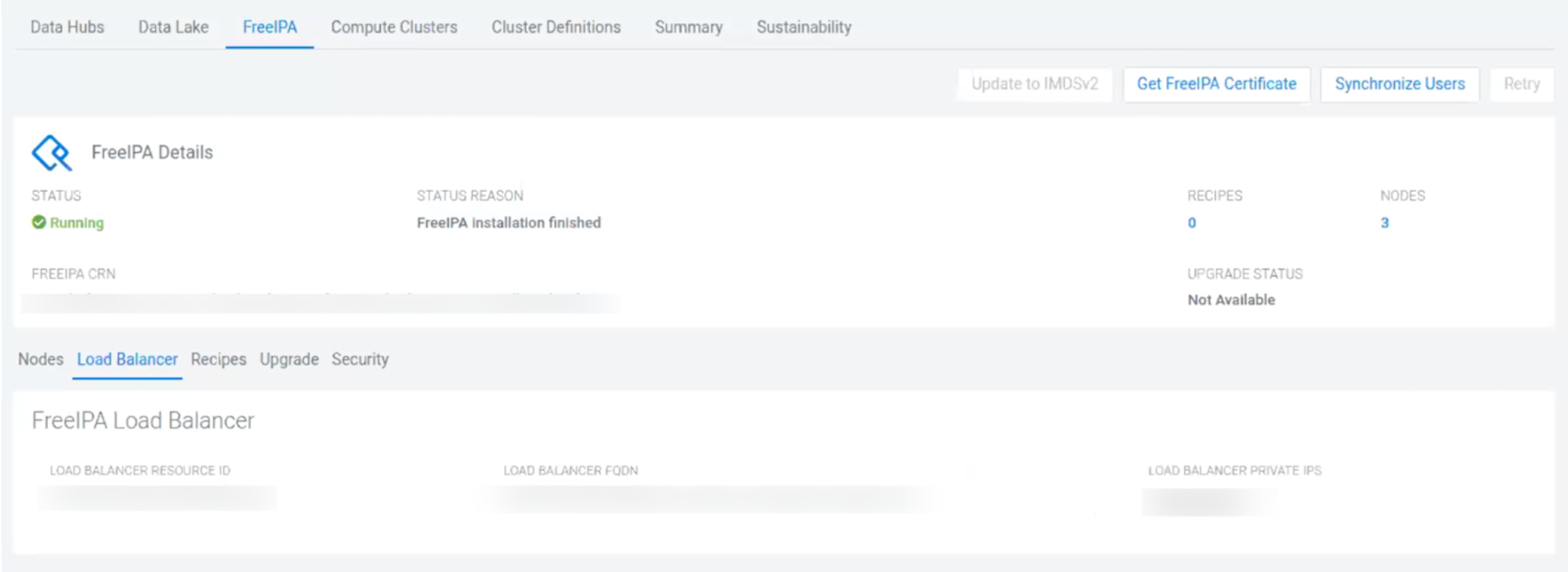
- Select the FreeIPA tab to view the Load Balancer details: