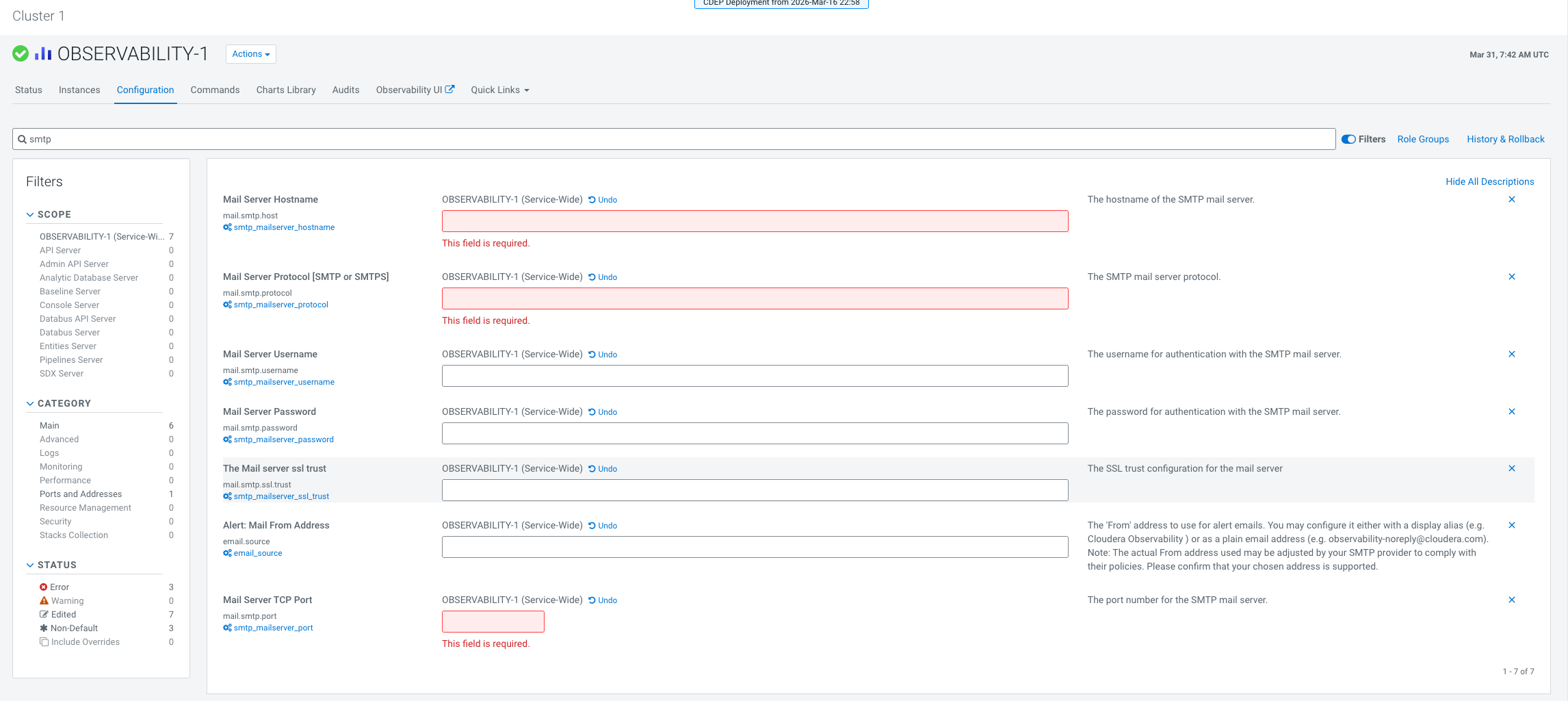
To receive workload alerts, you must configure the SMTP settings in Cloudera Observability on premises.
-
Log in to Cloudera Manager UI
-
Navigate to Clusters
-
Click Observability
-
Click Configuration
-
In the search box, search for each parameter name mentioned in the below table and provide a valid input for the parameter.
Review the description column to understand the parameter.
| Parameter name |
Description |
| smtp_mailserver_hostname |
The hostname of the SMTP mail server. |
| smtp_mailserver_protocol |
The SMTP mail server protocol. |
| smtp_mailserver_username |
The username for authentication with the SMTP mail server. |
| smtp_mailserver_password |
The password for authentication with the SMTP mail server. |
| smtp_mailserver_ssl_trust |
The SSL trust configuration for the mail server. This value is usually the same as the Mail Server Hostname. |
| email_source |
The 'From' address for alert emails. This is usually the same as the username. |
| smtp_mailserver_port |
The port number for the SMTP mail server. Cloudera recommends using port 587. |
You will start receiving the workload alerts.