Schema management - Best practices for handling changes and impact analysis
Learn about best practices for managing schema changes and conducting impact analysis using Cloudera Data Lineage (formerly Octopai).
When comparing schemas across different environments, several types of changes are commonly encountered. These changes can have varying degrees of impact on your data flows and applications. By focusing on the strengths of Cloudera Data Lineage, such as its Dynamic Filters, inner system maps, Discovery Space, and detailed impact analysis, you can effectively manage and compare schema changes across environments, ensuring consistency, compliance, and operational efficiency.
You might need to address the following typical changes:
- Table structure modifications
- Addition or removal of columns – A common change when new columns are added to or existing columns are removed from a table. This can affect how data is transformed and used downstream.
- Data type changes – Modifying the data type of a column, for example changing an
INTto aVARCHAR. Such changes can lead to data mismatches or errors if not handled consistently across environments. - Column renaming – Renaming a column can break dependencies in data flows if the new name is not updated throughout the pipeline.
- Creating or dropping indexes – Indexes are often added or removed to optimize performance. However, these changes can impact query performance differently across environments, potentially leading to inconsistent results.
- Adding or dropping constraints – Constraints like primary keys, foreign keys, and unique constraints ensure data integrity. Changes to these can lead to different behaviour in data validation and integrity checks.
- Stored procedures and triggers
- Modifications to business logic – Changes to stored procedures or triggers, which encapsulate business logic, can have cascading effects on data operations and need to be carefully managed and tested across environments.
- Partitioning and clustering changes
- Adjusting partition schemes – Modifying how tables are partitioned can impact query performance and storage efficiency, requiring careful comparison to ensure consistency in data processing across environments.
- New or altered views – Views are often used to simplify complex queries or present data differently. Any changes to views should be examined for their impact on dependent reports or applications.
Recommended best practices
Conduct impact analysis with Cloudera Data Lineage
With the Cloudera Data Lineage robust data lineage capabilities, you can perform detailed impact analysis before implementing schema changes across environments. This helps you foresee how modifications will affect data flows and downstream systems in different environments, ensuring smooth transitions and preventing disruptions.
Cross-environment schema management
Use the Cloudera Data Lineage metadata management features to maintain consistent schemas across different environments, such as development, QA, and production. By carefully monitoring and comparing metadata, you can ensure that all changes are implemented consistently, reducing the risk of discrepancies and data integrity issues across environments.
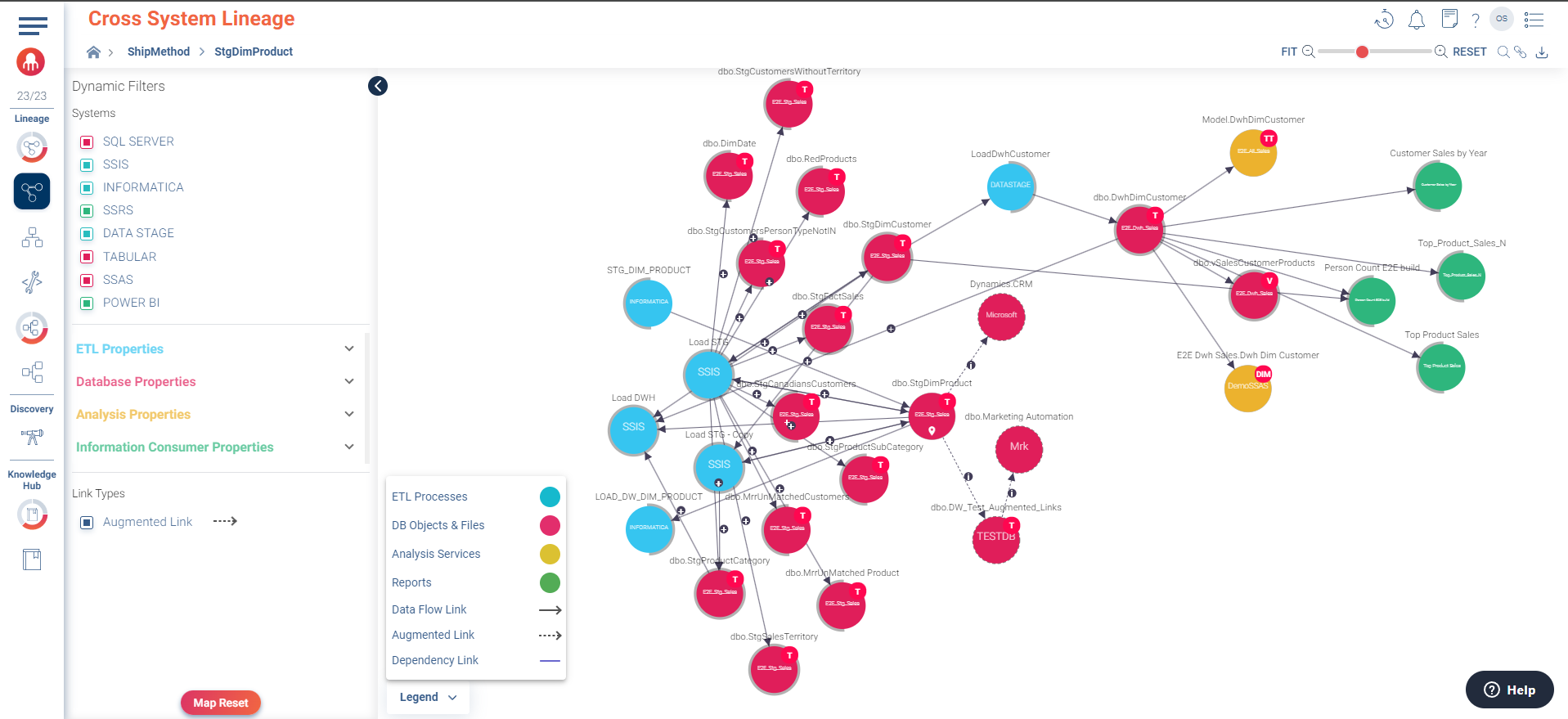
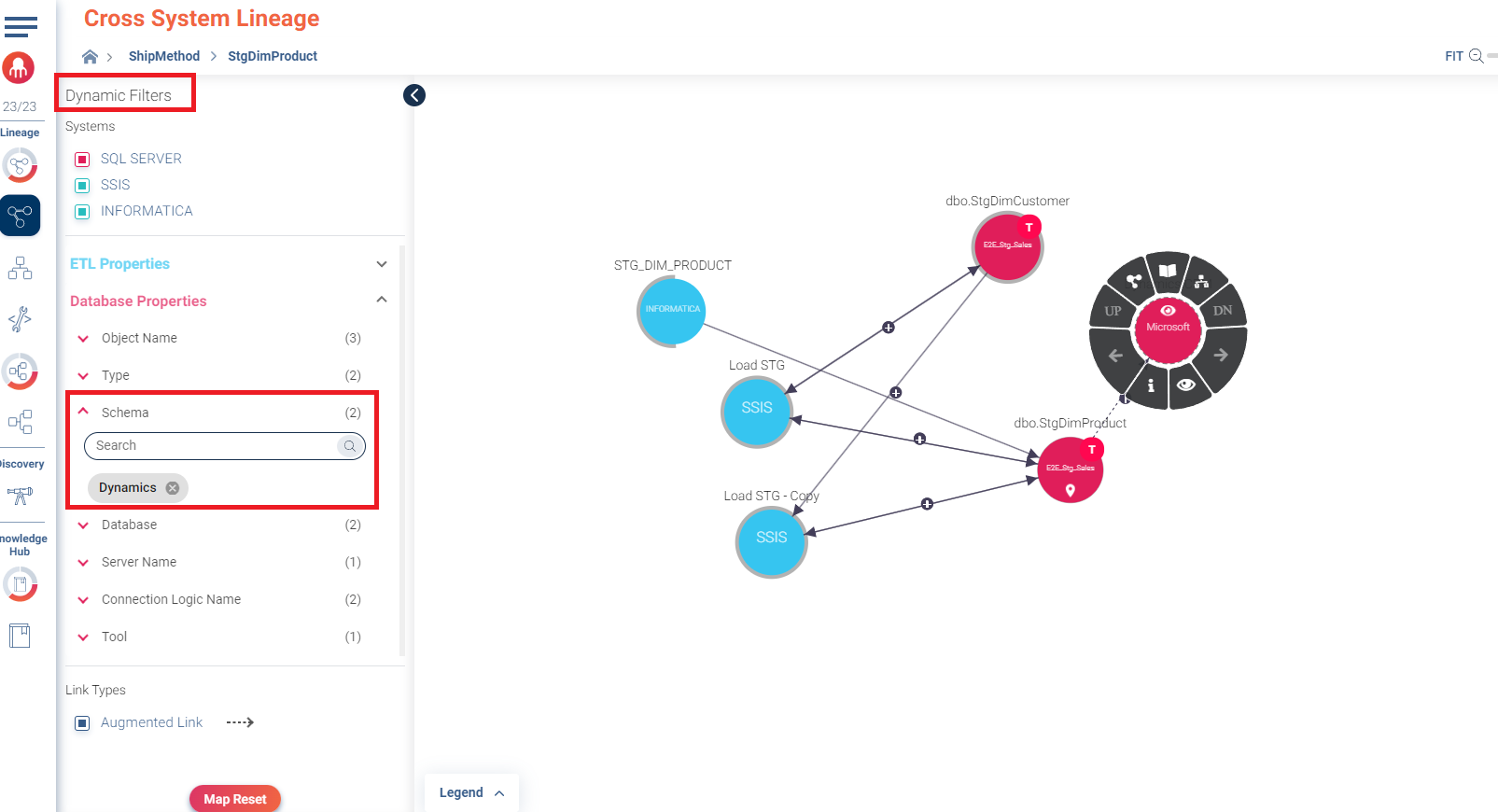
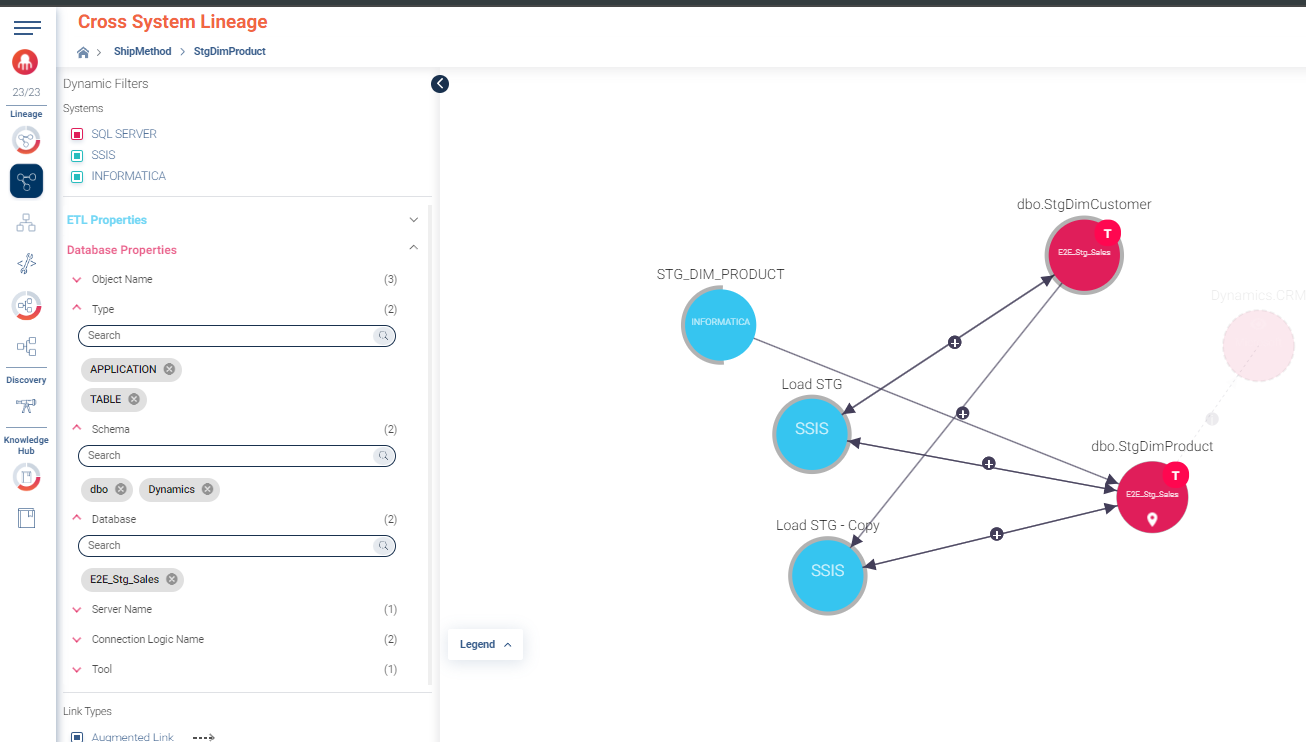
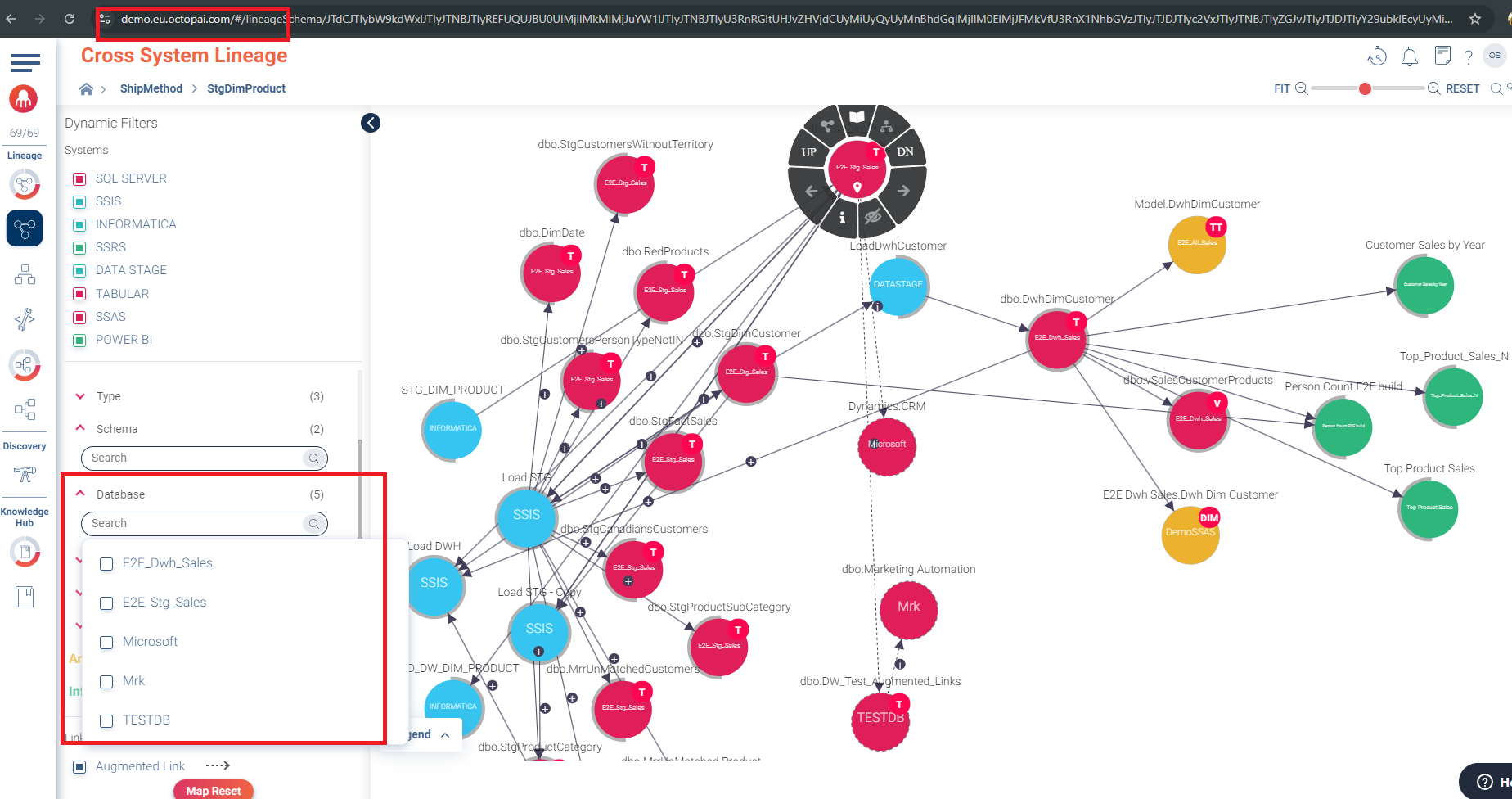
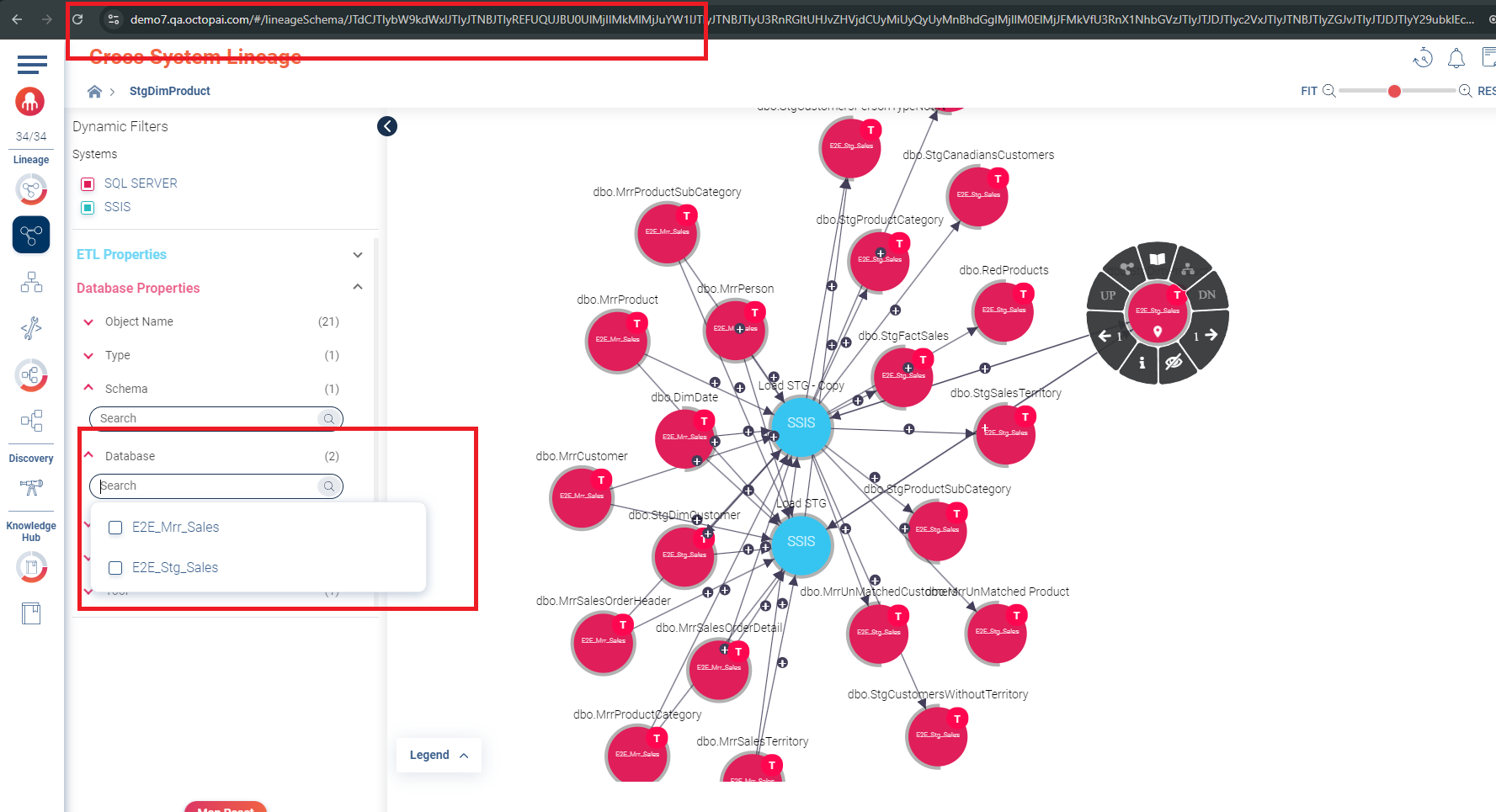
Leverage dynamic filters for focused analysis
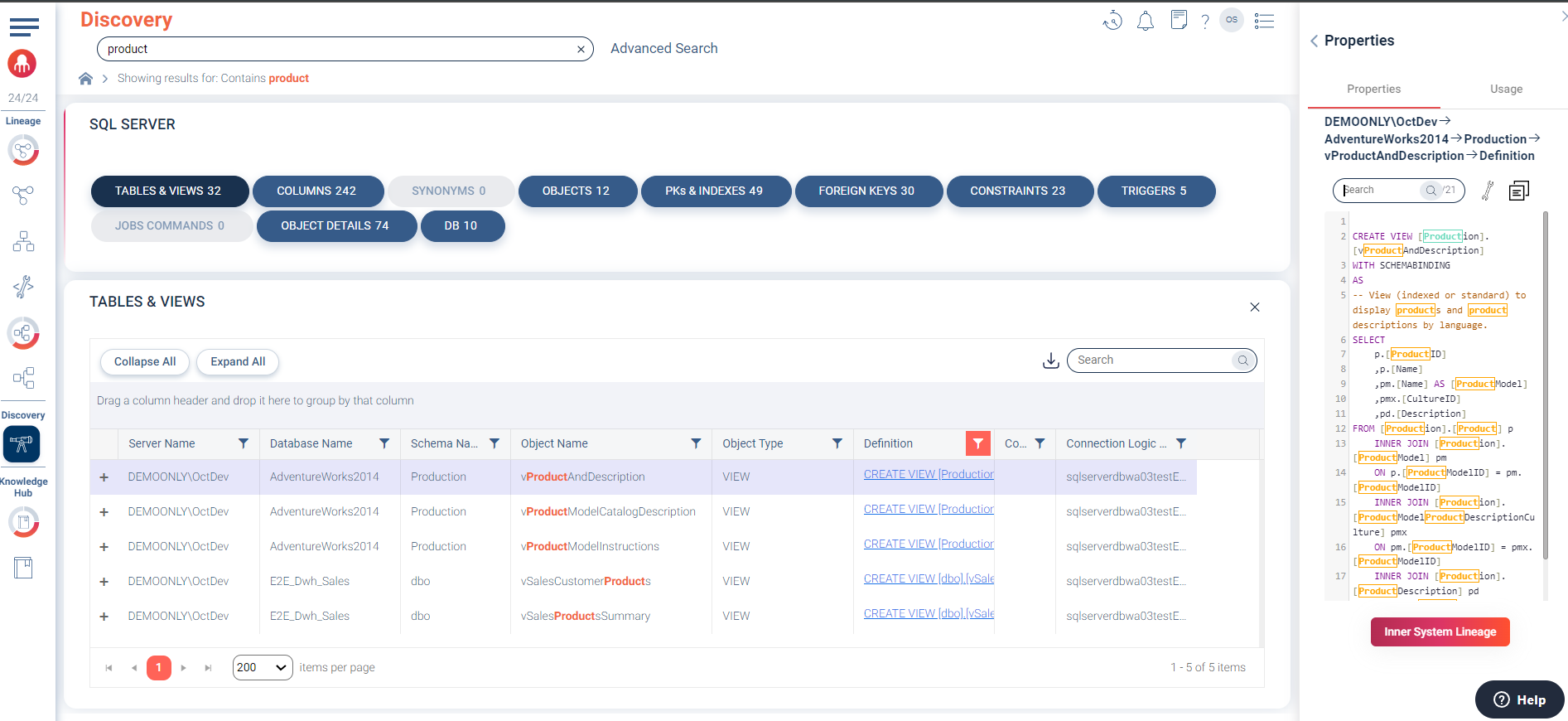
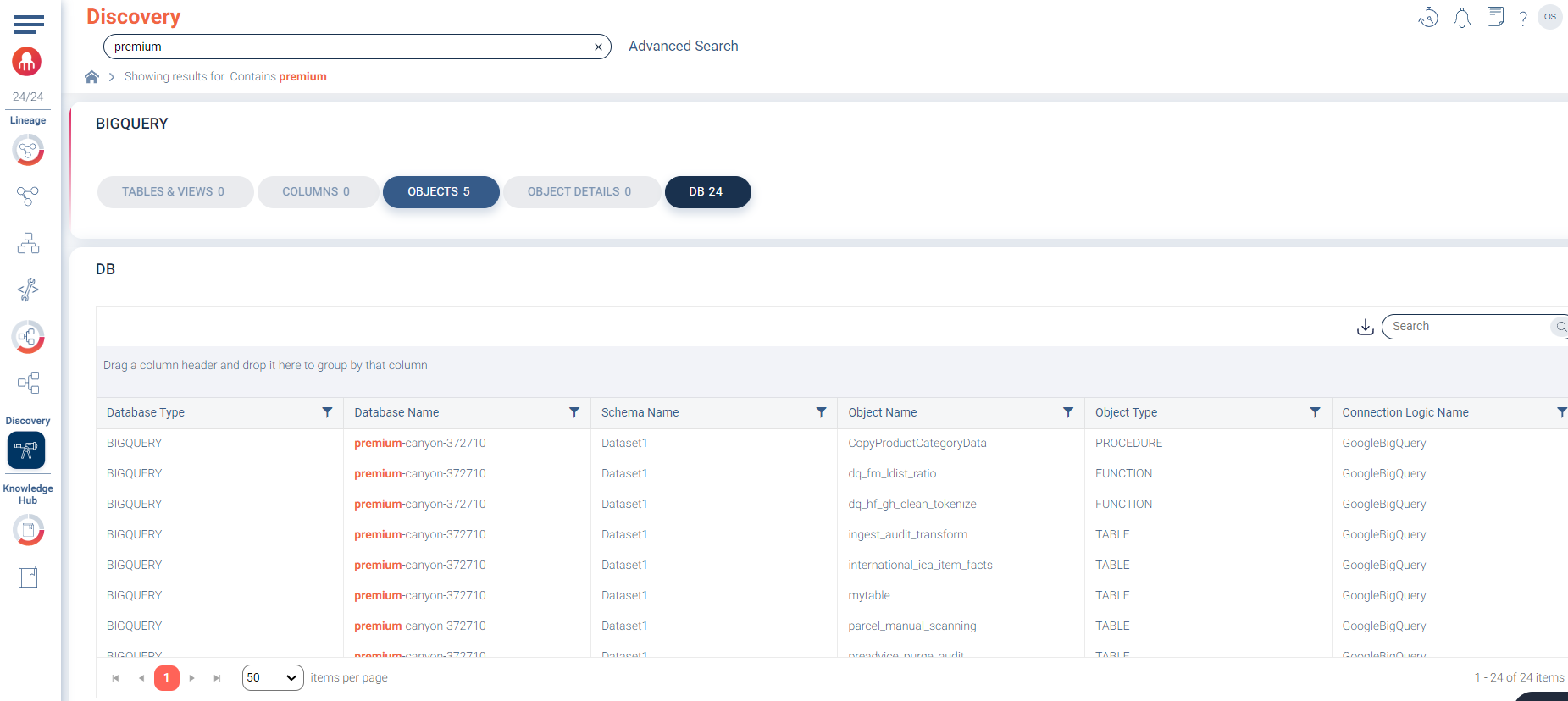
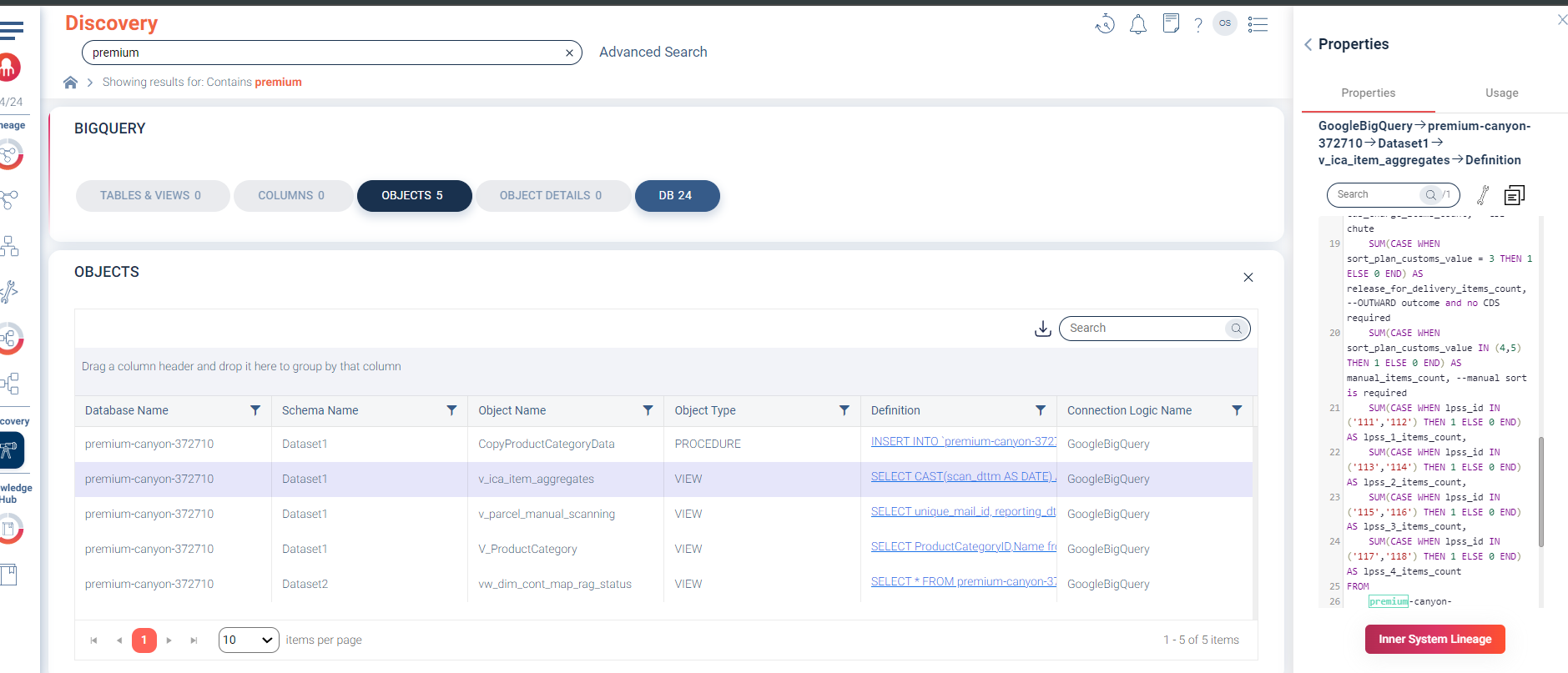
Utilize the discovery space for in-depth environment comparison
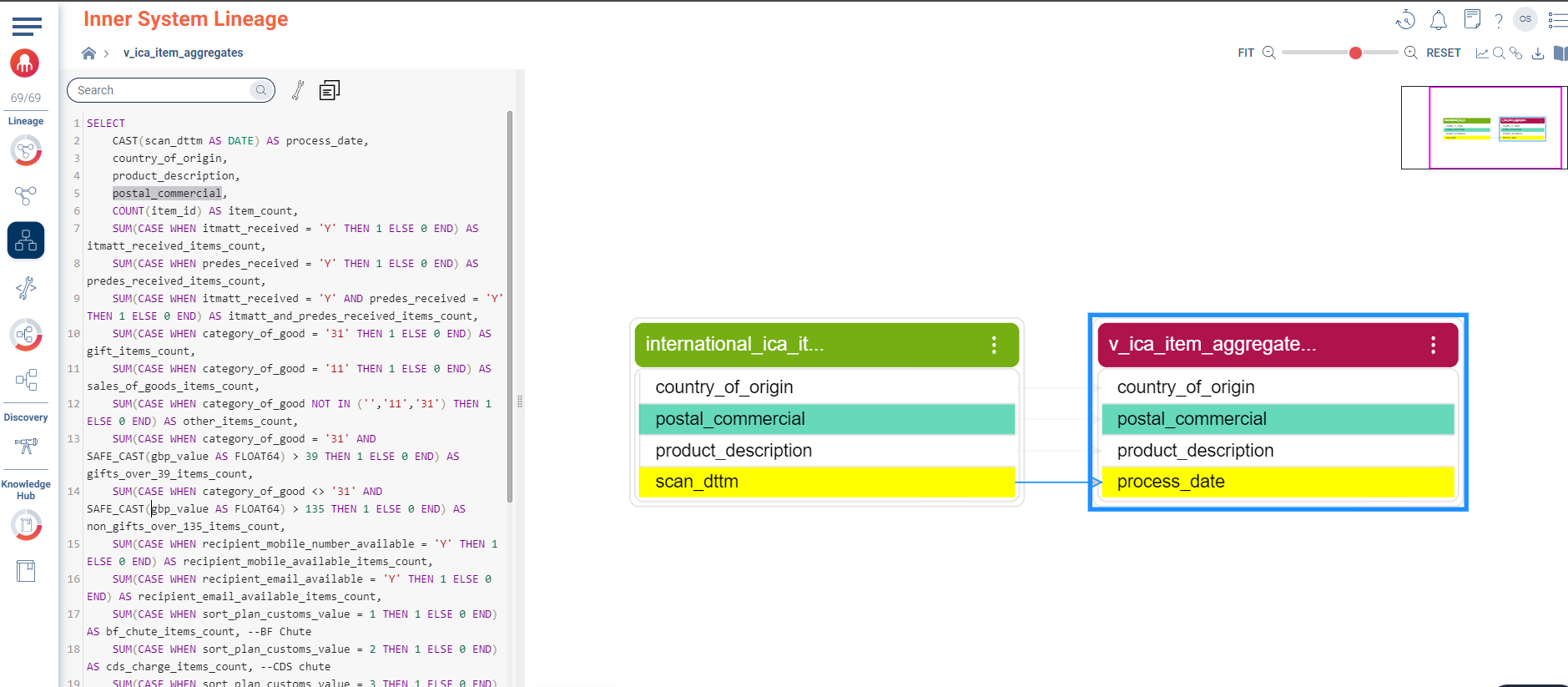
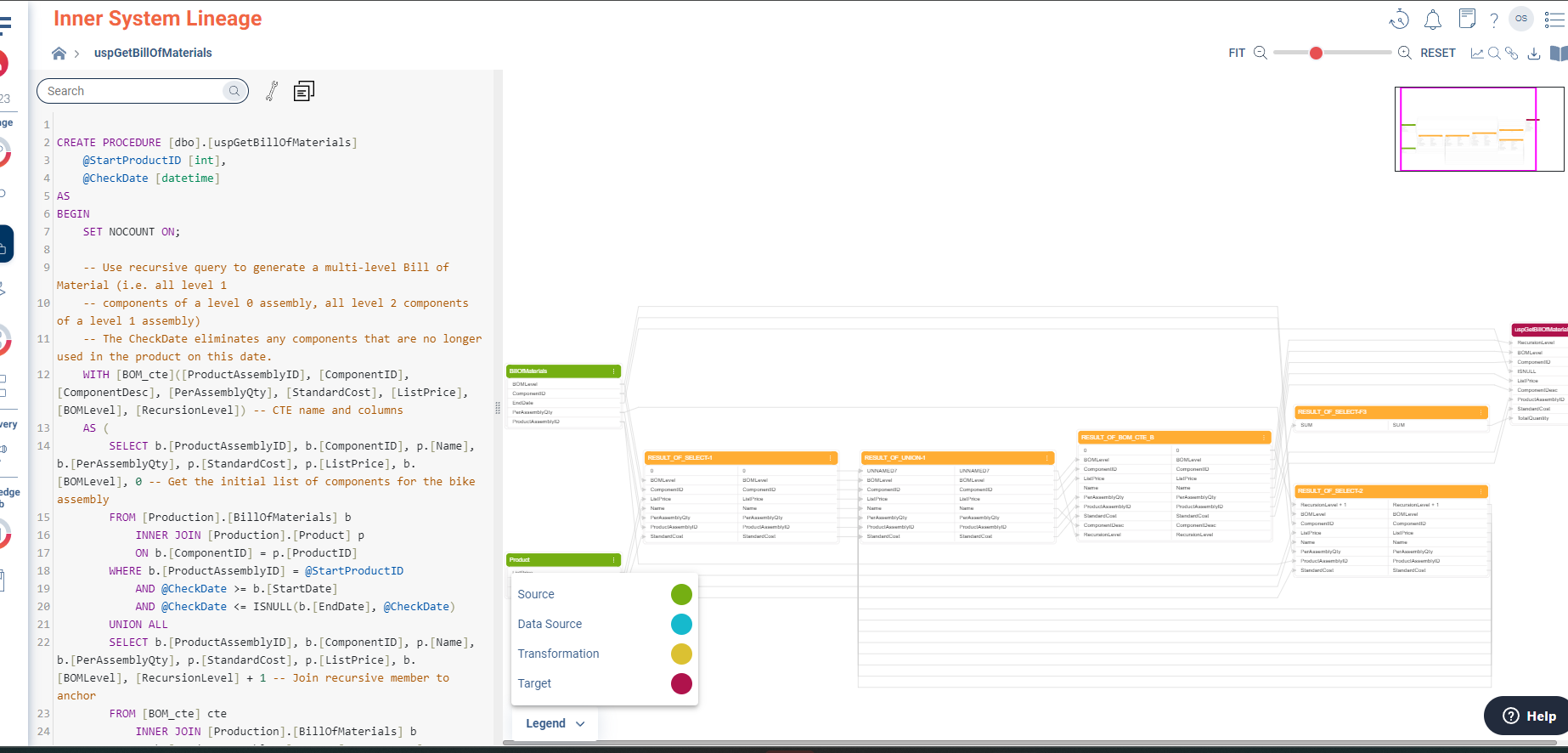
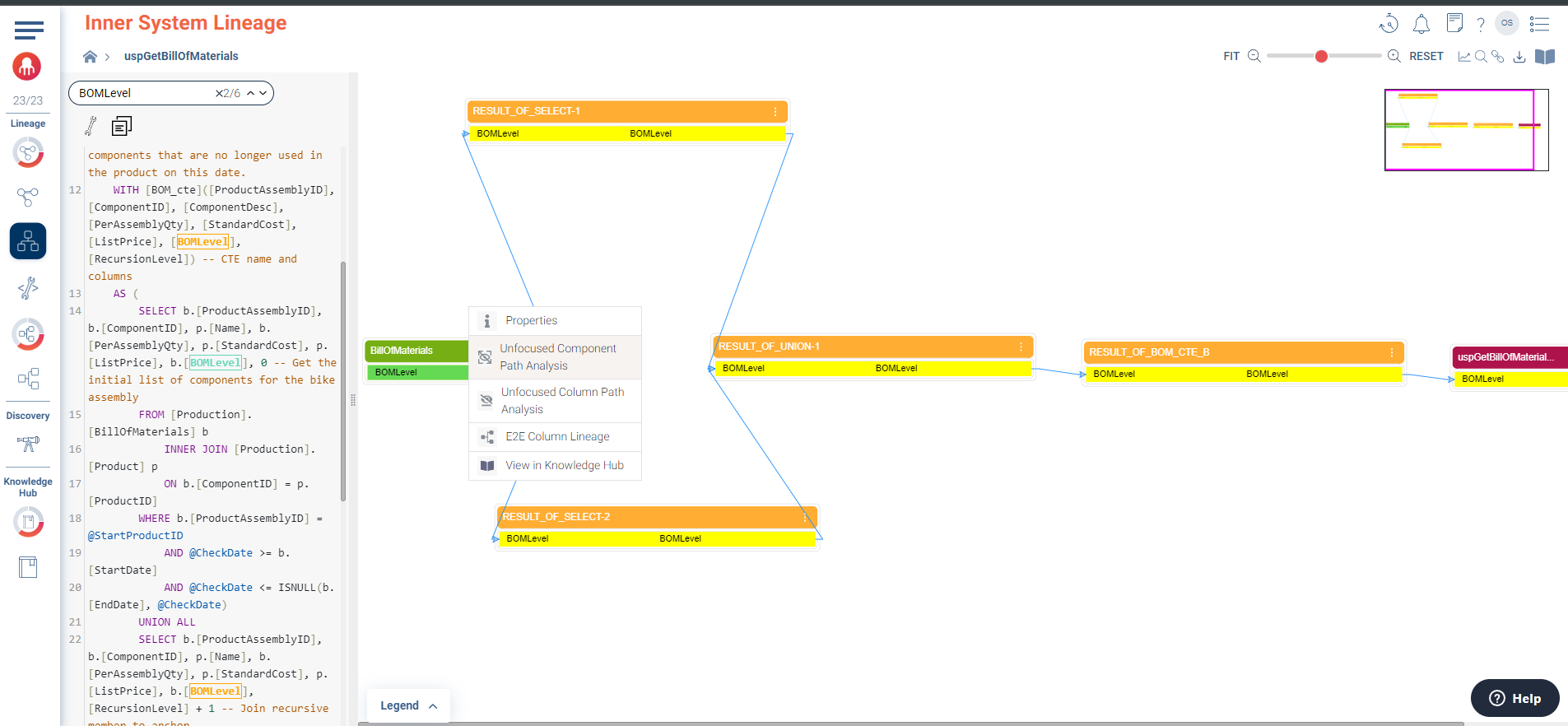
Use inner system maps for detailed comparison
Documentation and compliance
Cloudera Data Lineage excels in creating comprehensive documentation of your data environments. This documentation is essential for compliance, as it provides a clear trail of how data moves and changes across your systems. Regularly updated lineage documentation supports audits and helps maintain a clear understanding of your data landscape across all environments.
Post-deployment verification
After deploying changes, the Cloudera Data Lineage tools can be used to verify that your environments remain consistent and functional. This step is crucial for ensuring that your production environment continues to operate smoothly and efficiently.
