AWS Glue
Learn how to configure AWS Glue jobs with Spline integration.
How to set up the permissions
Configure Spark Jar:
On S3, create a folder named lib and copy the Spline jar S3 URL related to Spark. This action needs to be done once.
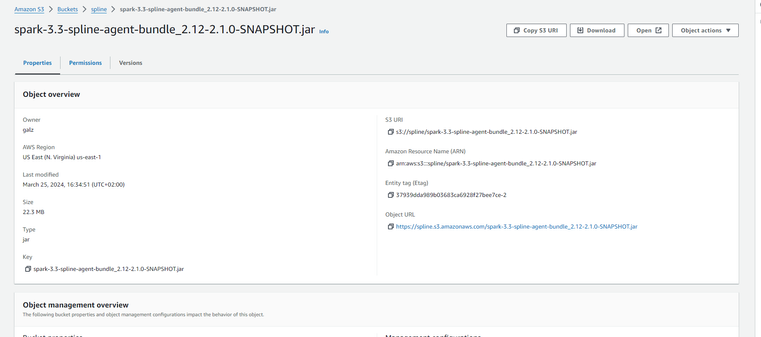
How to Configure parameters for each Job:
For each job, include in the Job Parameters a parameter named conf with the following values:
        spark.spline.producer.url=https://databricks.spline.octopai.com/producer
        --conf spark.sql.queryExecutionListeners=za.co.absa.spline.harvester.listener.SplineQueryExecutionListener
The value of spark.spline.producer.url should be set to the URL of the producer created for the customer in the Jenkins job found at
https://jenkins.octopai.com/job/Deploy-Spline-Cluster/.
For example, use the URL https://databricks.spline.octopai.com/producer.
How to Configure parameters for each Job
For each job, include in the "Job Parameters" a parameter named
conf
with the following values:
        spark.spline.producer.url=
        https://databricks.spline.octopai.com/producer
         --conf spark.sql.queryExecutionListeners=za.co.absa.spline.harvester.listener.SplineQueryExecutionListener
The value of
spark.spline.producer.url
should be set to the URL of the producer created for the customer in the Jenkins job found at
https://jenkins.octopai.com/job/Deploy-Spline-Cluster/
.
For example, use the URL
https://databricks.spline.octopai.com/producer
.
