Code-based Lineage Connector
The Cloudera Data Lineage Code Based Lineage connector allows you to upload code (non-SQL) through files to include them in the automated data lineage analysis. You can set this connector up by configuring metadata sources and validating permissions.
Supported file types
The following file types are supported:
- Upload (Discovery display): python file (.py), scala file (.scala)
- Fully Analyzed (All modules supported - AI parsed): python file (.py), scala file (.scala)
Tool permissions prerequisites
Enable read permission for Cloudera Data Lineage Windows NT user to the folder (which contains the code-based files).
Setting up Code Based Lineage metadata source
Metadata sources are set on the Octopai Client.
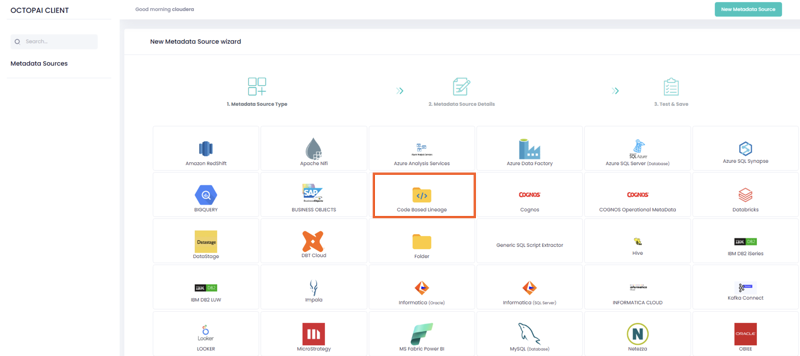
- From the Octopai Client, click the Code
Based Lineage connector.
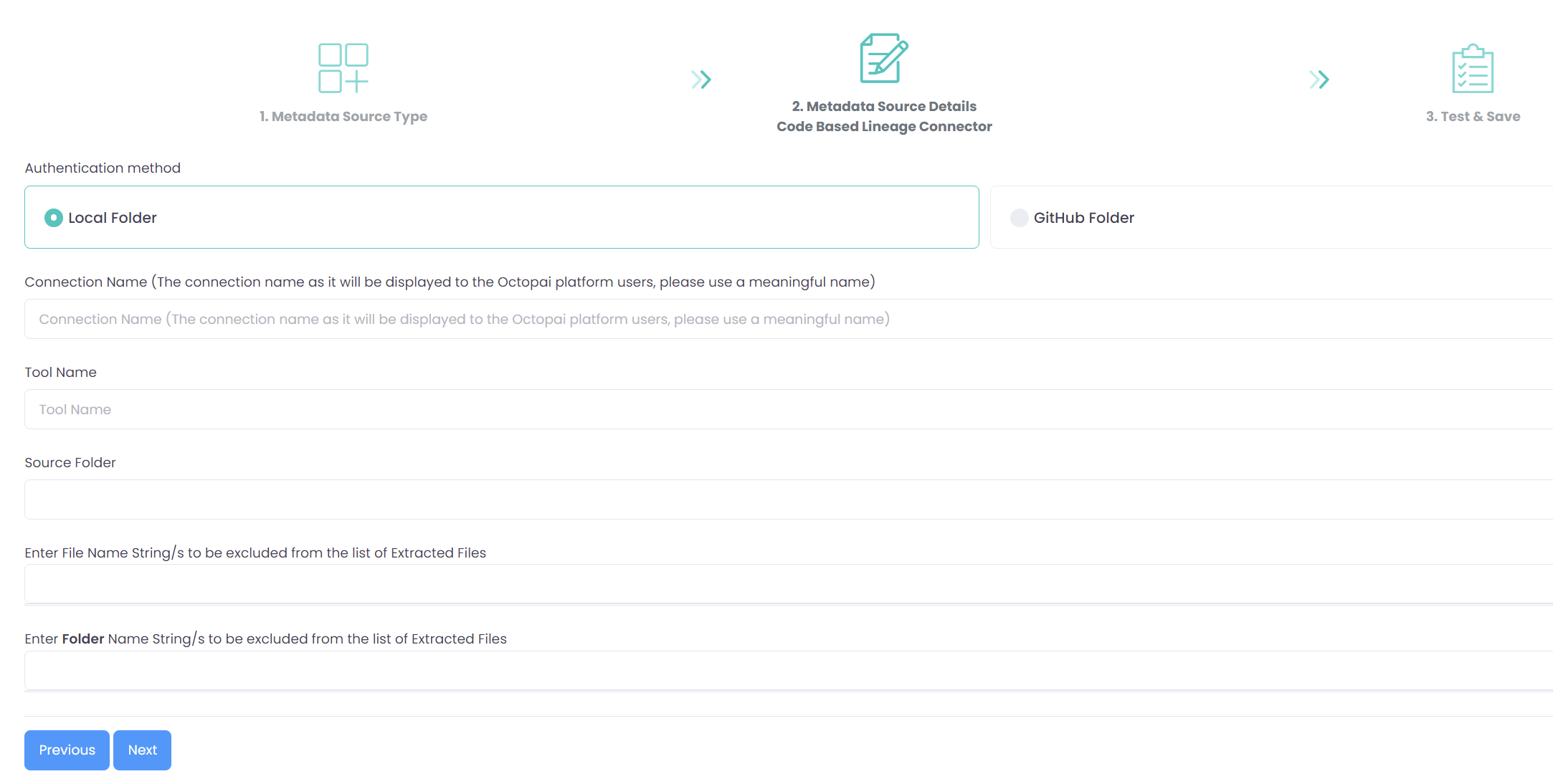
- In the New Metadata Source wizard, choose the authentication method
between a Local Folder or a Github Folder,
and enter the appropriate information:
- Local Folder: Choose the Local Folder option if you want to upload files from a local directory for data lineage analysis.
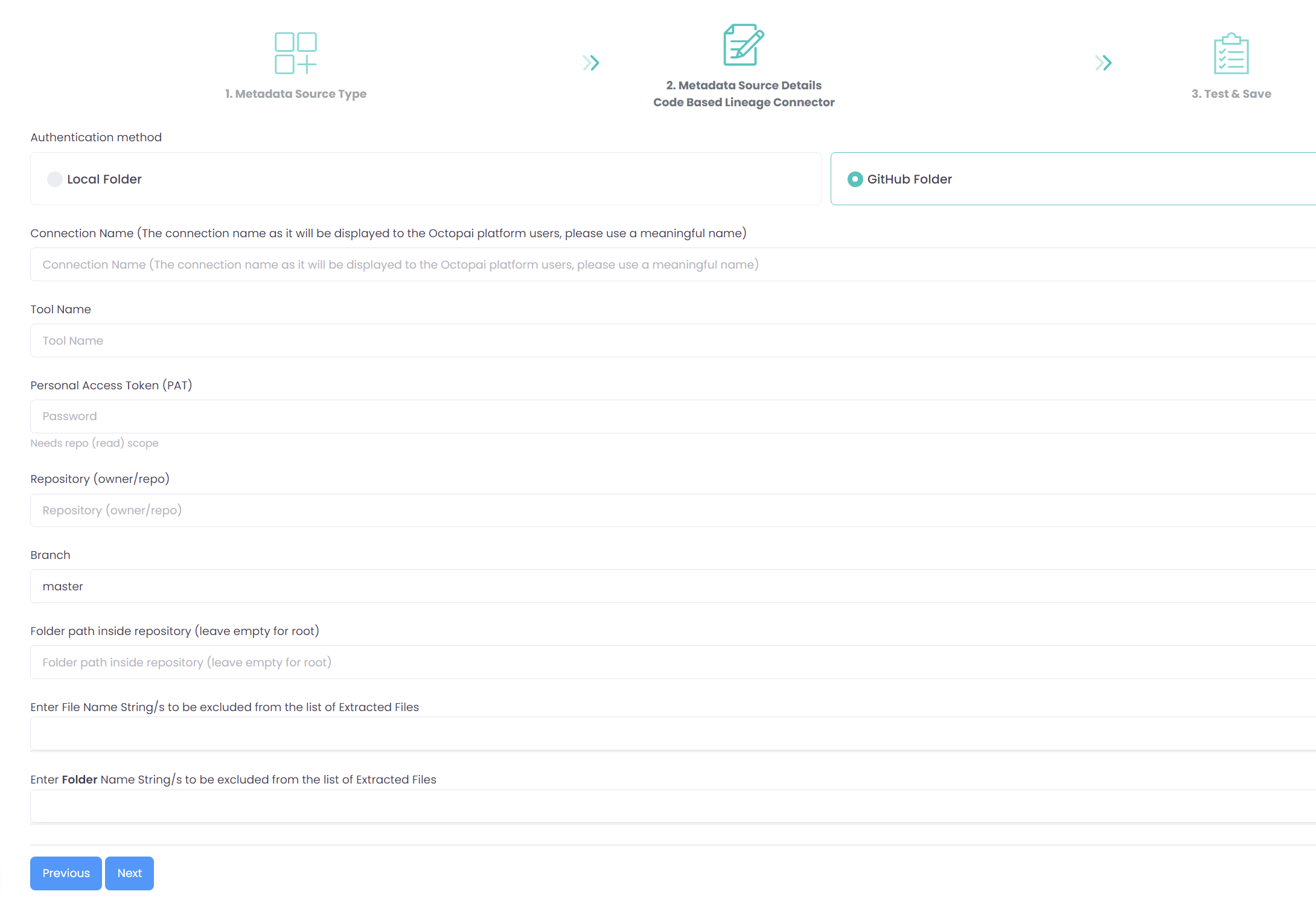
- Github Folder: Choose the Github Folder option if you want to connect to your Github repository to extract the required files for data lineage analysis.
- Connection Name: Provide a meaningful name for this connection to help you easily identify it later in the Cloudera Data Lineage application.
- Tool Name: Specify the tool or language environment you are using. For example, enter "Python" or "Scala" depending on the language you are uploading.
- Source Folder: Click the blank field to select the folder containing the files you want to upload.
- Exclude Files or Strings: Enter file names, suffixes, strings, or patterns you want to exclude from the export (for example, test scripts, local configuration files).
- Exclude Folders: Specify folder names to exclude from the export if you have
multiple subfolders (for example,
venv,__pycache__,.git).
- Connection Name: Provide a meaningful name for this connection to help you easily identify it later in the Cloudera Octopai application.
- Tool Name: Specify the tool or language environment you are using. For example, enter "Python" or "Scala" depending on the language you are uploading.
- Personal Access Token (PAT): Enter your Github Personal Access Token to authenticate and authorize the connector to access your repository.
- Repository (owner/repo): Enter the repository name in the format 'owner/repository-name'.
- Branch: Specify the branch within the repository from which you want to extract files (for example, 'main').
- Folder path inside the repository: Provide the specific path to the directory within the repository that contains the files you want to include.
- Exclude Files or Strings: Enter file names, suffixes, strings, or patterns you want to exclude from the export (for example, test scripts, local configuration files).
- Exclude Folders: Specify folder names to exclude from the export if you have
multiple subfolders (for example,
venv,__pycache__,.git).
- Click .
