Cross system lineage
Cross System Lineage is a feature or capability provided by Cloudera Data Lineage (formerly Octopai), a data management and metadata management platform. Cloudera Data Lineage is designed to help organizations understand, govern, and optimize their data assets across various systems and platforms.
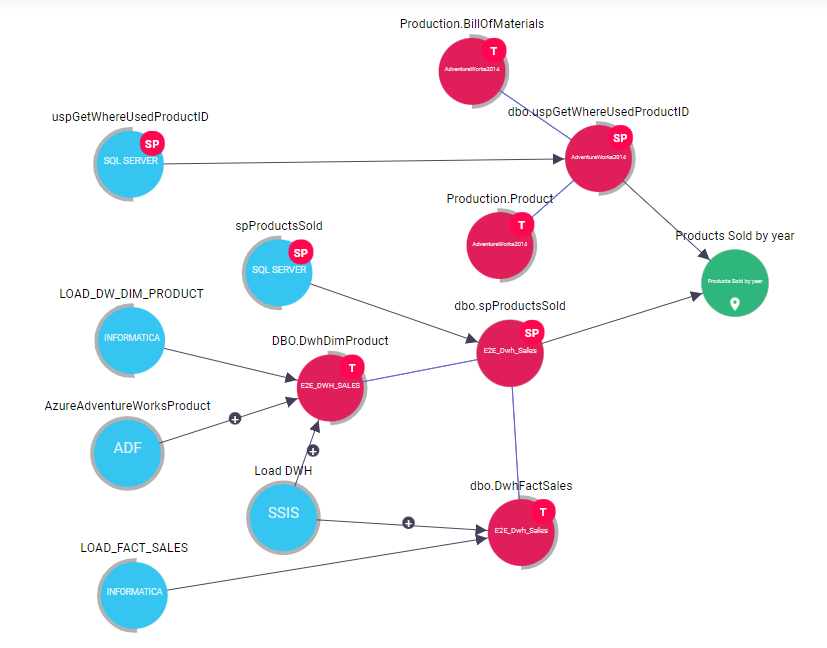
Cross System Lineage specifically focuses on tracking and visualizing the flow of data across different systems within an organization. It provides a comprehensive view of how data moves from its source to its destination, traversing through multiple systems, applications, and processes.
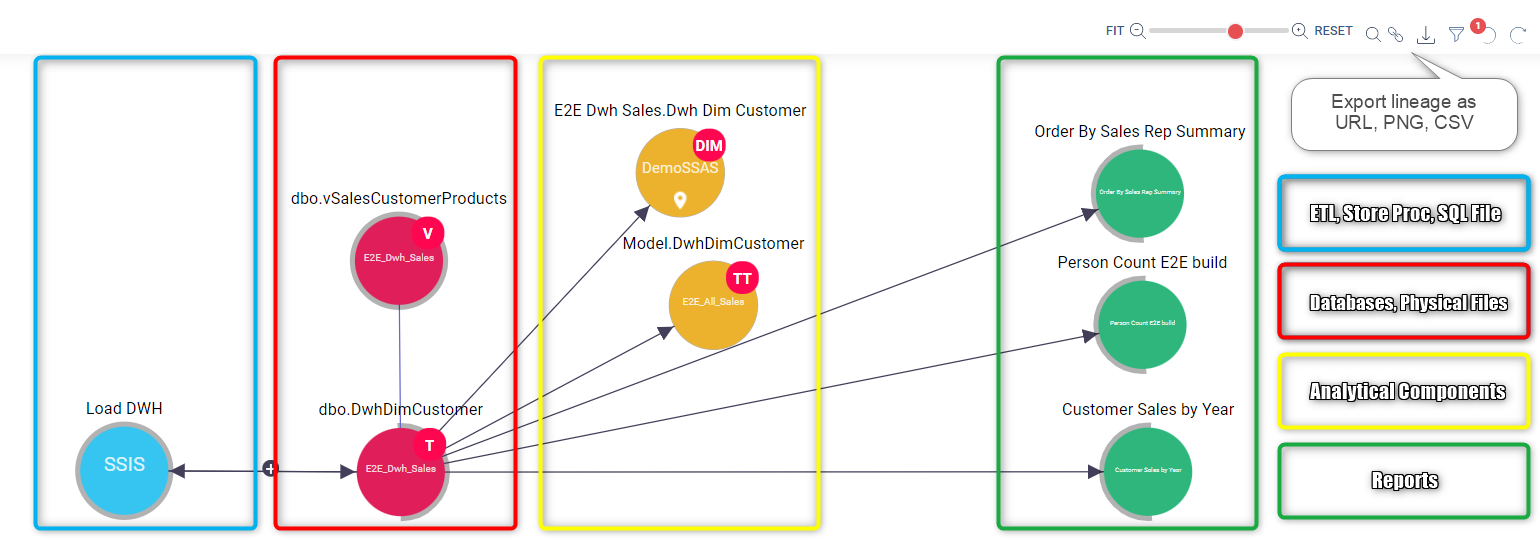
With Cross System Lineage, Cloudera Data Lineage enables users to gain insights into the end-to-end data lineage, regardless of the complexity of the data ecosystem. It allows users to trace the data path across systems such as databases, data warehouses, data lakes, Extract, Transform, Load (ETL) processes, Business Intelligence (BI) tools, and more.
- Understanding data flow – Users can track the flow of data from its origin to its final destination, providing a clear understanding of how data is transformed and used throughout the organization.
- Impact analysis – Cross System Lineage helps users identify the impact of changes or issues in one system on downstream systems. It allows organizations to assess the potential consequences of modifications, ensuring data integrity and minimizing risks.
- Compliance and governance – By providing visibility into the movement of data across systems, Cloudera Data Lineage Cross System Lineage assists in meeting compliance requirements and data governance initiatives. It helps organizations maintain data lineage documentation and ensure data accuracy, privacy, and security.
- Troubleshooting and root cause analysis – When data-related issues occur, Cross System Lineage aids in identifying the root causes and troubleshooting effectively. It enables users to pinpoint where problems arise within the data flow and take appropriate actions to resolve them.
Overall, Cross System Lineage offered by Cloudera Data Lineage enhances data understanding, enables efficient data management, and facilitates informed decision-making across complex data landscapes by visualizing the end-to-end flow of data across systems.
Clicking on each Data Object Bubble will show a Radial button with the following Cross System Lineage functionalities:
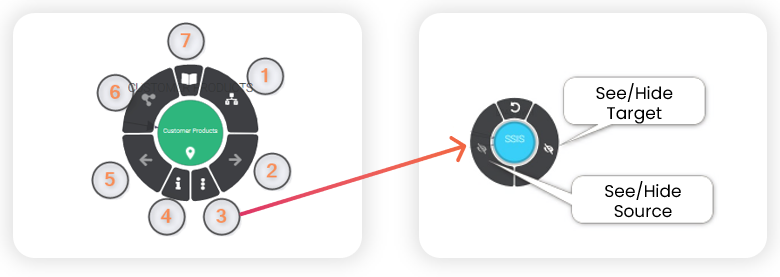
- Hop on to Inner View – Internal lineage view of the component
- Lineage Expansion – Impact analysis
- More Actions – See or hide target and see or hide source
- Information – Component properties
- Lineage Expansion – Root cause analysis
- Lineage Focus – Change focus to this item
- Hop to Catalog Module – Automatic Data Catalog, if available

Enhanced Focused Path Analysis
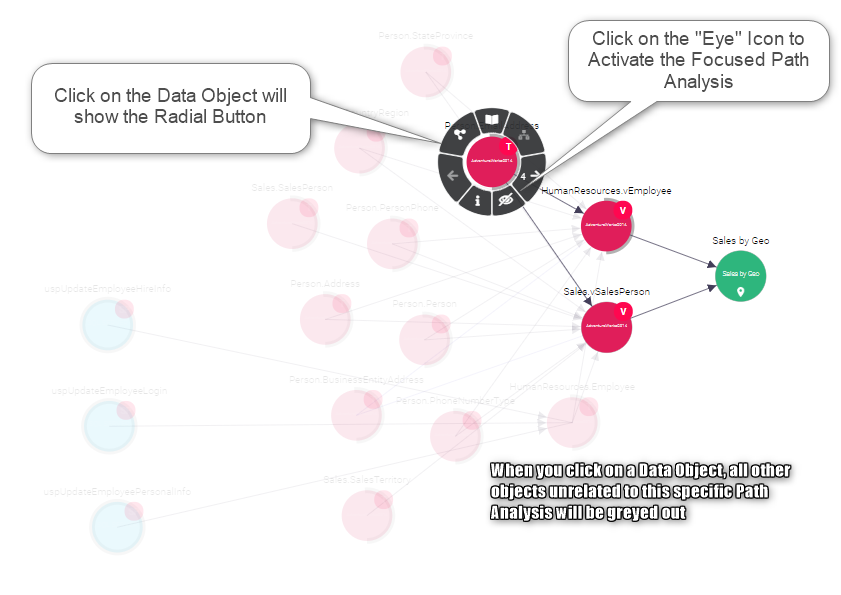
- Visual Indicators for Selected Objects – When analyzing cross-system data flows, any object selected for focused path analysis displays a visual indication. This makes it easier for users to identify which objects are part of the focused path.
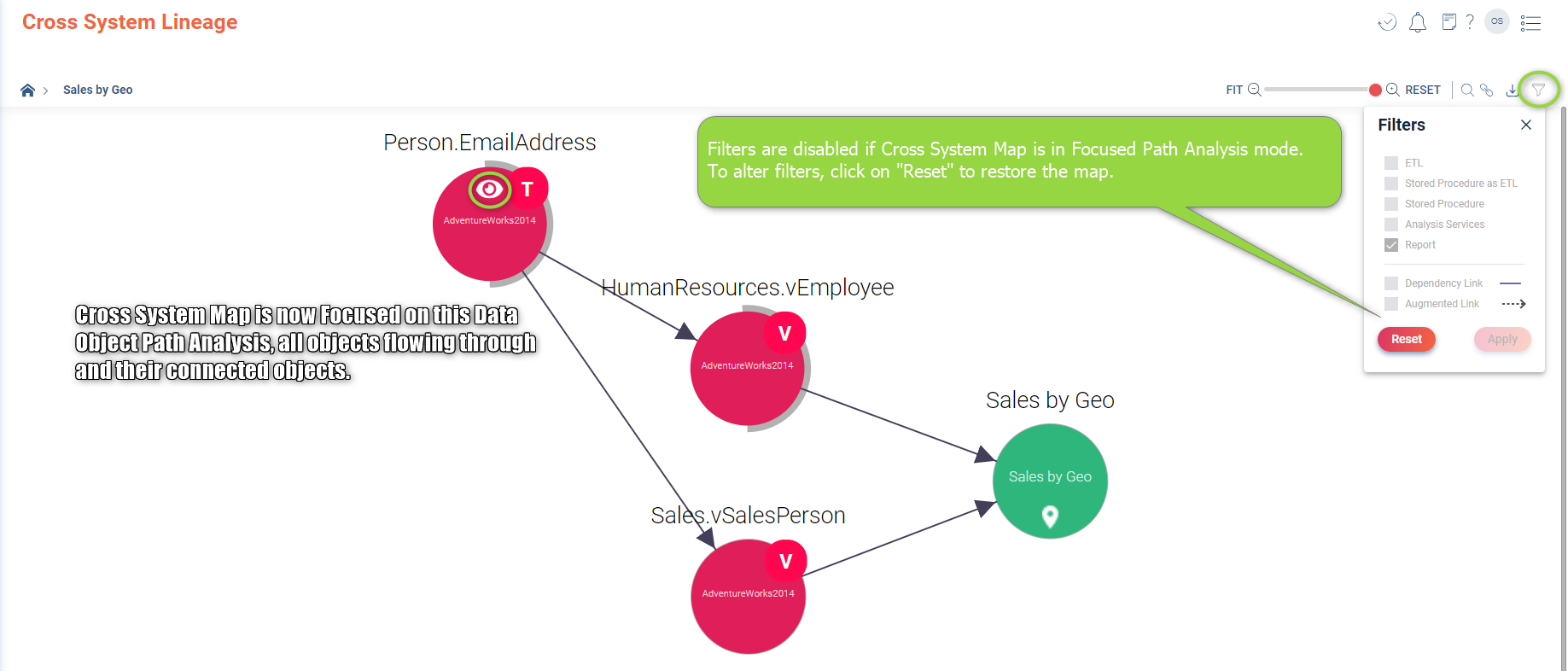
- Improved Object Selection – If an object cannot be selected for focused path analysis, it means the map is already reduced to that specific path. The map shows all objects going through the selected object and their connected objects.
- Stable Map Filters – If your analysis is focused on a specific path, filters cannot be activated. This ensures the stability of the map, as any filter changes would trigger a map recalculation. For optimal results, Cloudera Data Lineage recommends configuring filters before applying focused path analysis.