End-to-End Column Lineage
E2E Column Lineage
Hop to End to End Column Lineage
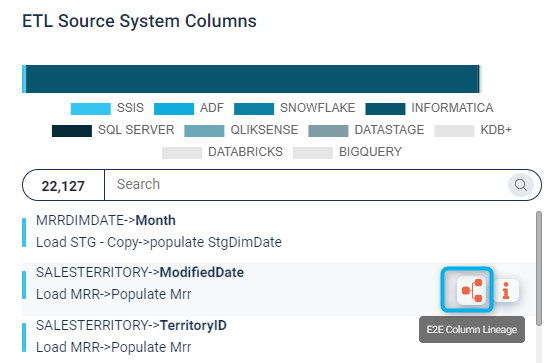
E2E Column Lineage
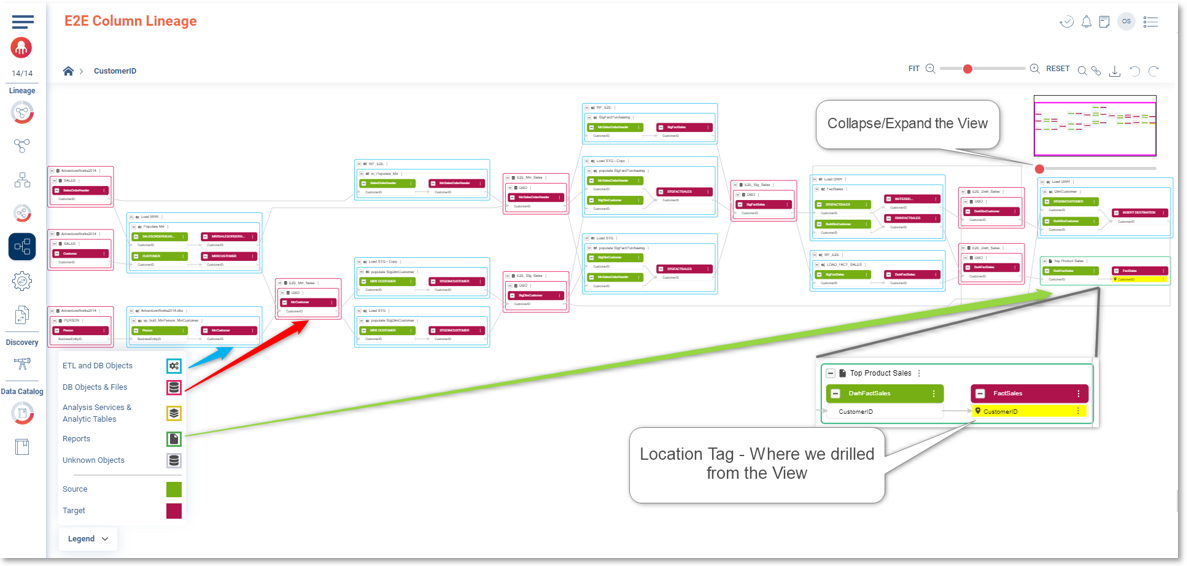
Collapse/Expand the View from the bar under the Navigation panel
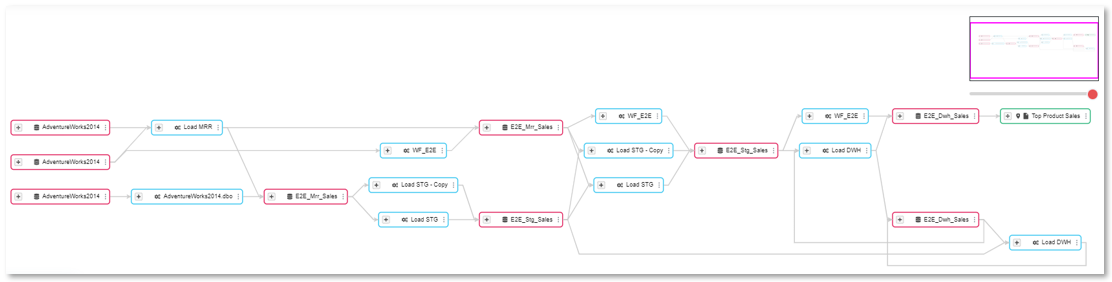
E2E Column Lineage Functionalities over each Column
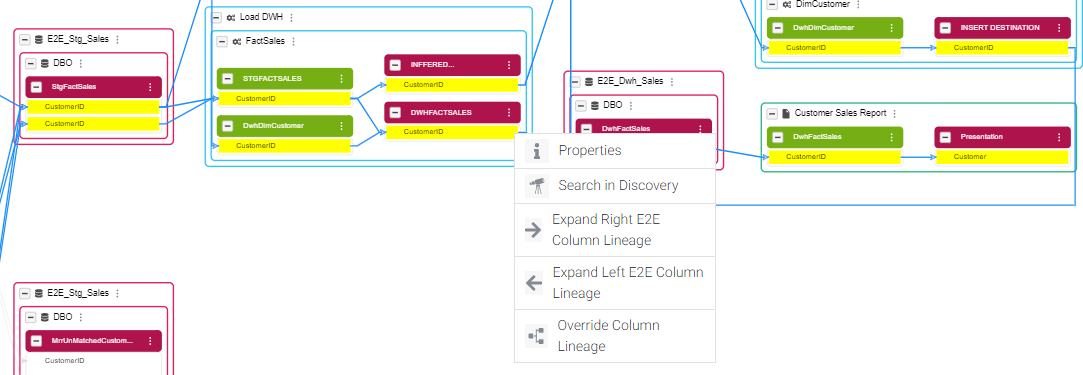
Click on the three dots next to the column to open the drop menu with the following options:
- Properties - Column Properties will pop up on the left side of the screen
- Search in Discovery - Hop to Discovery Module
- Expand Right E2E Column Lineage - Impact Analysis
- Expand Left E2E Column Lineage - Root Cause Analysis
- Override Column Lineage - Start the E2E Lineage from this Column
E2E Column Lineage Functionalities over each Table
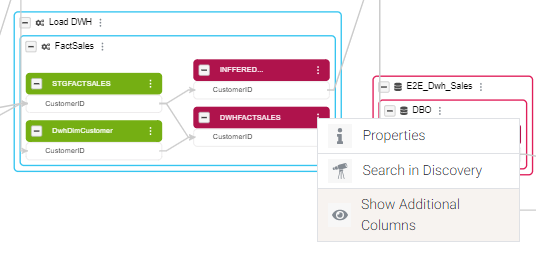
Click on the three dots next to the table to open the drop menu with the following options:
- Properties - Table Properties will pop up on the left side of the screen
- Search in Discovery - Hop to Discovery Module
-
Show Additional Columns - Will show all the columns related to the table
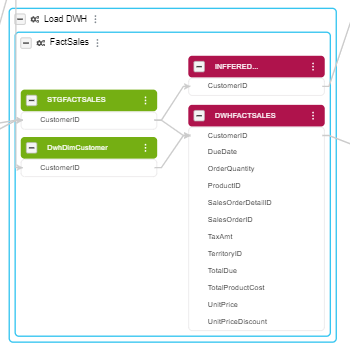
E2E Column Lineage Functionalities over each Inner Square
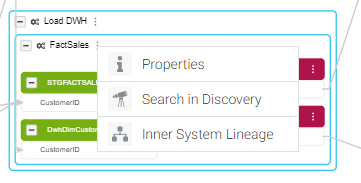
Click on the three dots next to the inner square name to open the drop menu with the following options:
- Properties - Table Properties will pop up on the left side of the screen
- Search in Discovery - Hop to Discovery Module
- Inner System Lineage - Hop to the Inner System Lineage
E2E Column Lineage Functionalities over each Outer Square
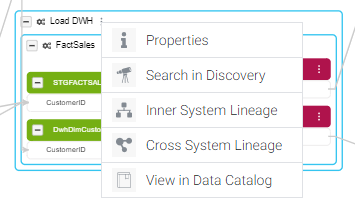
Click on the three dots next to the table to open the drop menu with the following options:
- Properties - Table Properties will pop up on the left side of the screen
- Search in Discovery - Hop to Discovery Module
- Inner System Lineage - Hop to the Inner System Lineage
- Cross System Lineage - Hop to the Cross System Lineage
- View in Data Catalog - Hop to Catalog Module
