IBM DB2 LUW
Learn how to integrate IBM DB2 LUW with Cloudera Octopai.
Tool Permissions Prerequisites
- DB2 ODBC driver installed on the machine running the Cloudera Octopai Client
- Microsoft Visual C++ Redistributable - Visual Studio 2013 (VC++ 12.0) - 64X, installed on the machine running the Cloudera Octopai Client
- Open Server Port for each DB2 Database Connection
- Existing/New DB2 user(OCTOPAI_USER) for each connection with:
- Grant connect on DATABASE ;
- Grant Execute on function SYSPROC.ENV_GET_INST_INFO;
- Grant Execute on function SYSPROC.MON_GET_CONTAINER;
- Grant select permission for the following dictionary tables:
- SYSIBM.SYSTABAUTH;
- SYSIBM.SYSCOLAUTH;
- SYSIBM.SYSDBAUTH;
- SYSIBMADM.DBMCFG;
- SYSIBMADM.DBCFG;
- SSYSIBM.SYSDBAUTH;
- SYSCAT.PACKAGEAUTH;
- SYSCAT.TBSPACEAUTH;
- SSYSCAT.DBAUTH;
- SYSCAT.SEQUENCEAUTH;
- SYSCAT.INDEXAUTH;
- SYSCAT.TABLES;
- SYSIBM.SYSSCHEMAAUTH ;
- SSYSIBM.SYSTABAUTH;
- SYSCAT.LIBRARYAUTH;
- SYSCAT.TABAUTH;
- SYSIBM.SYSROUTINEAUTH;
- SYSIBM.ROUTINES;
- SYSCAT.INDEXES;
- SSYSCAT.SCHEMAAUTH;
- SYSCAT.PACKAGES;
- SYSCAT.VIEWS;
- SYSCAT.TRIGGERS;
- SYSCAT.PASSTHRUAUTH;
- SYSCAT.ROUTINEAUTH;
- SYSCAT.TABLESPACES;
- SYSCAT.SEQUENCES;
- SYSCAT.ROUTINES;
- SYSCAT.INDEXES;
- SYSCAT.PACKAGES;
- SYSCAT.SCHEMATA;
- SYSCAT.TRIGGERS;
- SYSCAT.TABLES;
- SYSCAT.VIEWS;
- SYSCAT.ROUTINES;
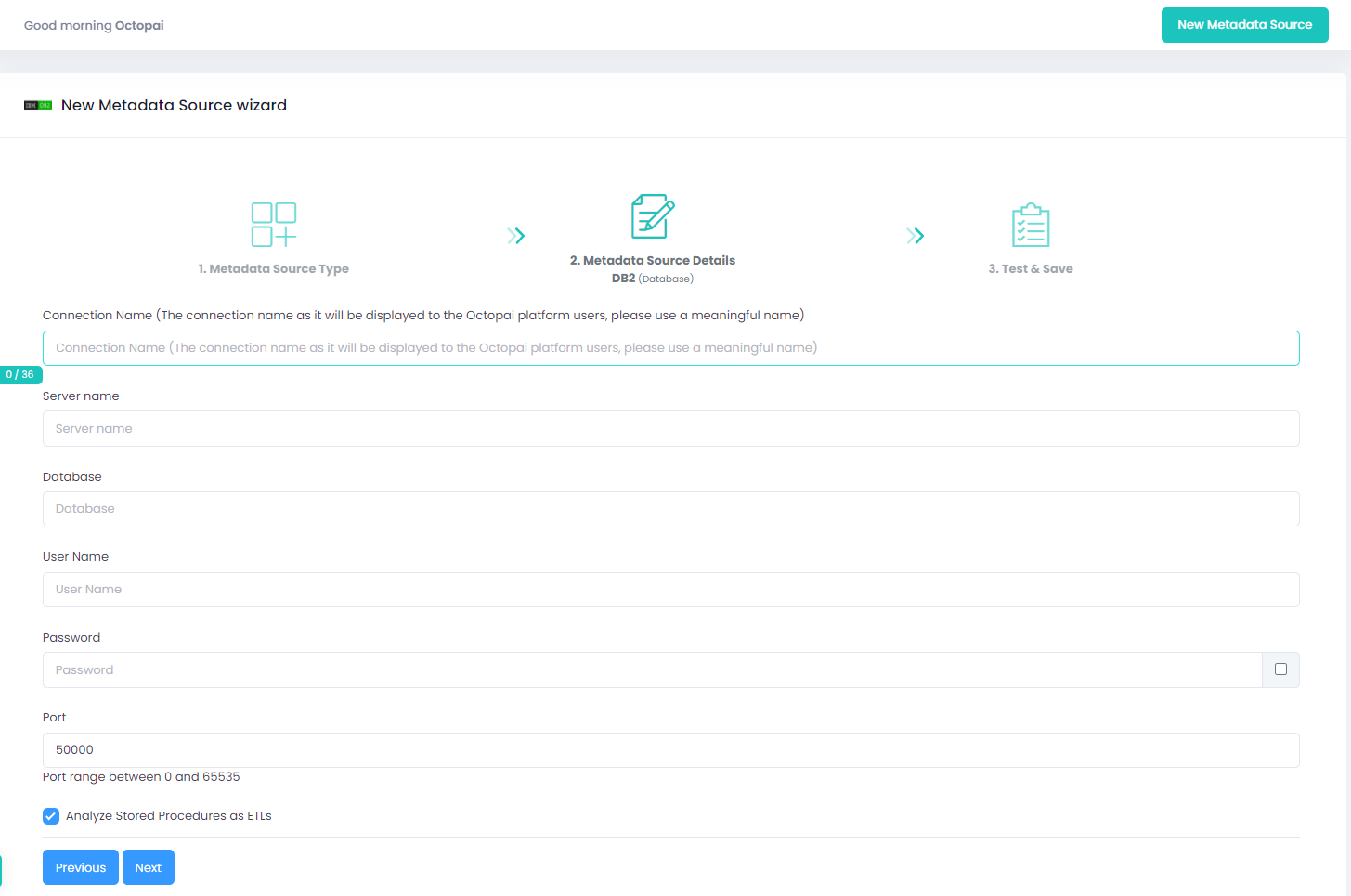
Setting up IBM - DB2 Metadata Source
Metadata Sources are set on the Cloudera Octopai Client
How to verify the extracted Metadata File
Access the Cloudera Octopai Target Folder (TGT)
- Go to the TGT Folder located on the Server where the Cloudera Octopai Client is installed. By default: C:\Program Files (x86)\Octopai\Service\TGT
- Open the zip file having the Connector Name. Example:

- Verify its content: Quantity & Quality of inner files
Troubleshoot
Error during the extraction:
- Check the permissions
-
Send the log with the connector number and name to
Cloudera Support
- C:\Program Files (x86)\Octopai\Service\log

