Configuring Cloudera Octopai Connector for Apache Spark
Learn about installing and configuring the Spline-based Cloudera Octopai Data Lineage Connector for Apache Spark to capture automated metadata lineage.
Supported capabilities
-
Spline agent lineage – Lineage capture is limited to what the Spline agent can parse from Spark SQL execution plans.
-
Active jobs – Only running or newly executed jobs are collected.
-
Persistent actions – Read and write operations that touch persistent storage (tables or files) are recorded.
-
Cluster configuration – Spark must be configured with the Spline properties in
spark-defaults.conf. - Explicit application name – For job names to appear,
jobs must define the application name
explicitly:
spark = SparkSession.builder \ .appName("Spark UDF Example") \ .getOrCreate() -
Customer-managed environments – Spark clusters are deployed and managed within the customer environment.
Limitations
-
Successful jobs only – Lineage is generated for jobs that finish without errors.
-
Persistent storage focus – Operations that remain in-memory are excluded from lineage capture.
-
Named jobs required – Jobs without an explicit name produce lineage records without a meaningful identifier.
-
Kerberos support – Kerberos and delegation tokens are not yet supported; use basic authentication when sending lineage to the Spline server.
-
Spline parsing scope – Only Spark operations that Spline supports will appear in lineage.
-
Streaming jobs – Spark Structured Streaming workloads (for example, Kafka flows) are not captured.
-
Partial execution – Only code paths that are executed (for example, a conditional branch that runs) appear in lineage.
-
User-defined functions – UDF logic is not parsed, although their invocation appears in the execution plan.
Before starting the installation, ensure the following:
- A running Spark Cluster (Spark 2.x or 3.x)
- Access to HDFS for storing lineage files
- Cloudera Manager or similar access to configure Spark cluster properties
- Access permissions to upload JAR files to HDFS and edit Spark configurations
-
Configure Spark defaults.
Add the following properties to your Spark cluster configuration (spark-defaults.conf) through Cloudera Manager or equivalent:
spark.jars=hdfs:///tmp/spark-3.5-spline-agent-bundle_2.12-2.2.1.jar
spark.sql.queryExecutionListeners=za.co.absa.spline.harvester.listener.SplineQueryExecutionListener
spark.spline.mode=ENABLED
spark.spline.lineageDispatcher=hdfs
spark.spline.lineageDispatcher.hdfs.className=za.co.absa.spline.harvester.dispatcher.HDFSLineageDispatcher
spark.spline.lineageDispatcher.hdfs.directory=hdfs:///tmp/spline
spark.driver.memory=4g
Figure 2. Sample Spark defaults configuration 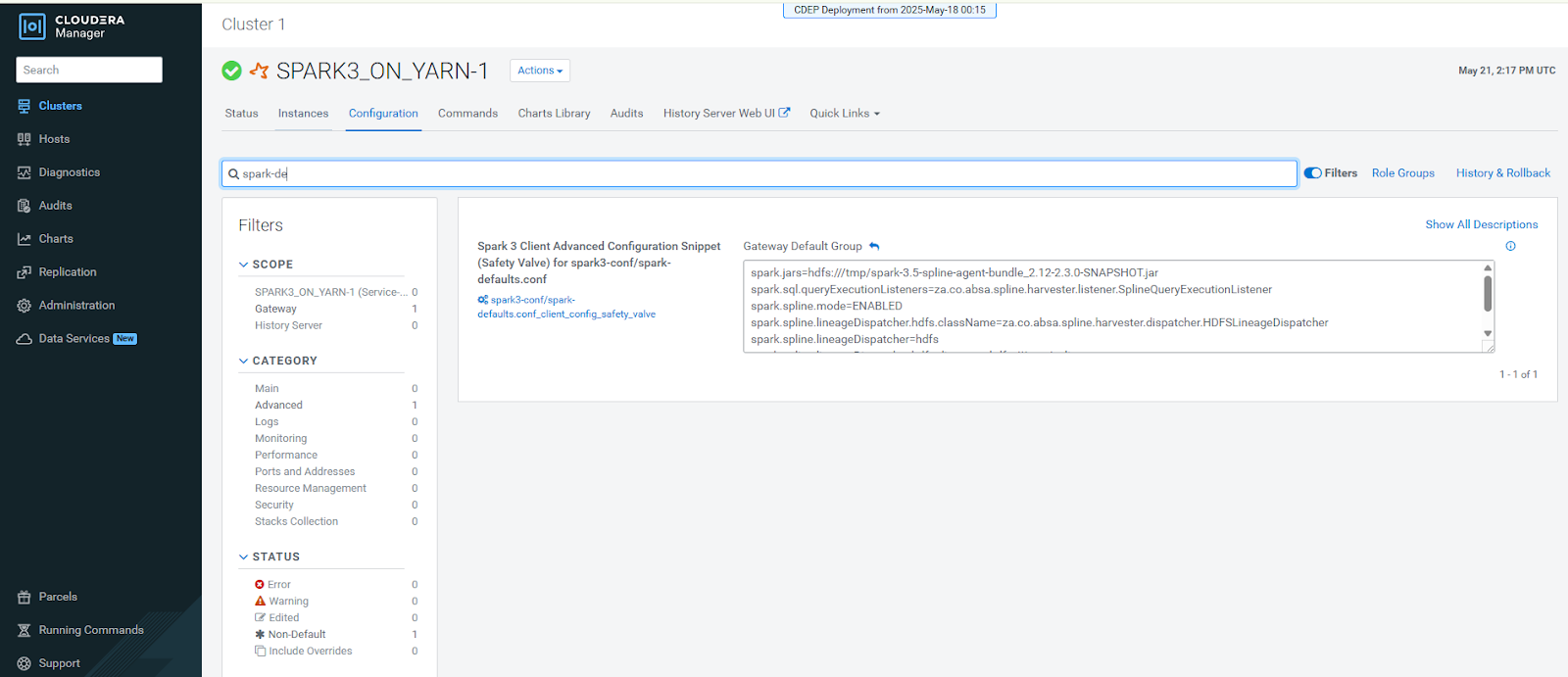
-
Create the HDFS lineage directory.
Create the directory where lineage files will be written and set permissions:
hdfs dfs -mkdir /tmp/spline
hdfs dfs -chown hive /tmp/spline
Figure 3. HDFS directory creation example 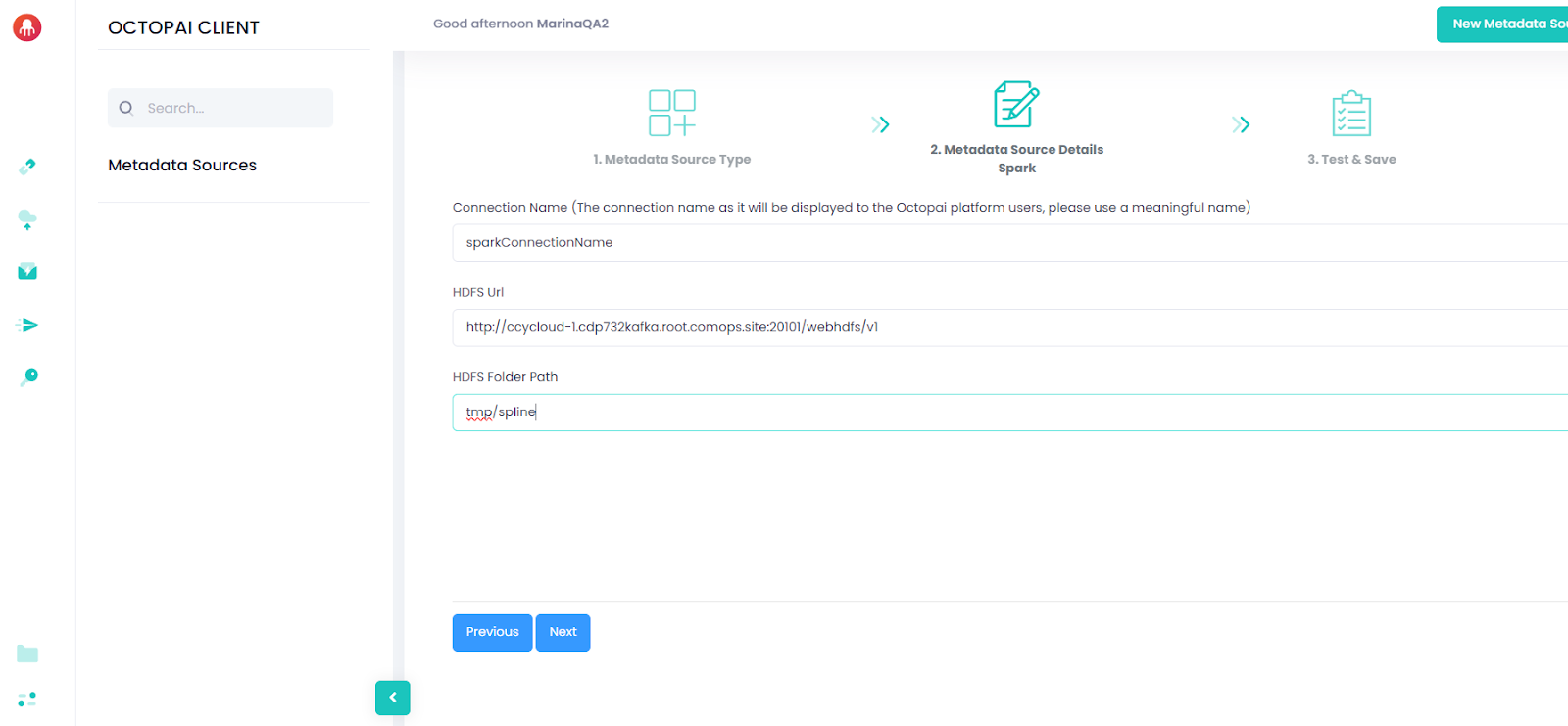
After completing the installation, verify the following:
- Spline Agent JAR is built and uploaded to HDFS.
- Spark cluster configuration is updated with Spline properties.
- /tmp/spline folder is created and write-access is configured.
- Spark cluster is restarted or configuration is refreshed.
- Test Spark jobs are producing lineage files in /tmp/spline.
