Qlik Sense
Configure the Cloudera Octopai Qlik Sense connector, including metadata setup, user allocation, and required permissions.
Tool Permissions Prerequisites
- Login permissions from the server running the Cloudera Octopai Client to the Qlik Sense Server (User and password with permissions to the Qlik Sense REST API, which needs to be enabled, and permissions to all apps you wish to extract).
- Read Permission for Cloudera Octopai Windows NT User on Qlik Sense Log files folder (Default location for log files:C:\ProgramData\Qlik\Sense\Log\Script).
- Allocated licensed user with permissions to streams you would like analyzed by Cloudera Octopai, use the following steps if needed:
- Create Custom property Creating a custom property ‒ Qlik Sense for
administrators
- Name ‘Octopai_Group'
- Resource type - ‘Users’, ‘Streams’
- Value 'Octopai’
- Assign Property ‘Octopai_ Group' and value 'Octopai’ to each stream you would like Cloudera Octopai to analyze.
- Assign Property ‘Octopai_ Group' and value 'Octopai’ to the user that will be used for extraction
- Add Security rule Creating security rules ‒ Qlik Sense for
administrators
- Name - Octopai_Stream_Rule
- Resource filter - Stream_*
- Action - Read
- Condition - ((user.@Octopai_Group=resource.@Octopai_Group))
- Proxy port values most contain default values Editing proxies ‒ Qlik Sense for
administrators
- Service listen port HTTPS (default) - 443
- Authentication listen port - 4244
- REST API listen port - 4243
- Create Custom property Creating a custom property ‒ Qlik Sense for
administrators
How to allocate a user in Qlik Sense
Prerequisites:
- Login permissions from the server running the Octopai Client to the Qlik Sense Server (User and password with permissions to the Qlik Sense REST API, which needs to be enabled and permissions to all apps you would like to extract).
- Read Permission for Cloudera Octopai Windows NT User on Qlik Sense Log files folder.
- Default location for log files: C:\ProgramData\Qlik\Sense\Log\Script.
- Dedicated Header Authentication: Configuring header authentication.
Grant permission to all relevant streams to an allocated user:
- Create Custom property: Creating a custom property.
- Name ‘Octopai_Group'
- Resource type - ‘Users’, ‘Streams’
- Value 'Octopai’
- Assign Property ‘Octopai_ Group' and value 'Octopai’ to each stream you would like Cloudera Octopai to analyze.
- Assign Property ‘Octopai_ Group' and value 'Octopai’ to the user that will be used for extraction
- Add Security rule: Creating security rules.
- Name - Octopai_Stream_Rule
- Action - Read
- Condition - User@Octopai_Group = #Stream@Octopai_Group
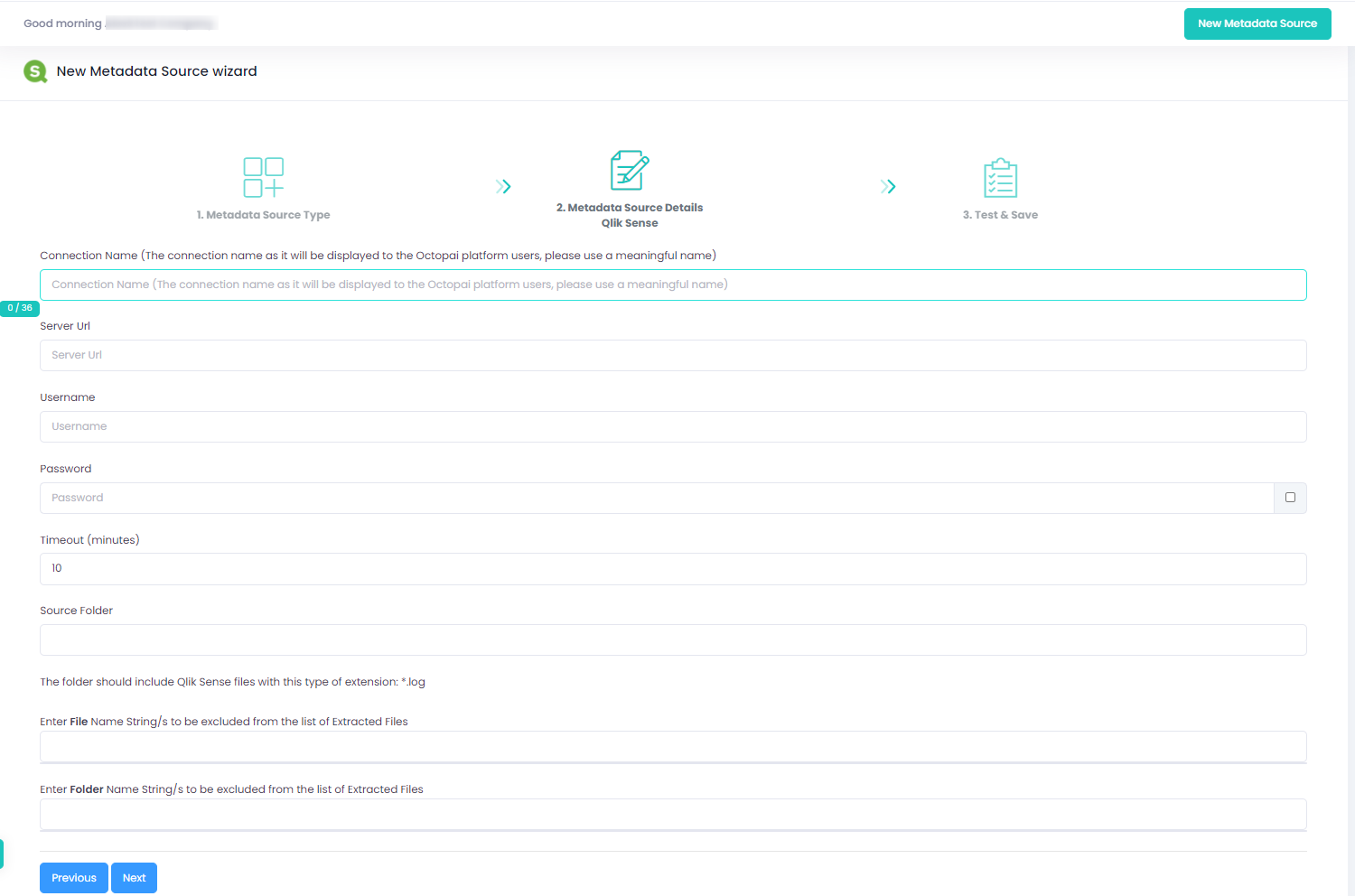
Setting up Qlik Sense Metadata Source
Metadata Sources are set on the Cloudera Octopai Client