SSRS
Learn how to set up and manage SSRS metadata sources using Cloudera Octopai Data Lineage.
Tool Permissions Prerequisites
User and password with permissions to the SSRS API (Azure Active Directory authentication not supported)
- The user needs to have “Content Manager” permissions on the report’s folder or the
report itself.
- http://<ServerName>/Reportserver/ReportService2010.asmx * Native Mode Min Permission: Content Manager
- http://<sp server name>/_vti_bin/ReportServer/ReportService2010.asmx * Sharepoint Integrated Mode Min Permission: Owners
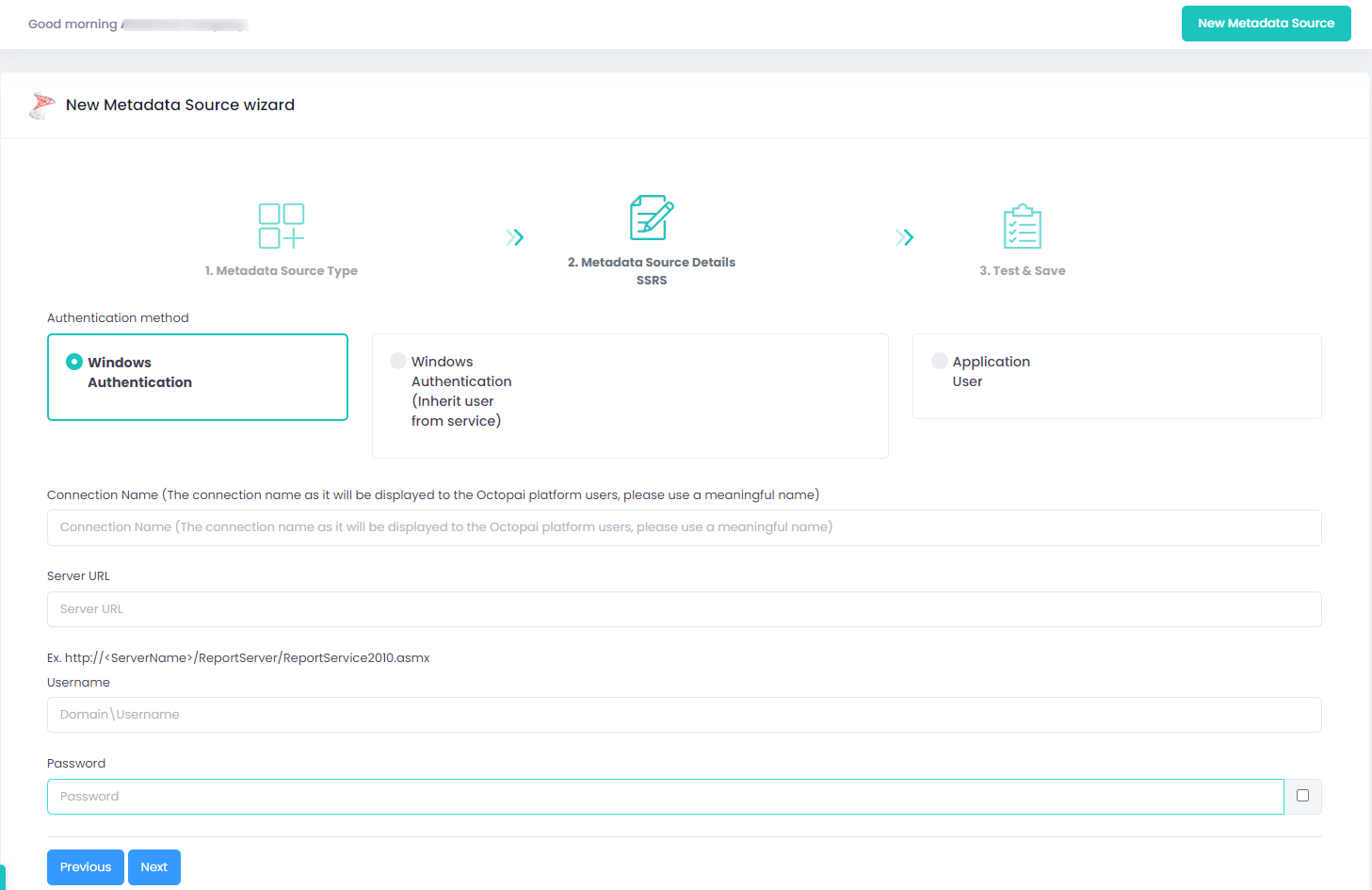
Setting up SSRS Metadata Source
Metadata Sources are set on the Cloudera Octopai Client
How to verify the extracted Metadata File
Access the Cloudera Octopai Target Folder (TGT)
- Go to the TGT Folder located on the Server where the Cloudera Octopai Client is installed. By default: C:\Program Files (x86)\Octopai\Service\TGT
-
Open the zip file having the Connector Name. Example:

- Verify its content: Quantity & Quality of inner files
Troubleshoot
Error during the extraction:
- Check the permissions
- Send the log with the connector number and name to Cloudera Support - C:\Program Files (x86)\Octopai\Service\log

