Oracle Autonomous Data Warehouse (OAD/ADW)
Learn how to configure Oracle Autonomous Data Warehouse (OAD/ADW) as a metadata source for Cloudera Data Lineage (formerly Octopai).
Tool Permissions Prerequisites
-
Log into OCI, go to databases.
-
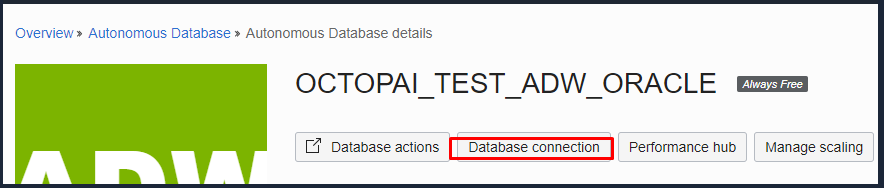
Select the database you want to connect and click on “Database connection”.
-
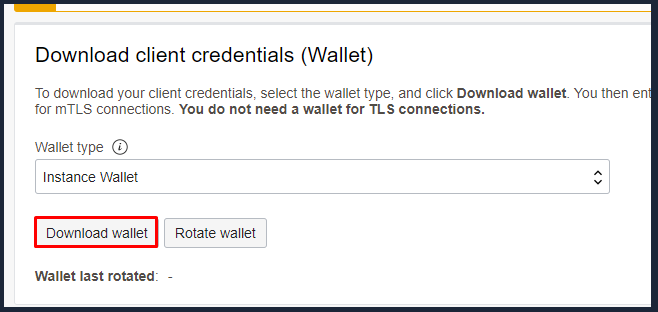
Set the wallet type to “Instance Wallet”, and download the file.
-
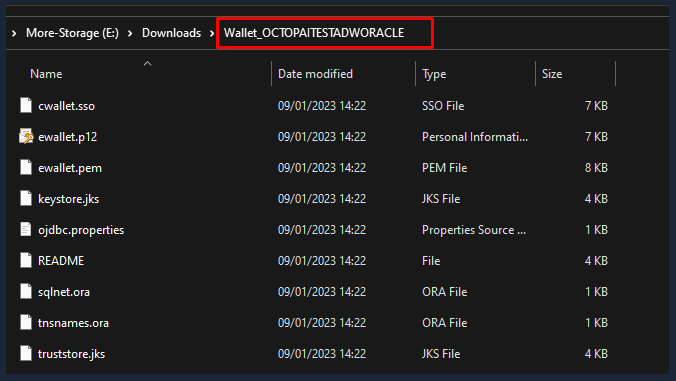
Extract the content of the zip into a folder, it should look like this:
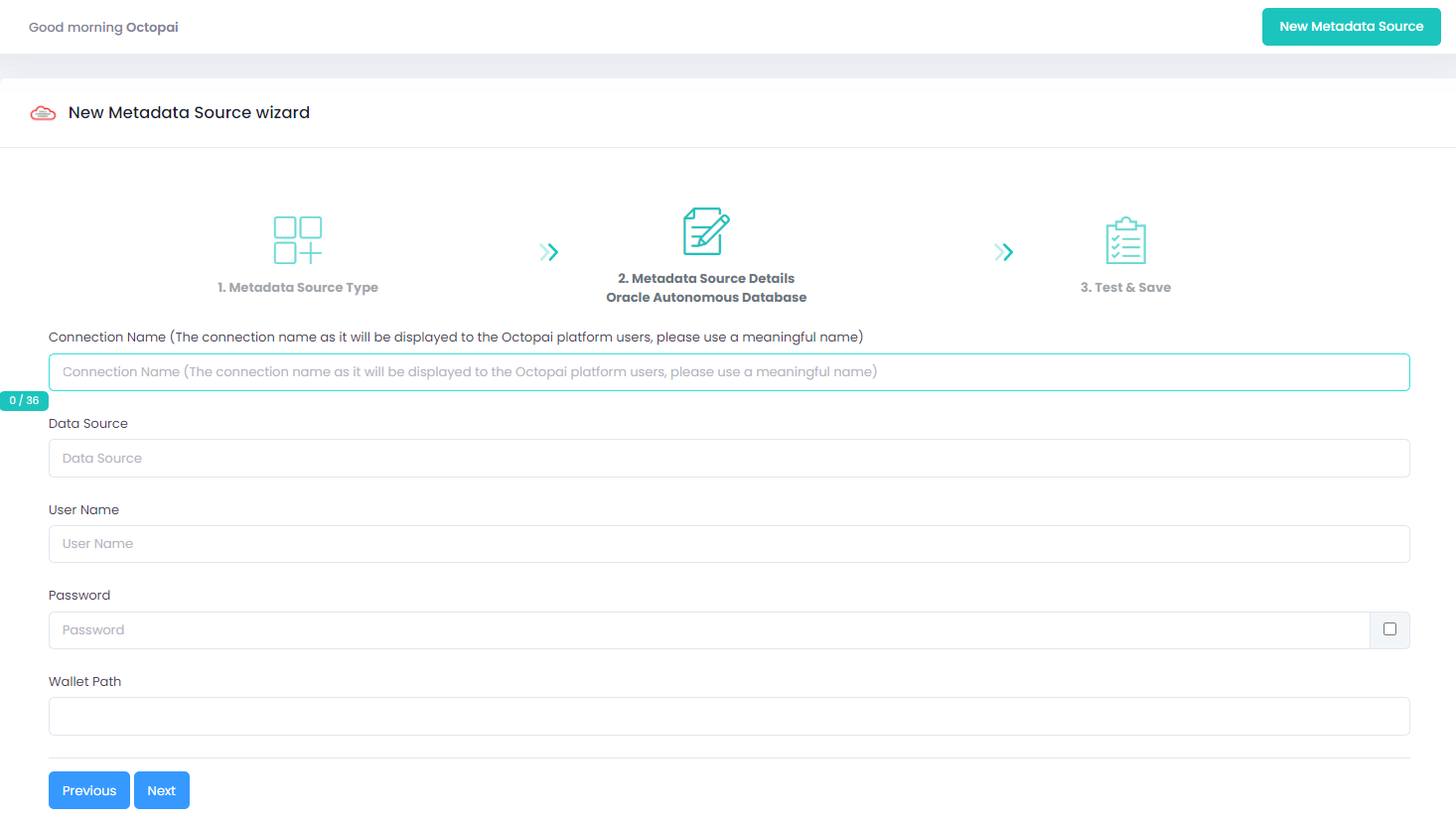
Setting up OAD Metadata Source
Metadata Sources are set on the Octopai Client
Verify extraction results
After a successful run, confirm the metadata archive in the target folder. See Verify extracted metadata files.
Troubleshoot
If an error occurs during the extraction, see Troubleshoot connector extraction failures.
