Product Release Notes - February, 2024
Users can now perform focused component path or column (field) path analysis within the Inner System Lineage maps, allowing for a deeper and more precise exploration of data lineage.
Focused Path Analysis for Inner System Lineage
Users can now perform focused component path or column (field) path analysis within the Inner System Lineage maps, allowing for a deeper and more precise exploration of data lineage.
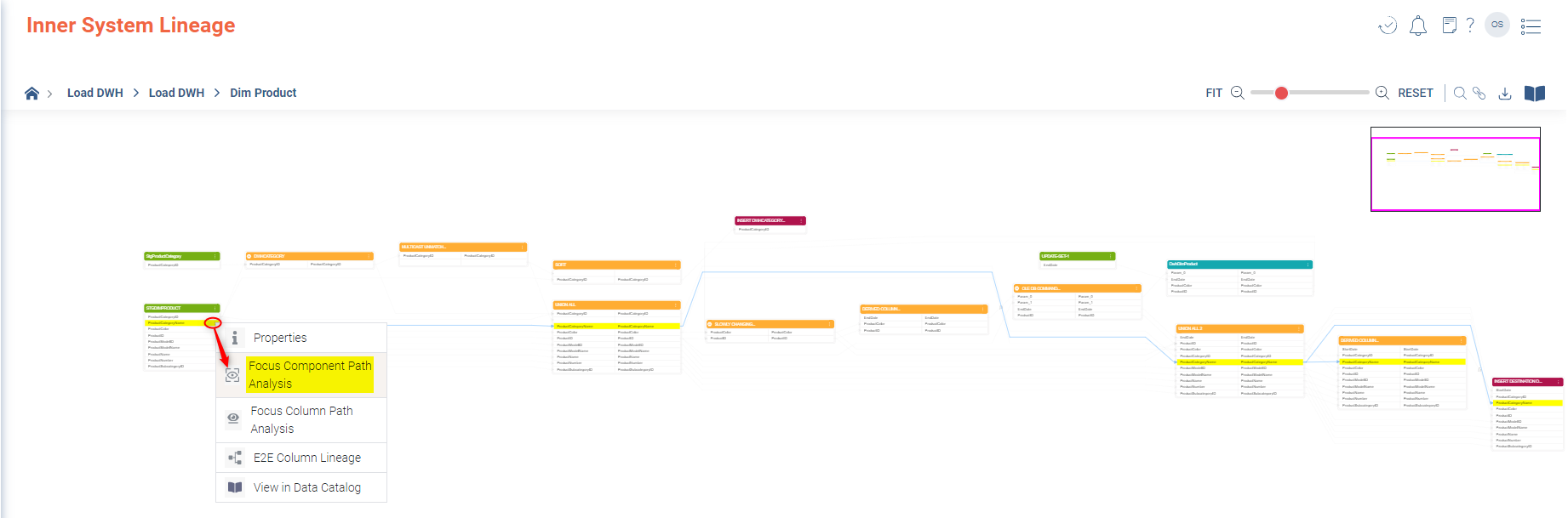
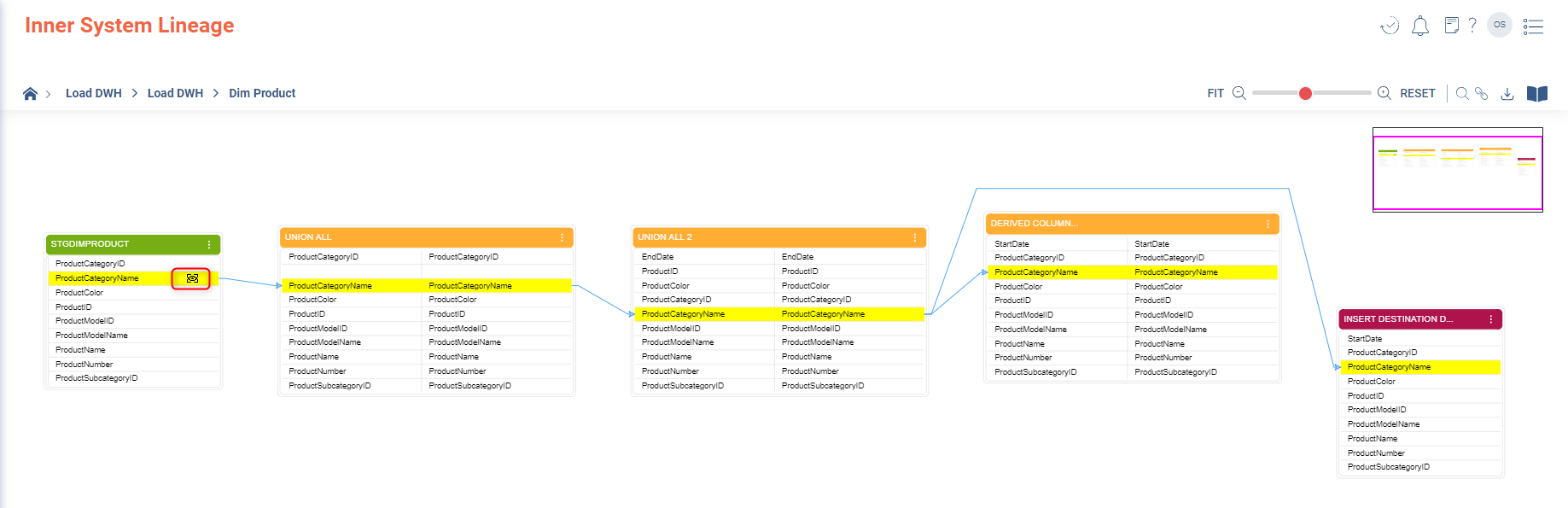
- Component-Level Focus: Users can now concentrate their analysis on individual components within the Inner System Lineage. This targeted analysis allows for an in-depth examination of the data lineage at a granular component level.
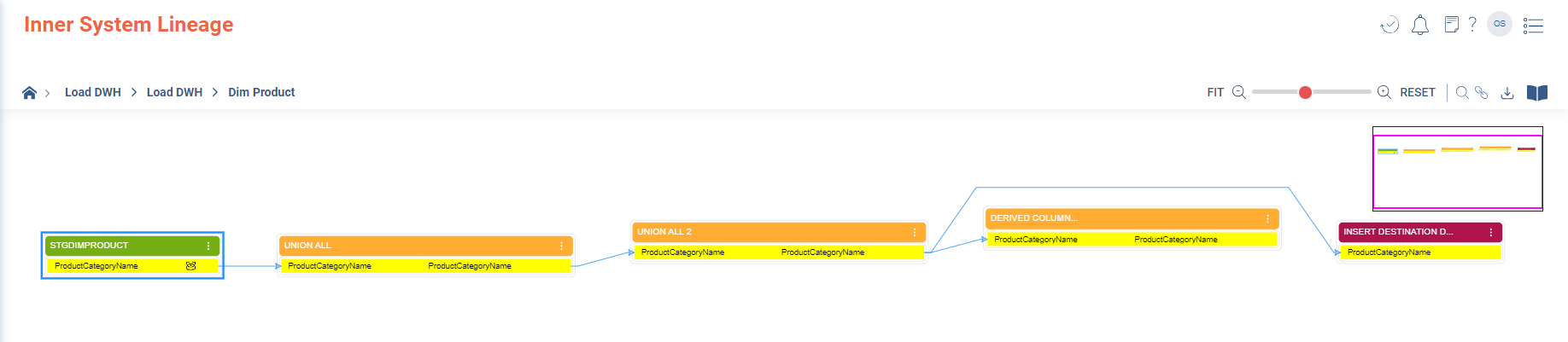
- Column-Level Focus: In addition to components, users have the capability to focus on specific columns (fields). This direct column focus is particularly useful for analysing data flow and lineage at the most detailed level.
Flexibility and Control
- Reset Functionality: The new reset feature gives users the ability to revert their lineage map to its initial state, offering a way to start fresh or compare before and after states of their analysis.
- Unfocused Options: Users can revert their view from a focused component to field and vice versa state to see wider data lineage connections, enabling a flexible approach to switch between detailed and high-level analysis.
Applicable Use Cases
- Compliance and Change Requests: The focused analysis can be downloaded as an image, providing tangible evidence for compliance verification or supporting documentation for change requests.
- Root Cause Analysis: This tool is instrumental for tracing the root cause of issues, especially when identifying problematic fields within reports. It allows for tracing back through the layers of data lineage for efficient problem-solving.
- Large Scale Lineage Maps: For extensive inner system lineage maps, the focus features enhance the user's ability to navigate and analyze complex data relationships, from the physical through the semantic and onto the presentation layer, from source, data source through transformations and onto the target.
Focused Component Path
Only the component having the selected column remains on screen.
Focused Column Path
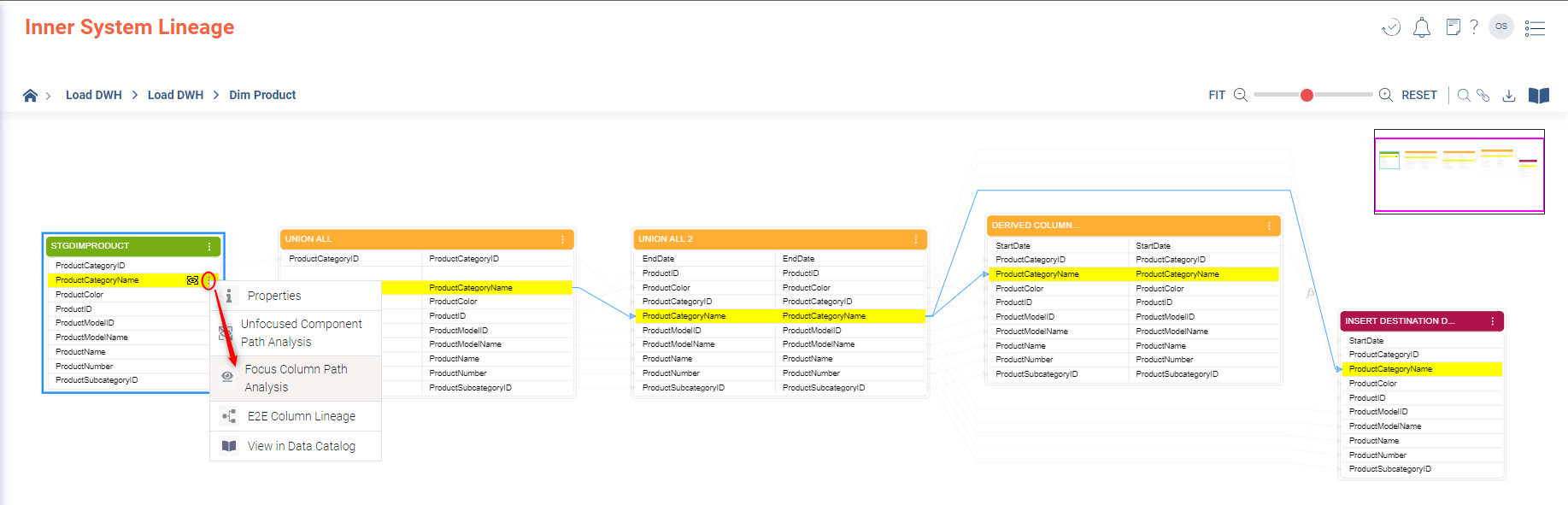
Only the column from the selected component remains on screen.
These updates to the Inner System Lineage Maps are designed to provide users with a more powerful and user-friendly experience for data lineage investigation. The new capabilities facilitate a deeper understanding of data relationships and support crucial compliance and analysis activities.
