Product Release Notes - July 17th, 2023
Learn about the Focused Path Analysis for Cross-System Lineage. This innovative feature revolutionizes how you perceive your data landscape, creating an intuitive, interactive focused map to help manage risk and optimize change implementation.
Focused Path Analysis for Cross-Systems Lineage
Overview
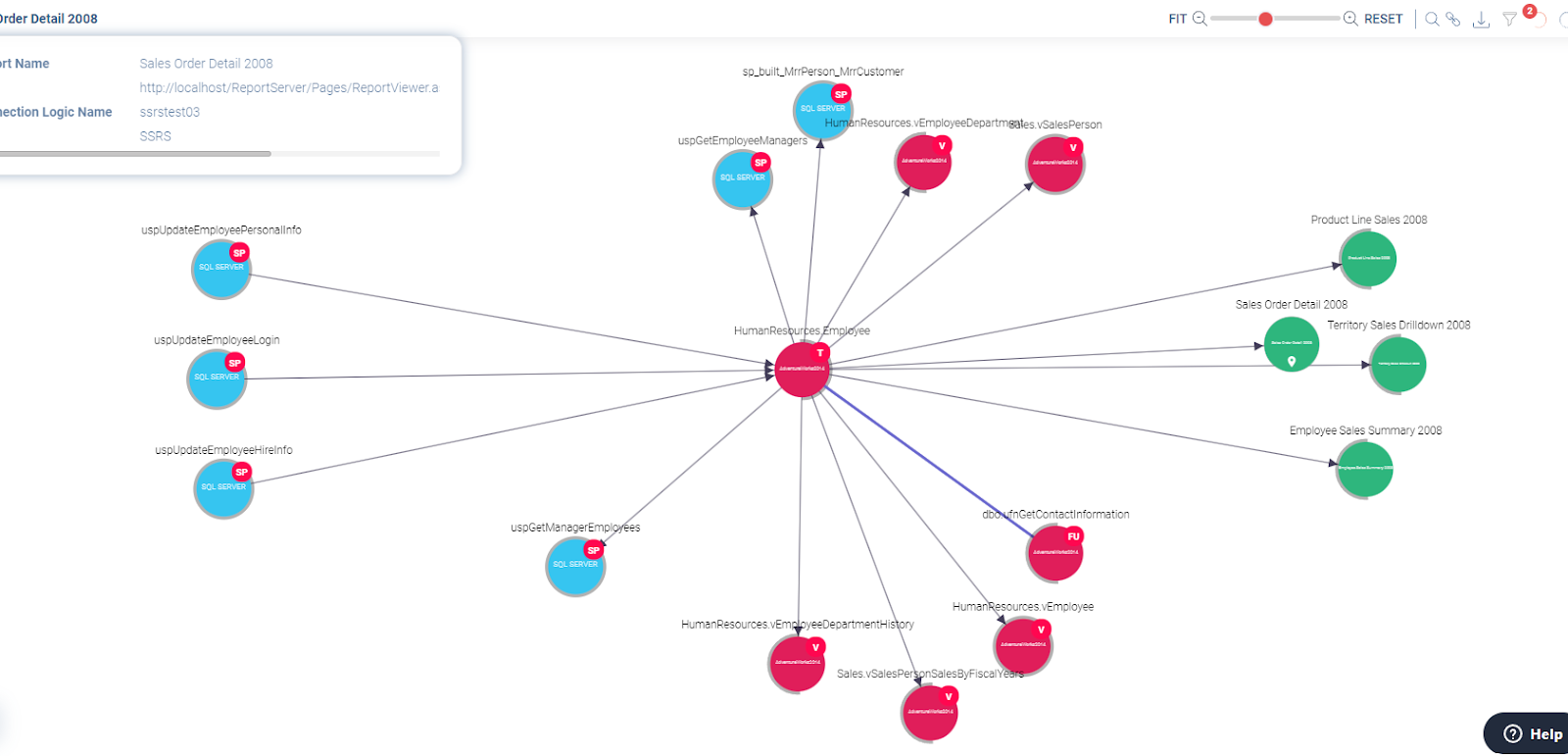
The Focused Path Analysis presents a coherent, interactive map of the associations between various entities, such as ETL processes, DB Objects, Files, Analysis Services, and Reports. Similar to an intelligent navigation system, it plots the path of all interconnected objects related to your selected destination or entity. With each alteration in the chosen destination, the map recalculates dynamically, ensuring you have the most relevant data path in focus.
Key Benefits
- Change impact analysis – The Focused Path Analysis feature enables users to conduct a comprehensive impact analysis for proposed changes. By tracing the pathway a change will traverse across your systems, you can proactively identify and manage any possible impacts, ensuring smoother transitions and mitigating risks.
- Root cause analysis – This feature enables users to trace the connections between systems and data points, facilitating effective root cause analysis. Understanding the path that issues have taken across your systems can greatly simplify problem-solving and decision-making processes.
- Design and implementation – This tool supports a 360-degree view of the systems influenced by a planned change, allowing for a thorough approach in design and change execution. The comprehensive visualization ensures robust system design and better-informed decision-making.
Who Will Find This Feature Valuable?
The Focused Path Analysis for Cross-System Lineage is a must-have tool for Data Architects, Data Scientists, Data Engineers, Data Developers, Business Analysts, System Designers, Risk Managers, and Project Managers. It is beneficial for any professional involved in managing, planning, or supervising changes within a data-intensive environment, given its ability to provide a clear, dynamic view of the data paths.
How it Works
- Access the Cross-Systems Lineage map.
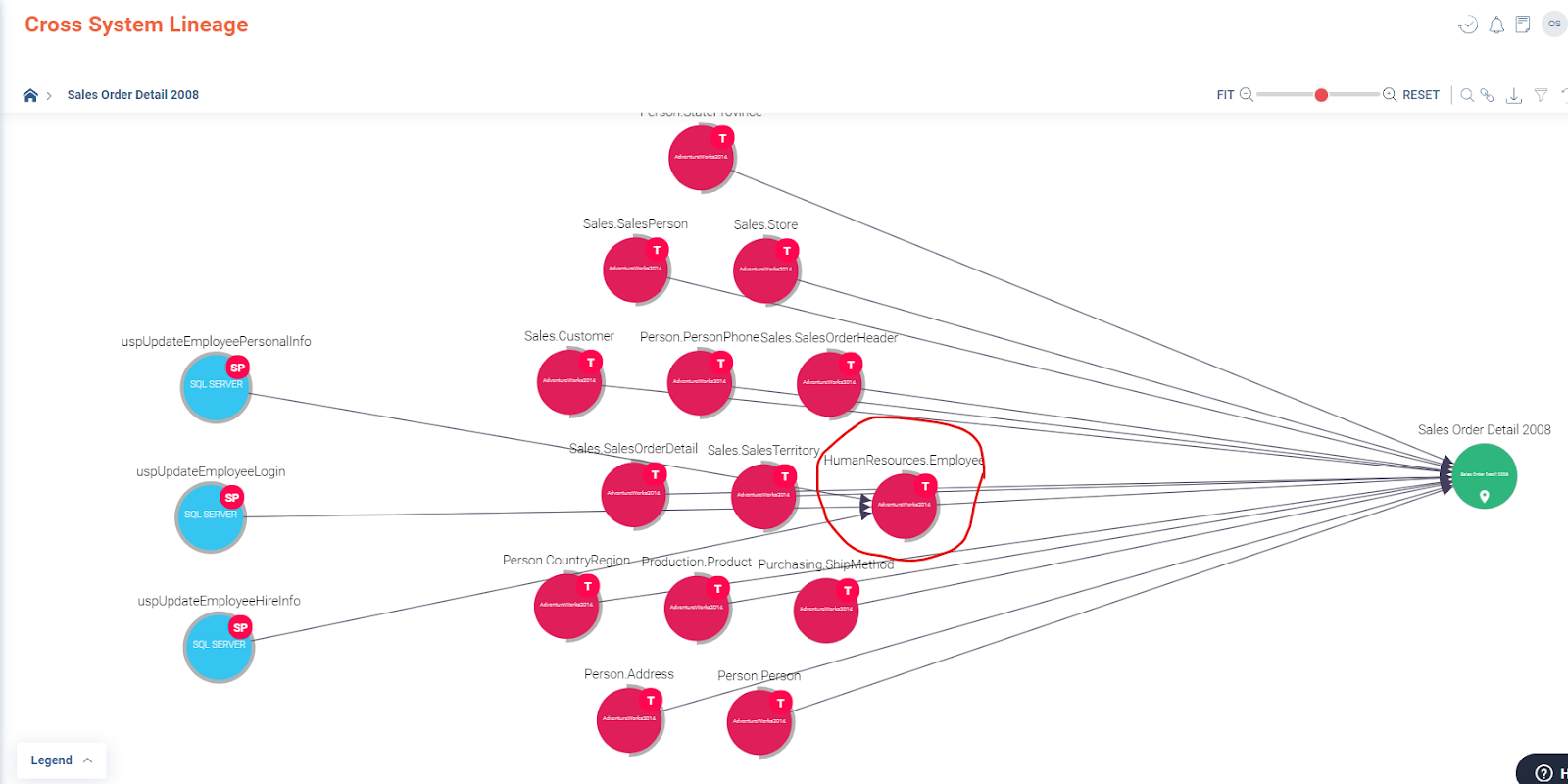
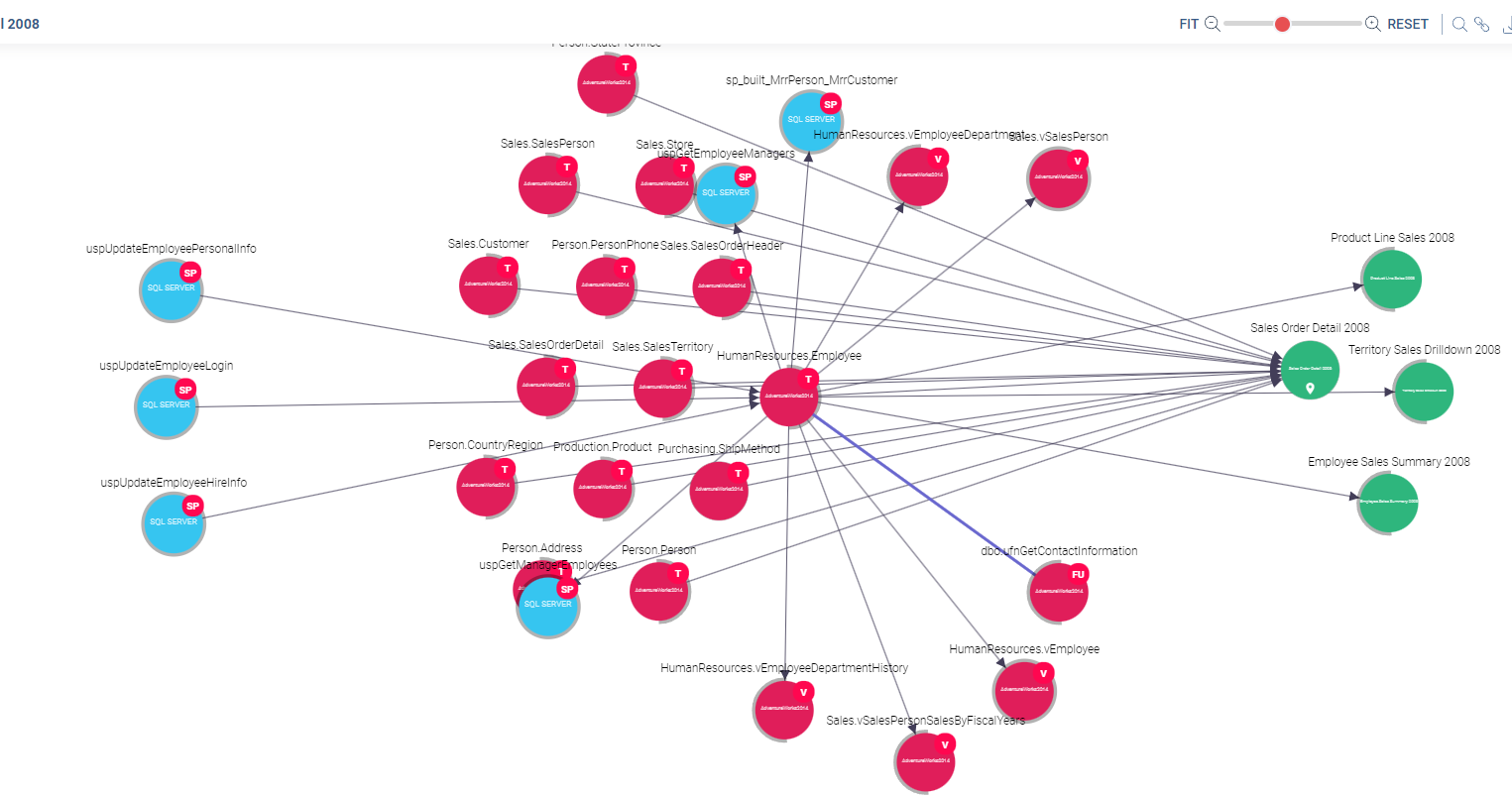
Navigate to the Cross-Systems Lineage map through the entity that you wish to investigate. This might be an ETL process, DB Object, File, Analysis Service, Report, or another data entity. The map will display a broad view of your data landscape.
- Select your focus entity.
Within this landscape, choose the specific entity or bubble you want to focus on.
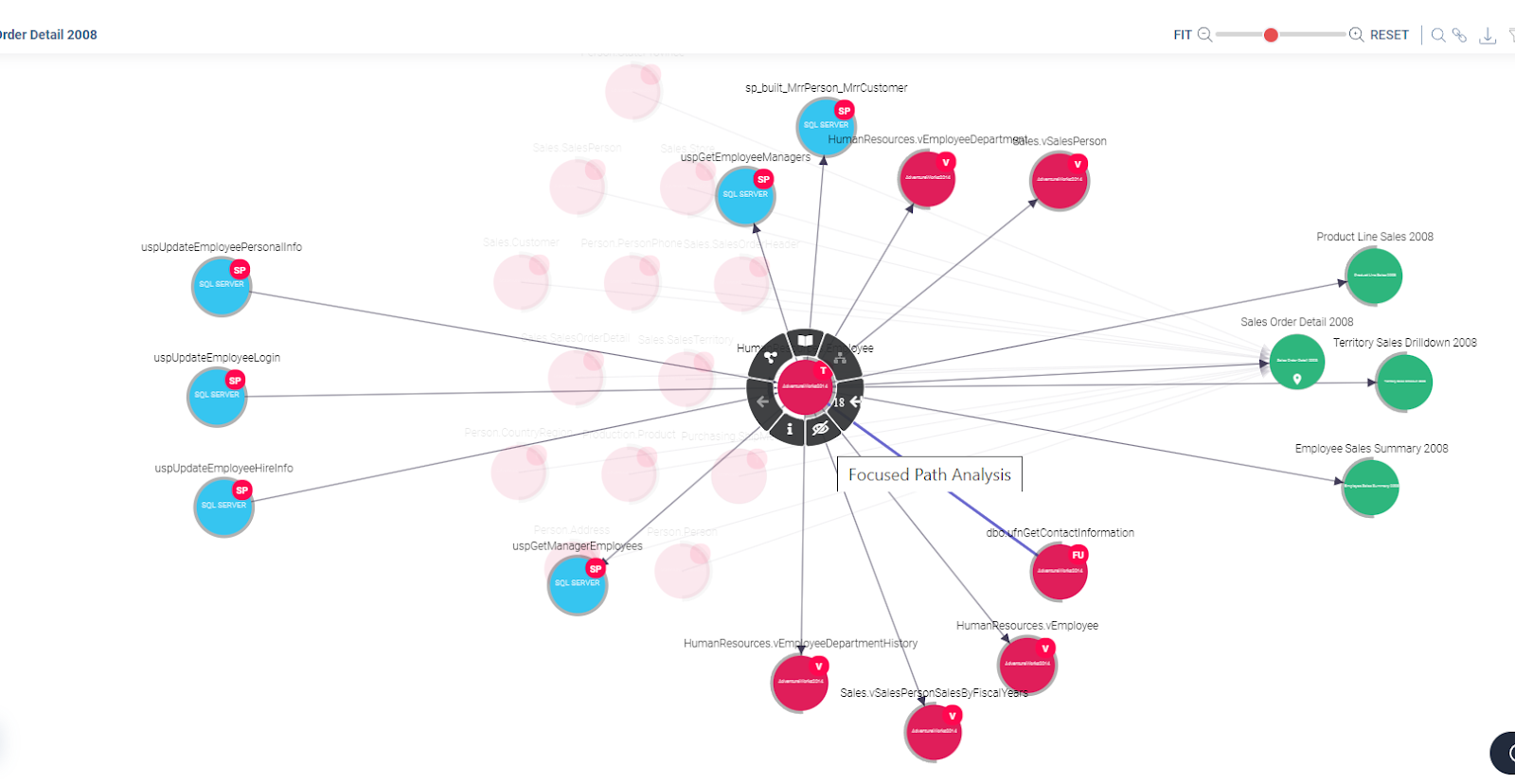
- Activate the focused path analysis.
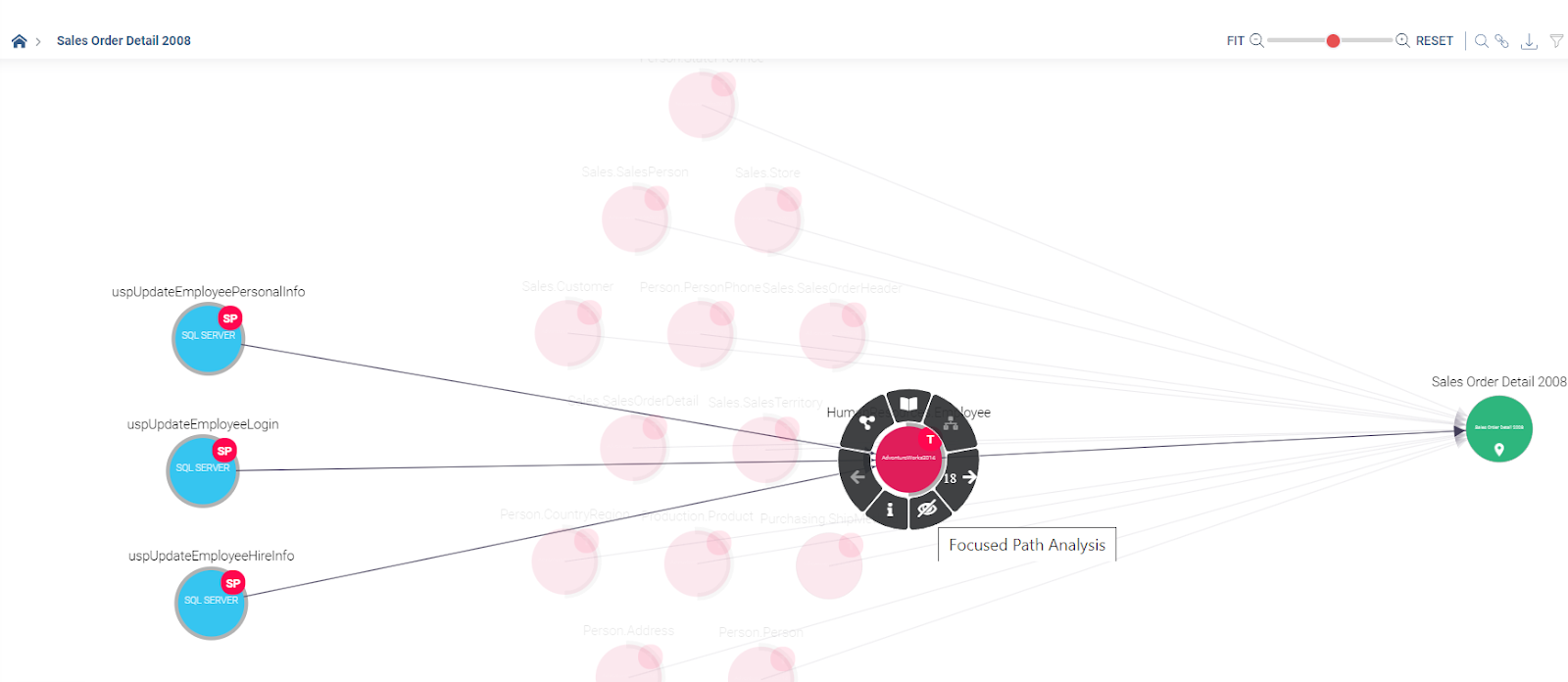
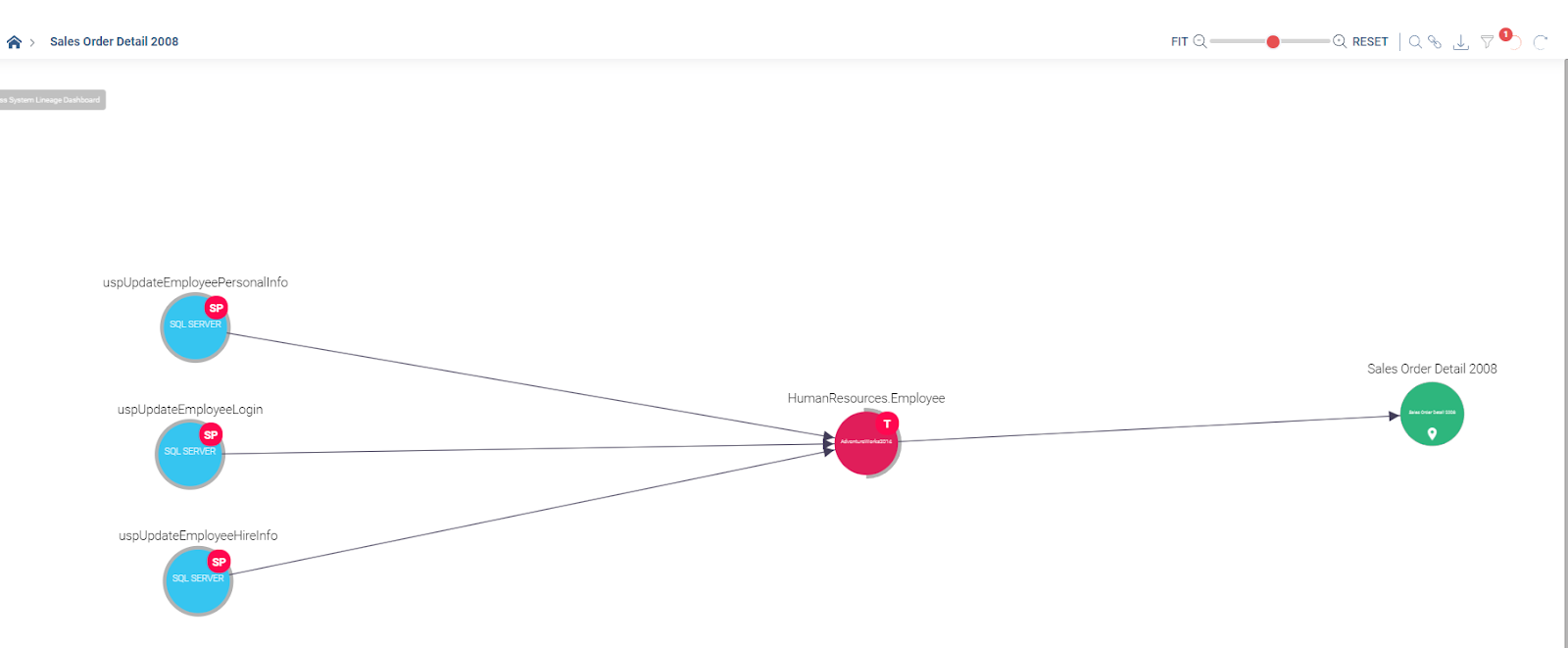
Click on the crossed eye icon associated with your selected entity. This activates the Focused Path Analysis feature. The map will now narrow down, displaying a focused view of your chosen entity and all data flows and connected objects.
- Investigate the focused map.
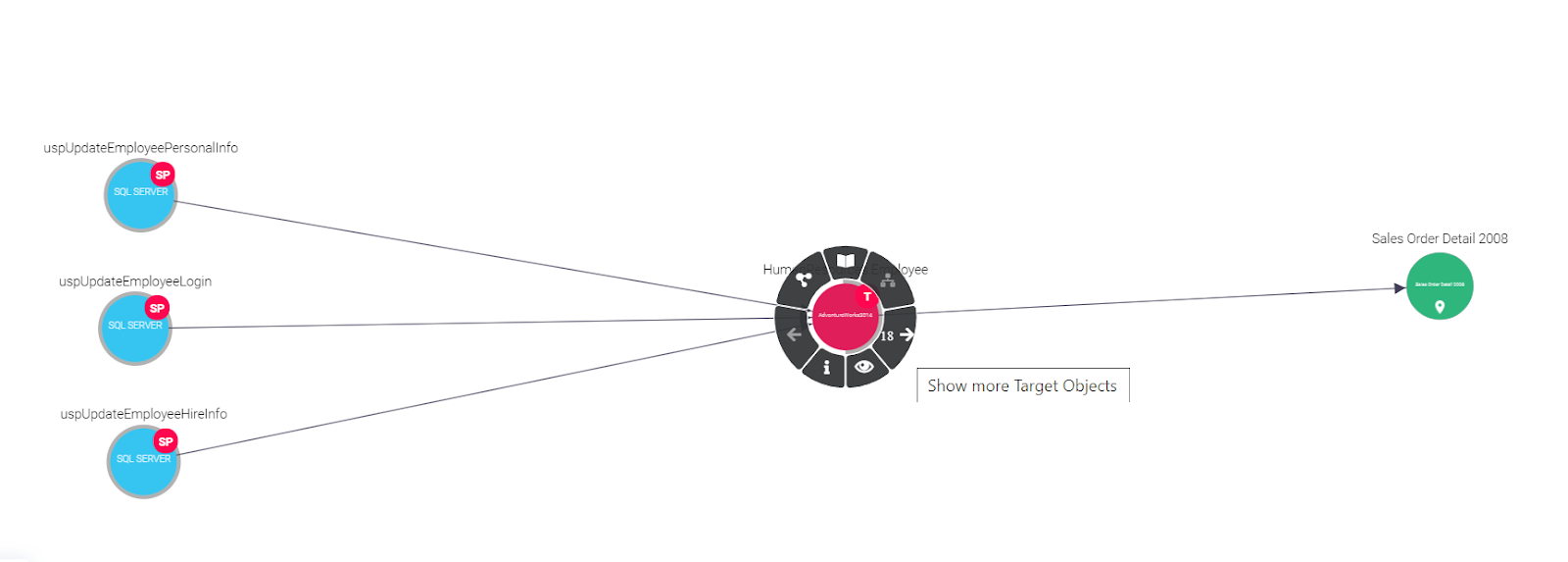
You can now analyze the pathways and connections associated with your focus entity in depth. While in this view, you have the option to further expand or collapse sections of the map as you explore various path analyses.
- Reset the map.
To revert back to the broader map, you can either click on the eye icon associated with your focus entity or use the reset action found in the top-left actions menu. This will restore the full view of your data landscape.
Visual Guide