Product Release Notes - Mar 26, 2023
Learn about new Live Lineage capabilities, catalog search enhancements, expanded DAX coverage, catalog productivity updates, and improved user administration.
Live Lineage is now live
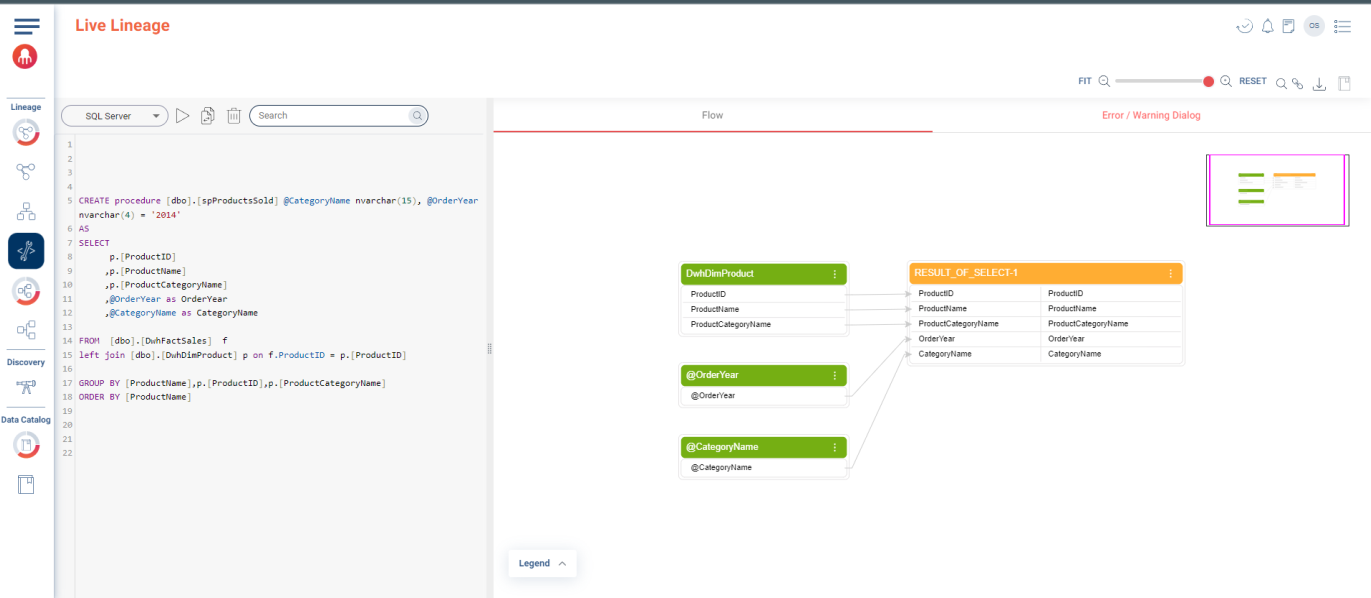
The Live Lineage Visualizer empowers teams to streamline change management by providing real-time visibility into SQL scripts. Users can simulate changes, pinpoint syntax errors, and validate migrations before deployment.
The Live Lineage Visualizer accepts new or existing scripts to reveal lineage impact across systems, support migrations such as Oracle to Snowflake, and offer access through Inner Lineage views for script-enabled components.
-
Streamline migrations: Identify and remediate issues before triggering migration projects.
-
Resolve syntax errors: Visualize scripts to detect and correct errors quickly.
-
Confident editing: Simulate proposed changes to ensure production accuracy.
-
Understand dependencies: Visualize object relationships to predict lineage impact.
Designated roles
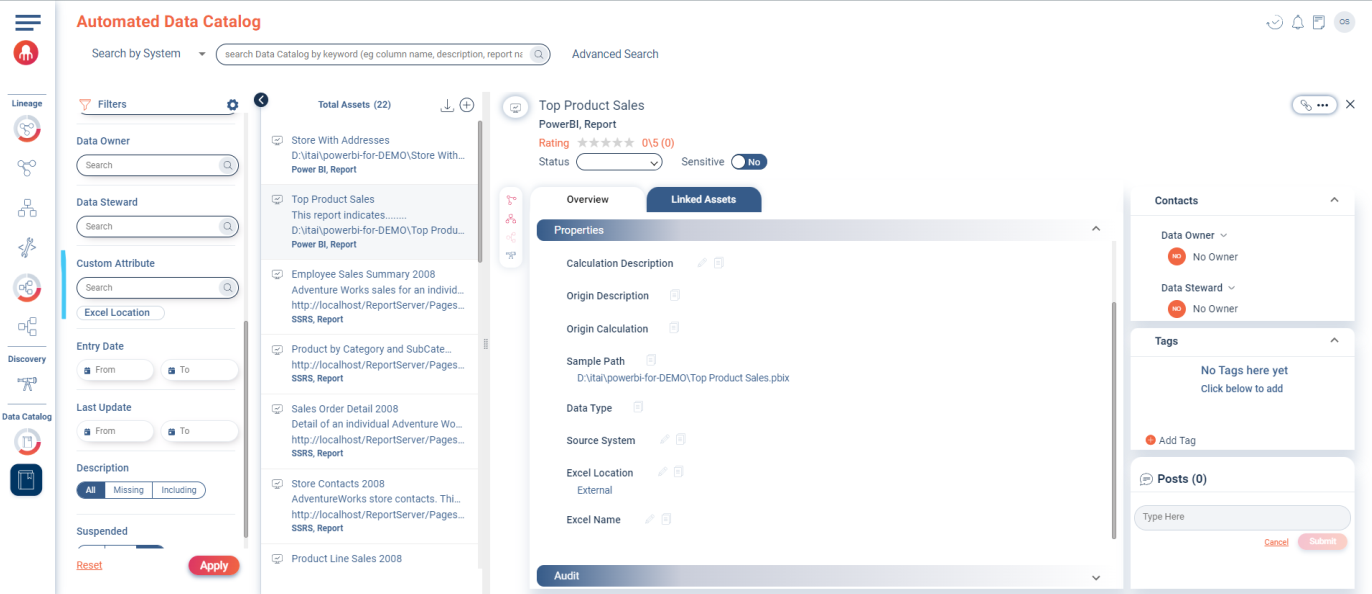
Data Catalog - Search asset by custom attribute name filter
ADC and Data Catalog Dashboard users can search and filter assets using custom attribute values, improving discoverability, governance, and the overall catalog experience.
Search by multiple custom attribute values from the tags search area to focus on specific asset subsets within the catalog and dashboard.
-
Organize and manage catalog assets more effectively.
-
Accelerate analysis by filtering on relevant custom attributes.
-
Improve governance with consistent application of custom attributes.
-
Catalog managers configure and maintain custom attributes.
-
Data analysts leverage attribute filtering for targeted discovery.
DAX coverage for SSRS
DAX support now extends to SSRS in addition to Tabular (SSAS) and Power BI, enabling end-to-end lineage tracking across the full Microsoft BI stack.
DAX enables advanced calculations and relationships across models. Unified coverage helps teams optimize reporting, comply with governance requirements, and collaborate effectively.
-
Gain end-to-end visibility into DAX-driven data flows.
-
Automatically map DAX relationships, saving time on documentation.
-
Support governance and regulatory compliance with clear lineage insight.
-
Data engineers
-
Data analysts
-
Business intelligence developers
Any technical role building Power BI, SSRS, or Tabular solutions benefits from expanded DAX lineage.
Upload multiple assets using bulk import
Data Catalog users can import multiple assets simultaneously, improving efficiency, consistency, and scalability across catalog operations.
-
Save time by importing many assets at once instead of creating them individually.
-
Maintain accuracy by reducing manual entry errors.
-
Scale catalog management as asset inventories grow.
-
Data stewards
-
Data analysts
- Navigate to .
- Use Bulk Import to add new assets.
- Use Mass Update to modify existing assets.
- The export template supports both new and updated assets.
- The Catalog Bulk Import and Mass Update features are controlled by a product flag enabled per customer by Research and Development.
Improved catalog management with technical descriptions
Technical descriptions provide deeper context for catalog assets, helping teams understand structure, usage, and integration points.
- Navigate to .
- Open Asset Linked Assets and switch to Grid View to
display technical descriptions.
Exported Excel files now include technical descriptions.
- Navigate to .
The export template contains the technical description field for bulk import and mass update workflows.
Enhanced user deactivation experience
Administrators can deactivate users through the Octopai Admin Console to maintain secure, authorized access and track active versus deactivated users.
