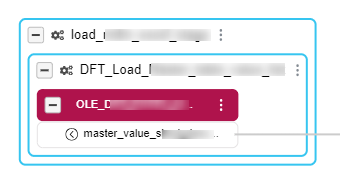
The platform assesses the availability of more physical layer elements for expansion. If these elements are found, the expansion process smoothly carries on, ensuring a comprehensive E2E column lineage.
In the context of end-to-end (E2E) column lineage, Cloudera Data Lineage is programmed to expand the scope
of analysis by incorporating additional physical layer elements along with the transformation
or semantic layer elements. Your action initiates the expansion discovery process. Upon an
Expand action trigger, , the platform assesses the availability of more physical layer
elements for expansion. If these elements are found, the expansion process smoothly carries
on, ensuring a comprehensive E2E column lineage.
This indicator implies that there could be additional sources or targets associated with this
column. By clicking on the icon, Cloudera Data Lineage will attempt to expand the lineage online and conduct
a more comprehensive analysis.
In the event the platform cannot identify additional physical layer elements, it will alert
you with a warning message and will not expand further. This warning is not a cause for
concern. It simply means the expansion process is paused due to the current unavailability of
additional physical layer elements. As a result, your E2E column lineage remains accurate and
complete with the available data.
If the expansion icon is not displayed on the left side of the column, it indicates that no
other sources or targets are linked to this particular column.
 , the platform assesses the availability of more physical layer
elements for expansion. If these elements are found, the expansion process smoothly carries
on, ensuring a comprehensive E2E column lineage.
, the platform assesses the availability of more physical layer
elements for expansion. If these elements are found, the expansion process smoothly carries
on, ensuring a comprehensive E2E column lineage.