Authentication
The Cloudera Data Lineage (formerly Octopai) API ensures secure communication through HTTPS protocols and JSON Web Token (JWT) Bearer authentication with refresh tokens.
The Cloudera Data Lineage API supports the following security protocols:
- JWT-based Bearer authentication
- HTTPS enforced for all endpoints to ensure secure communication
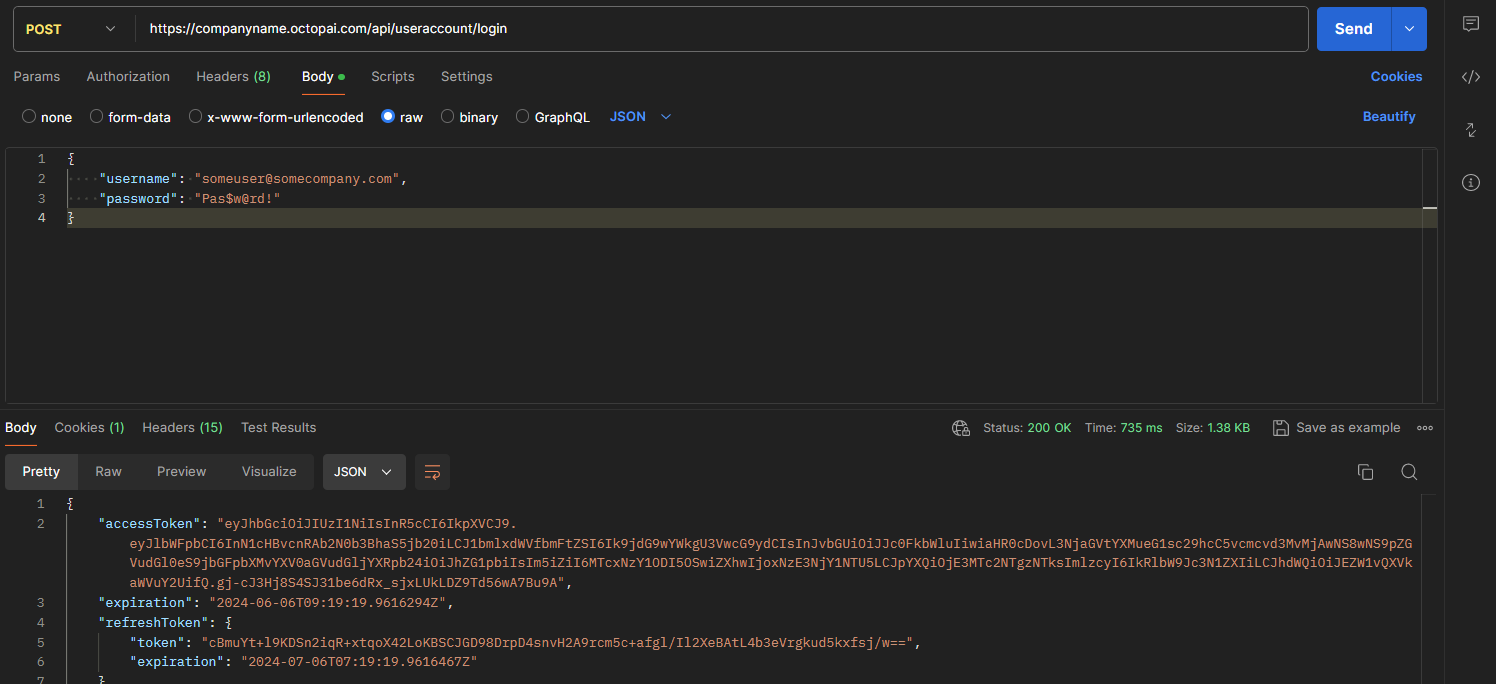
Use the following API request to get
access_token:- Endpoint
POST https://[***COMPANY-NAME***].octopai.com/api/UserAccount/Login - Request
body
The request body has the following parameters:{"Username": "[***USER-EMAIL***]","Password": "[***PASSWORD***]"}Parameter Type Description Example Username string Octopai user name john.doe@example.comPassword string Octopai user password Pas$w@rd - Sample response
{
"accessToken": "eyJhbGciOiJIUzI1NiIsInR5cCI6IkpXVCJ9.eyJlbWFpbCI6InN1cHBvcnRAb2N0b3BhaS5jb20iLCJ1bmlxdWVfbmFtZSI6Ik9jdG9wYWkgU3VwcG9ydCIsInJvbGUiOiJJc0FkbWluIiwiaHR0cDovL3NjaGVtYXMueG1sc29hcC5vcmcvd3MvMjAwNS8wNS9pZGVudGl0eS9jbGFpbXMvYXV0aGVudGljYXRpb24iOiJhZG1pbiIsIm5iZiI6MTcxNzY1ODI5OSwiZXhwIjoxNzE3NjY1NTU5LCJpYXQiOjE3MTc2NTgzNTksImlzcyI6IkRlbW9Jc3N1ZXIiLCJhdWQiOiJEZW1vQXVkaWVuY2UifQ.gj-cJ3Hj8S4SJ31be6dRx_sjxLUkLDZ9Td56wA7Bu9A",
"expiration": "2024-06-06 09:19:19",
"refreshToken": {
        "token": "cBmuYt+l9KDSn2iqR+xtqoX42LoKBSCJGD98DrpD4snvH2A9rcm5c+afgl/Il2XeBAtL4b3eVrgkud5kxfsj/w==",
        "expiration": "2024-07-06 07:19:19"
    },
    "userName": "john.doe@example.com",
    "displayName": "John Doe",
    "userEmail": null,
    "isAdmin": true,
    "error": null,
    "groupMember": [],
    "authLevel": "ADMIN",
    "displayModules": "lineage;e2e;discovery;compare;adc;adc dashboard;livelineage"
}
Use access_token for all following API requests.
Postman example