How to clear your site data (clear cache)
Learn about clearing your site cache to solve some basic issues, such as the performance of Cloudera Data Lineage (formerly Octopai) or applying a hotfix.
-
Go to Application.
Figure 1. Application option 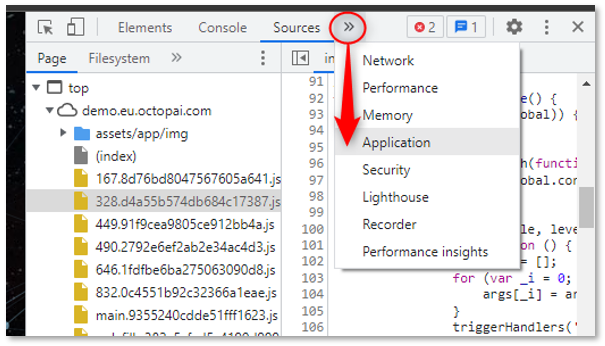
-
Go to Storage and click Clear site
data.
Figure 2. Clear cache 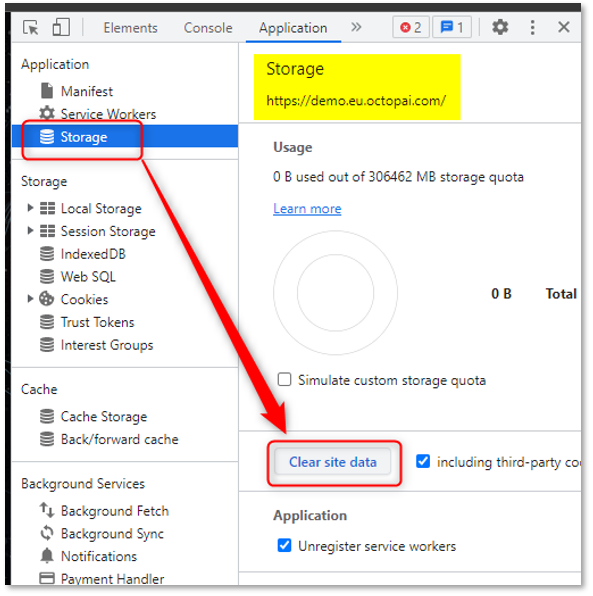
This operation clears the stored data for your Cloudera Data Lineage Platform Site only.
Your browser data, including cookies from other sites, will not be affected.
