Hue configuration files
Hue roles are configured using three key files: hue.ini, hue_safety_valve.ini, and hue_safety_valve_server.ini. These files define the operational settings and safety parameters for Hue.
Hue roles are configured with the following three configuration files:
- hue.ini: The first file auto-generated when you add the Hue service to your Cloudera cluster using Cloudera Manager.
- hue_safety_valve.ini: Used to override bugs or configure properties missing from the Cloudera Manager UI.
- hue_safety_valve_server.ini: Used to configure only the Hue role, rather than the full Hue service (which includes the Hue Load Balancer). Note: This file is rarely used in practice.
Cloudera recommends that you do not edit
.ini files directly from the command line because they are stored in
dynamic directories named by process ID and populated from the Cloudera Manager database. To add configurations that cannot be added directly
from the Cloudera Manager UI (such as Authentication Backend for SAML), use
the Data Explorer Service Advanced Configuration Snippet (Safety Valve) for
hue_safety_valve.ini field under the Hue service
configurations in Cloudera Manager.
Locating and viewing configuration files via CLI:
- Open a CLI console on a machine in your cluster.
- SSH into the Hue server host as a
rootuser - Find the active Hue server process directory path:
echo /var/run/cloudera-scm-agent/process/$(sudo ls -valrt /var/run/cloudera-scm-agent/process | grep HUE_SERVER | tail -1 | awk '{print $9}') - Navigate into the process directory:
cd /var/run/cloudera-scm-agent/process/$(sudo ls -valrt /var/run/cloudera-scm-agent/process | grep HUE_SERVER | tail -1 | awk '{print $9}') - List the .ini configuration files for the process ID:
Terminal showing Hue configuration files:ls -ltr /var/run/cloudera-scm-agent/process/$(sudo ls -valrt /var/run/cloudera-scm-agent/process | grep HUE_SERVER | tail -1 | awk '{print $9}')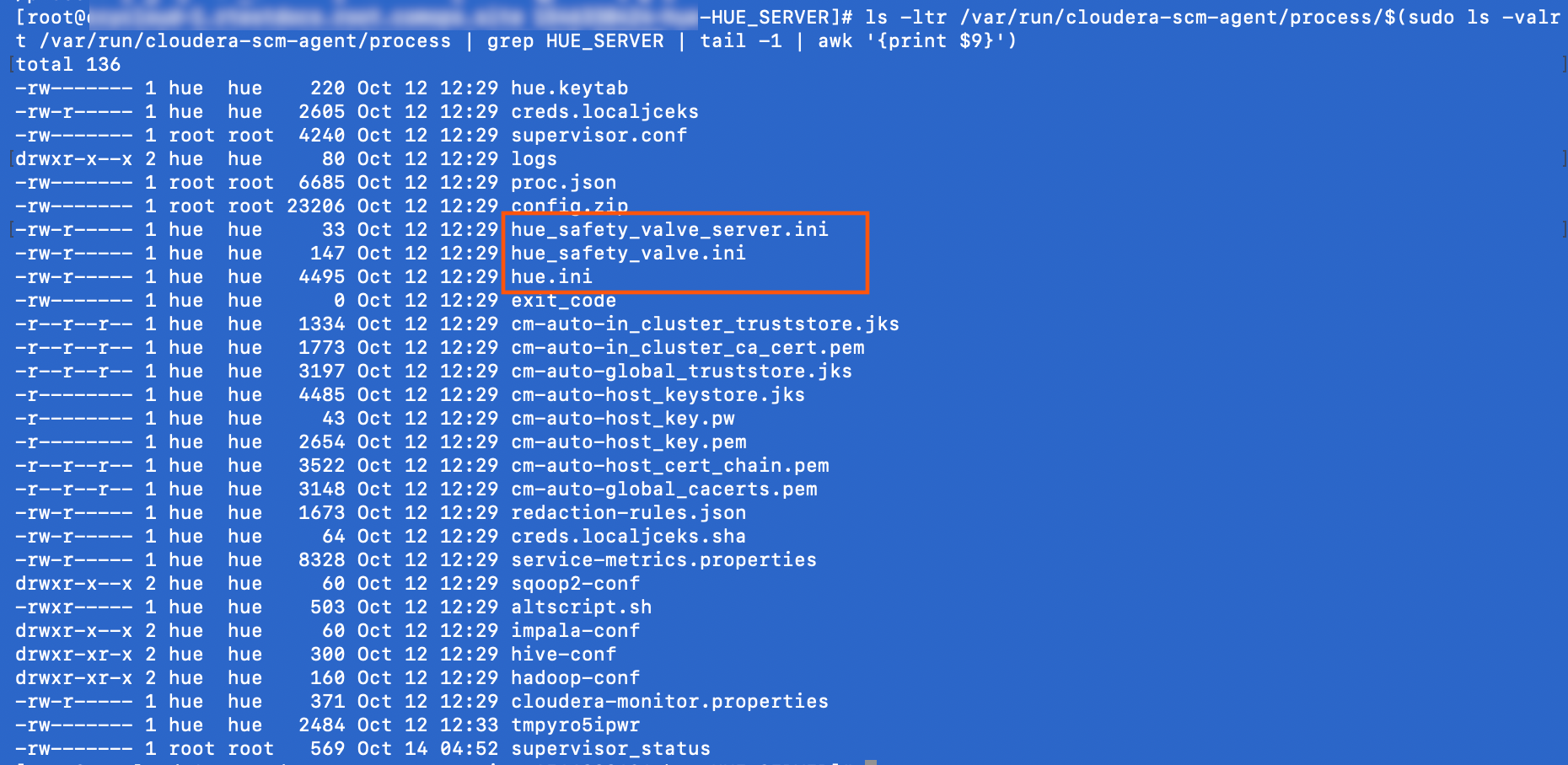
- Inspect the configuration file contents:
sudo less hue.ini
Locating process files via Cloudera Manager:
The process directory for any given role is mirrored in Cloudera Manager. Go to , select a role such as Hue Server, and click the Processes tab.