Authenticating Cloudera Data Explorer (Hue) users with Kerberos
For Data Explorer to work properly with a Cloudera cluster that uses Kerberos for authentication, the Kerberos Ticket Renewer role must be added to the Data Explorer service.
Use the Cloudera Manager Admin Console to add the Kerberos Ticket
Renewer role to each host with a Data Explorer Server role instance.
The Data Explorer Kerberos Ticket Renewer renews only those tickets
created for the Data Explorer service principal:
hue/hostname@REALM-NAME. The Data Explorer principal impersonates other users for applications within
Data Explorer such as the Job Browser, File Browser, and so on.
Other services, such as HDFS and MapReduce, do not use the Data Explorer Kerberos Ticket Renewer. Instead these other services handle ticket renewal as needed by
using their own mechanisms.
-
To add a Kerberos Ticket Renewer role instance to the same host that has the Hue server
on your Cloudera cluster, click Select
hosts under Kerberos Ticket Renewer:
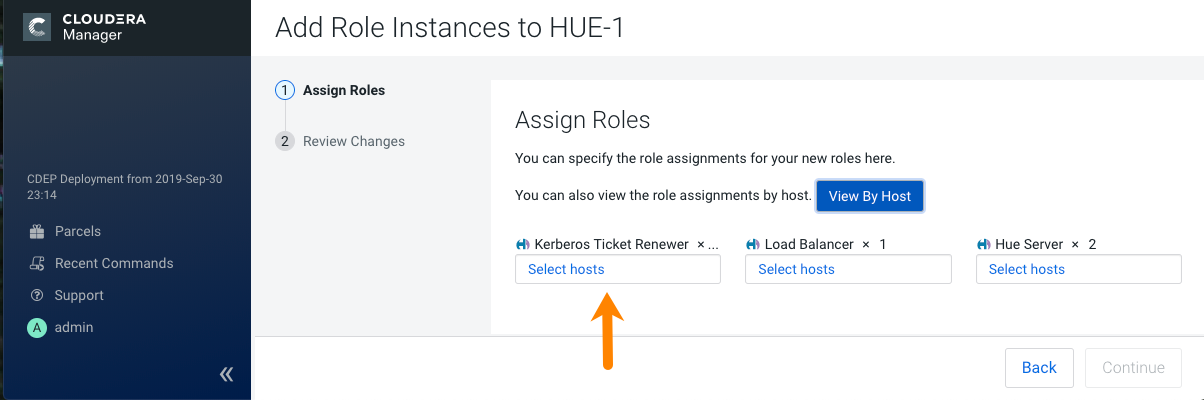
To check which host has the Hue Server role instance, click View By Host, which launches a table that lists all the hosts in your Cloudera cluster and shows all the roles each host already has.
Troubleshooting the Kerberos Ticket Renewer:
If the Hue Kerberos Ticket Renewer does not start, check the configuration of your
Kerberos Key Distribution Center (KDC). Look at the ticket renewal property,
maxrenewlife, to ensure that the principals,
hue/<host_name> and krbtgt,
are renewable. If these principals are not renewable, run the following commands on the
KDC to enable them:
kadmin.local: modprinc -maxrenewlife 90day krbtgt/<YOUR_REALM.COM>
kadmin.local: modprinc -maxrenewlife 90day +allow_renewable hue/<host_name>@<YOUR_REALM>