Generating tokens and accessing Cloudera Lakehouse Optimizer REST APIs
Generate JWT tokens through Apache Knox to authorize and access Cloudera Lakehouse Optimizer REST APIs for service-level administrative tasks.
-
Obtain the token from Apache Knox to use the Cloudera Lakehouse Optimizer REST APIs.
-
Click Token Generation in the General
Proxy Information section as shown in the following
screenshot:
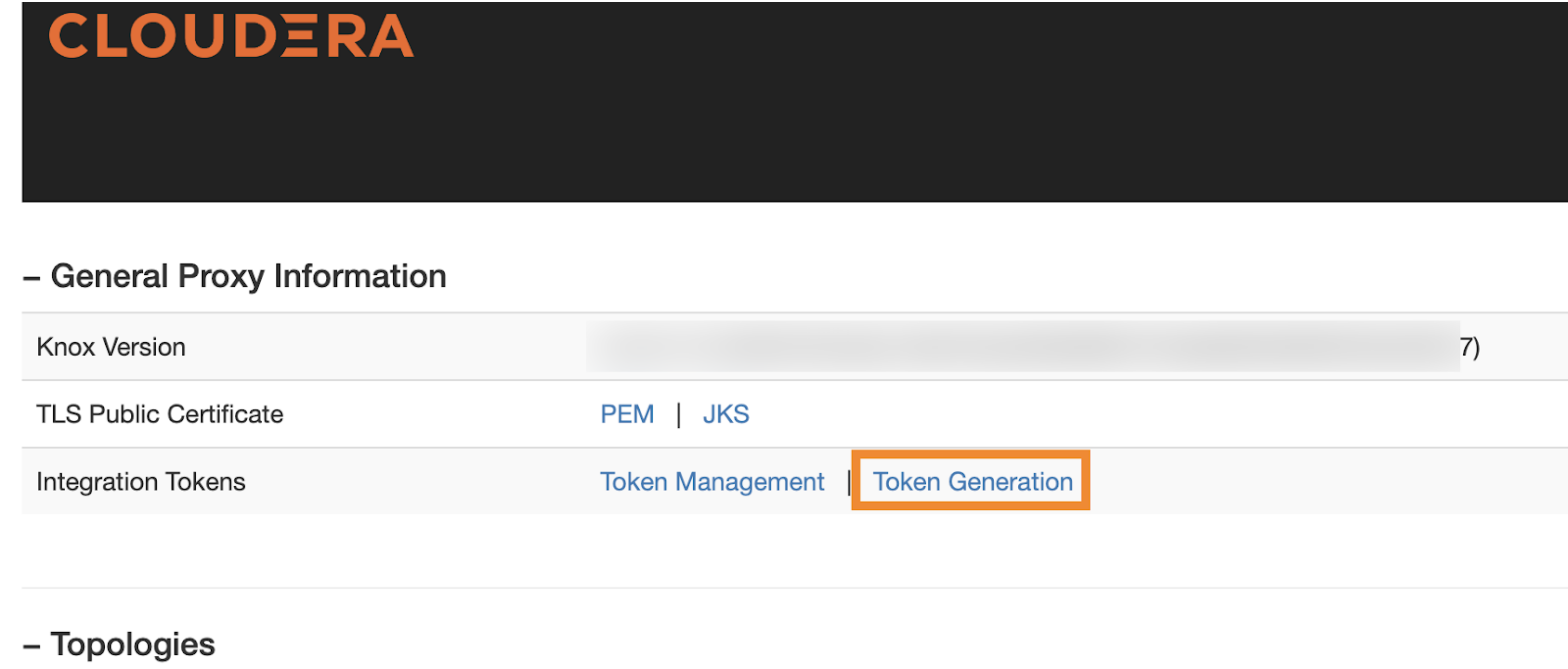 The Token Generation page appears in a new browser tab.
 -
Enter the required number of days, hours, and minutes for the token in
the Lifetime (days, hours, mins) field on the
Token Generation page, and then click
Generate Token as shown in the following
screenshot:
 The following screenshot shows the generated token details:
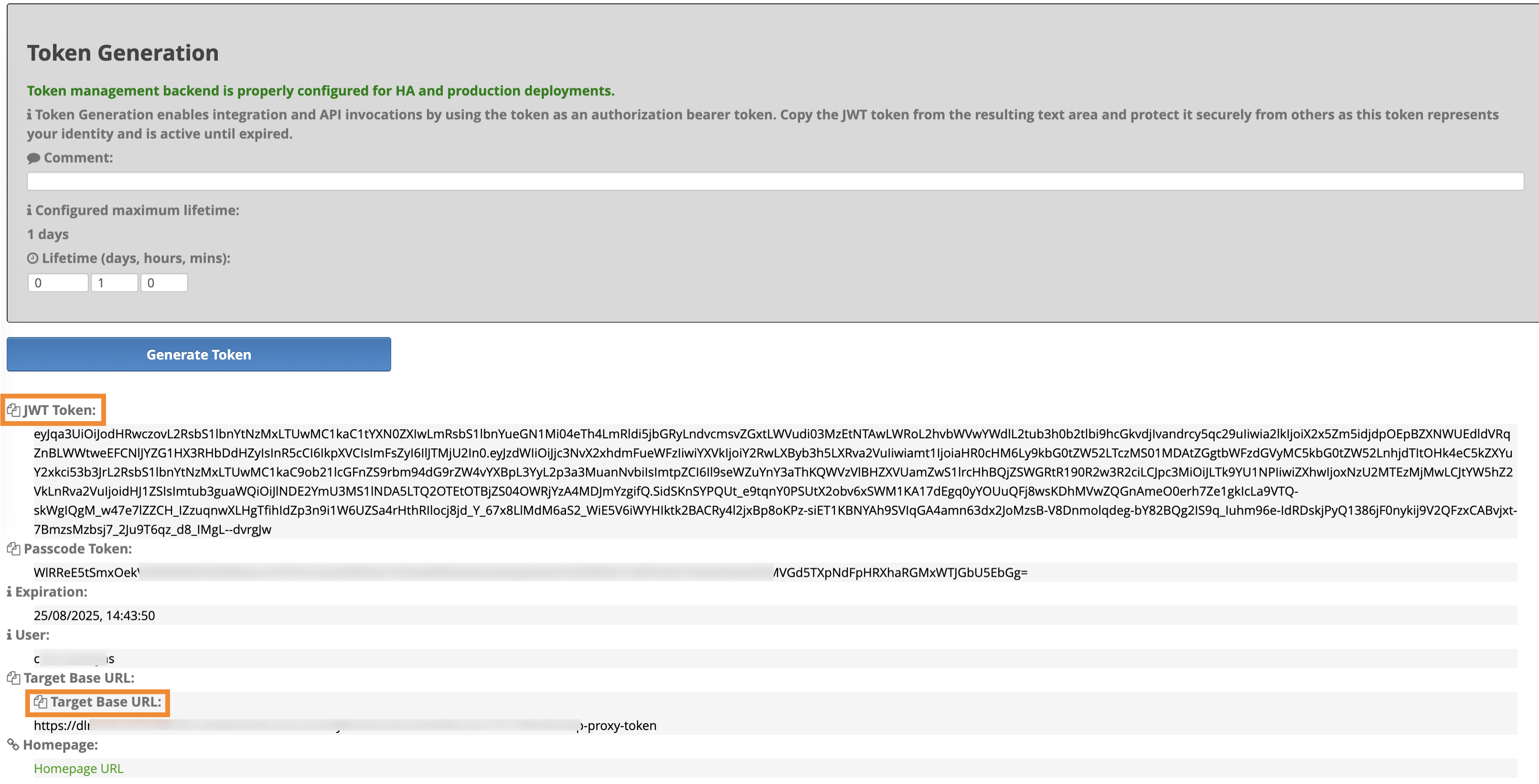 The JWT Token and the Target Base URL values are generated. Use the JWT Token to authorize the REST APIs, and the Target Base URL as the base URL for REST APIs.
-
Click Token Generation in the General
Proxy Information section as shown in the following
screenshot:
