Configure Apache Knox authentication for AD/LDAP
Knox authentication configurations for LDAP and AD in Cloudera Manager.
SSO authentication for AD/LDAP
In Cloudera Manager, update Figure 1. Knox Simplified Topology Management - SSO Authentication Provider
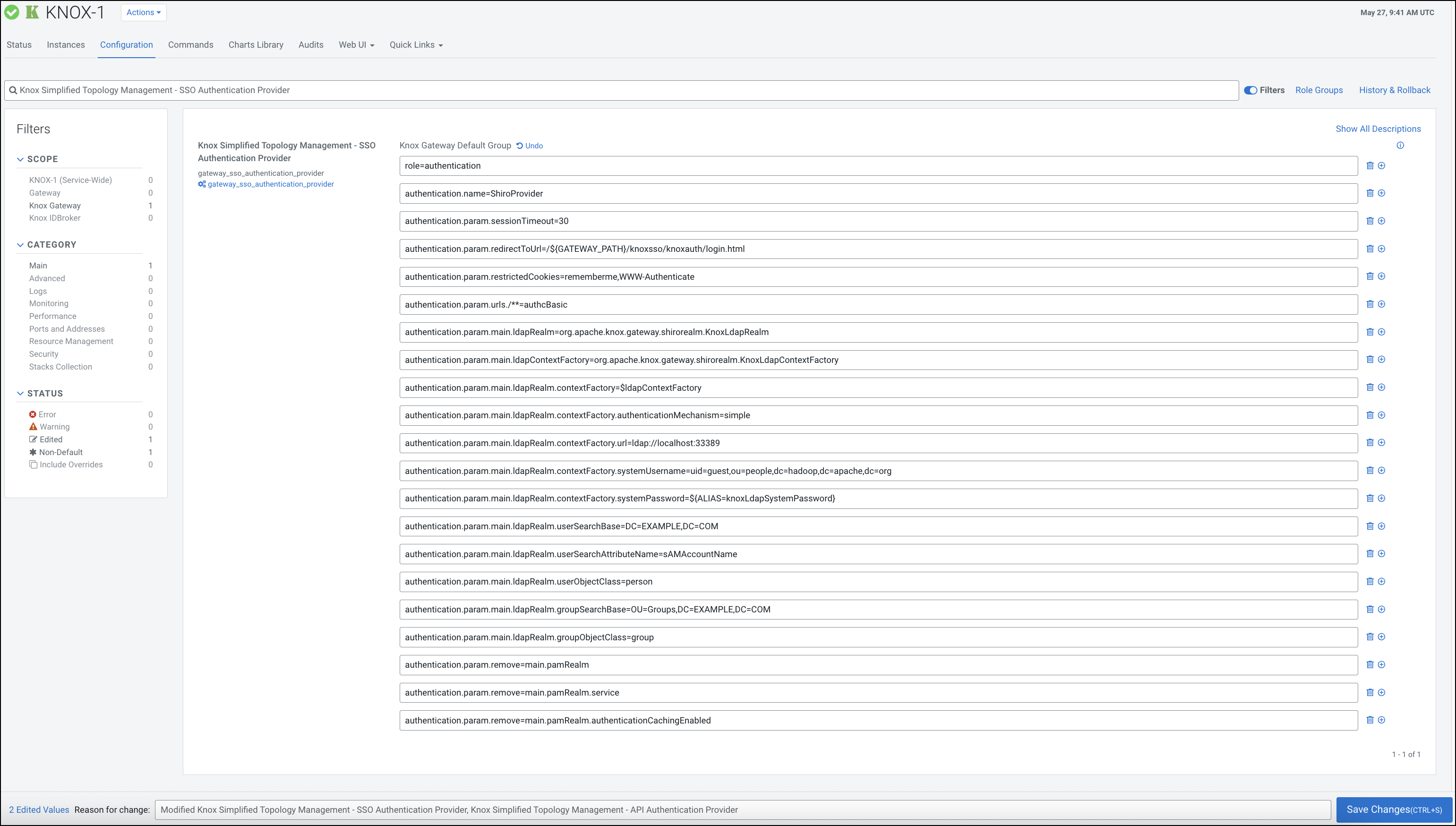
Knox Simplified Topology
          Management - SSO Authentication Provider
to change the default PAM authentication
to LDAP authentication. The following sample shows how to remove the default PAM-related
configuration in ShiroProvider and add LDAP-related properties (for example, with a demo LDAP
server configuration):role=authentication
authentication.name=ShiroProvider
authentication.param.sessionTimeout=30
authentication.param.redirectToUrl=/${GATEWAY_PATH}/knoxsso/knoxauth/login.html
authentication.param.restrictedCookies=rememberme,WWW-Authenticate
authentication.param.urls./**=authcBasic
authentication.param.main.ldapRealm=org.apache.knox.gateway.shirorealm.KnoxLdapRealm
authentication.param.main.ldapContextFactory=org.apache.knox.gateway.shirorealm.KnoxLdapContextFactory
authentication.param.main.ldapRealm.contextFactory=$ldapContextFactory
authentication.param.main.ldapRealm.contextFactory.authenticationMechanism=simple
authentication.param.main.ldapRealm.contextFactory.url=ldap://localhost:33389
authentication.param.main.ldapRealm.contextFactory.systemUsername=uid=guest,ou=people,dc=hadoop,dc=apache,dc=org
authentication.param.main.ldapRealm.contextFactory.systemPassword=${ALIAS=knoxLdapSystemPassword}
authentication.param.main.ldapRealm.userSearchBase=DC=EXAMPLE,DC=COM
authentication.param.main.ldapRealm.userSearchAttributeName=sAMAccountName
authentication.param.main.ldapRealm.userObjectClass=person
authentication.param.main.ldapRealm.groupSearchBase=OU=Groups,DC=EXAMPLE,DC=COM
authentication.param.main.ldapRealm.groupObjectClass=group
authentication.param.remove=main.pamRealm
authentication.param.remove=main.pamRealm.service
authentication.param.remove=main.pamRealm.authenticationCachingEnabledAfter you finished editing the
properties you have to save the configuration changes. This will make the Refresh
Needed stale configuration indicator appear. Once the cluster refresh finishes,
all topologies that are configured to use Knox SSO will be authenticated by the configured
LDAP server.
$ curl -ku <username>:<password> 'https://johndoe-1.abc.cloudera.com:8443/gateway/admin/api/v1/providerconfig/knoxsso'
...
  }, {
    "role" : "authentication",
    "name" : "ShiroProvider",
    "enabled" : true,
    "params" : {
      "main.ldapContextFactory" : "org.apache.knox.gateway.shirorealm.KnoxLdapContextFactory",
      "main.ldapRealm" : "org.apache.hadoop.gateway.shirorealm.KnoxLdapRealm",
      "main.ldapRealm.contextFactory" : "$ldapContextFactory",
      "main.ldapRealm.contextFactory.authenticationMechanism" : "simple",
      "main.ldapRealm.contextFactory.systemPassword" : "${ALIAS=knoxLdapSystemPassword}",
      "main.ldapRealm.contextFactory.systemUsername" : "uid=guest,ou=people,dc=hadoop,dc=apache,dc=org",
      "main.ldapRealm.contextFactory.url" : "ldap://localhost:33389",
      "main.ldapRealm.userDnTemplate" : "uid={0},ou=people,dc=hadoop,dc=apache,dc=org",
      "redirectToUrl" : "/${GATEWAY_PATH}/knoxsso/knoxauth/login.html",
      "restrictedCookies" : "rememberme,WWW-Authenticate",
      "sessionTimeout" : "30",
      "urls./**" : "authcBasic"
    }
API authentication for AD/LDAP
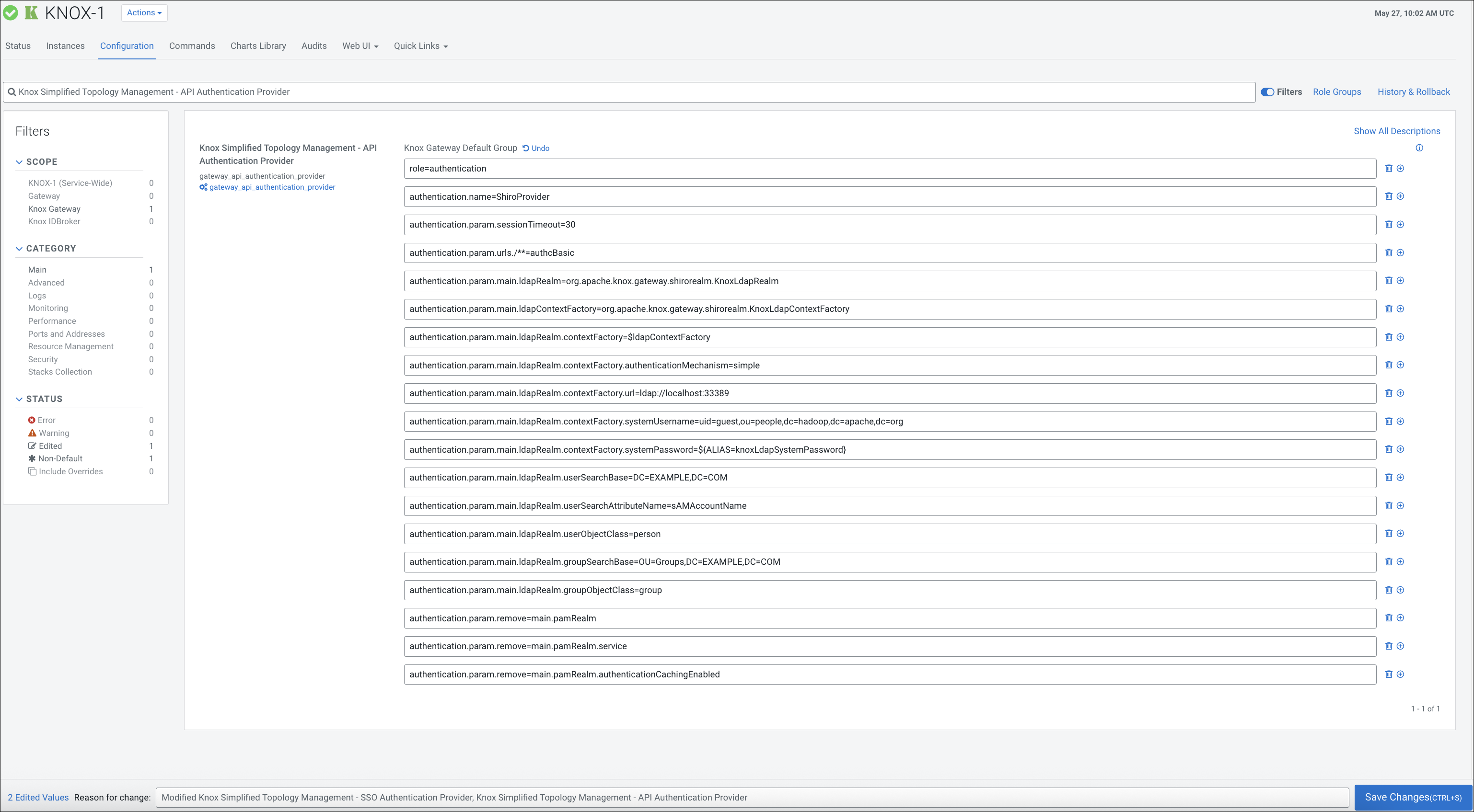
In Cloudera Manager, update
Knox Simplified Topology
          Management - API Authentication Provider
to change the default PAM authentication
to LDAP authentication. The following sample shows how to remove the default PAM-related
configuration in ShiroProvider and add LDAP-related properties:role=authentication
authentication.name=ShiroProvider
authentication.param.sessionTimeout=30
authentication.param.urls./**=authcBasic
authentication.param.main.ldapRealm=org.apache.knox.gateway.shirorealm.KnoxLdapRealm
authentication.param.main.ldapContextFactory=org.apache.knox.gateway.shirorealm.KnoxLdapContextFactory
authentication.param.main.ldapRealm.contextFactory=$ldapContextFactory
authentication.param.main.ldapRealm.contextFactory.authenticationMechanism=simple
authentication.param.main.ldapRealm.contextFactory.url=ldap://localhost:33389
authentication.param.main.ldapRealm.contextFactory.systemUsername=uid=guest,ou=people,dc=hadoop,dc=apache,dc=org
authentication.param.main.ldapRealm.contextFactory.systemPassword=${ALIAS=knoxLdapSystemPassword}
authentication.param.main.ldapRealm.userSearchBase=DC=EXAMPLE,DC=COM
authentication.param.main.ldapRealm.userSearchAttributeName=sAMAccountName
authentication.param.main.ldapRealm.userObjectClass=person
authentication.param.main.ldapRealm.groupSearchBase=OU=Groups,DC=EXAMPLE,DC=COM
authentication.param.main.ldapRealm.groupObjectClass=group
authentication.param.remove=main.pamRealm
authentication.param.remove=main.pamRealm.service
authentication.param.remove=main.pamRealm.authenticationCachingEnabledEvery change here goes directly into
admin, metadata, and cdp-proxy-api topologies.