Creating the Ranger role for Ozone STS
Create the Ranger role that Ozone STS uses to generate session credentials (access key and secret) for Cloudera Iceberg REST Catalog.
hive is the identity that Cloudera Iceberg REST Catalog uses to obtain short-lived
credentials from IDBroker on behalf of external clients, so the Ranger role that
Ozone STS uses to generate session credentials must grant that identity
Assume Role access.
-
In Ranger, go to , then click Add New Role to create the
sts-assume-role role.
Select the hive user when creating the role.
Figure 1. Creating the sts-assume-role Ranger role 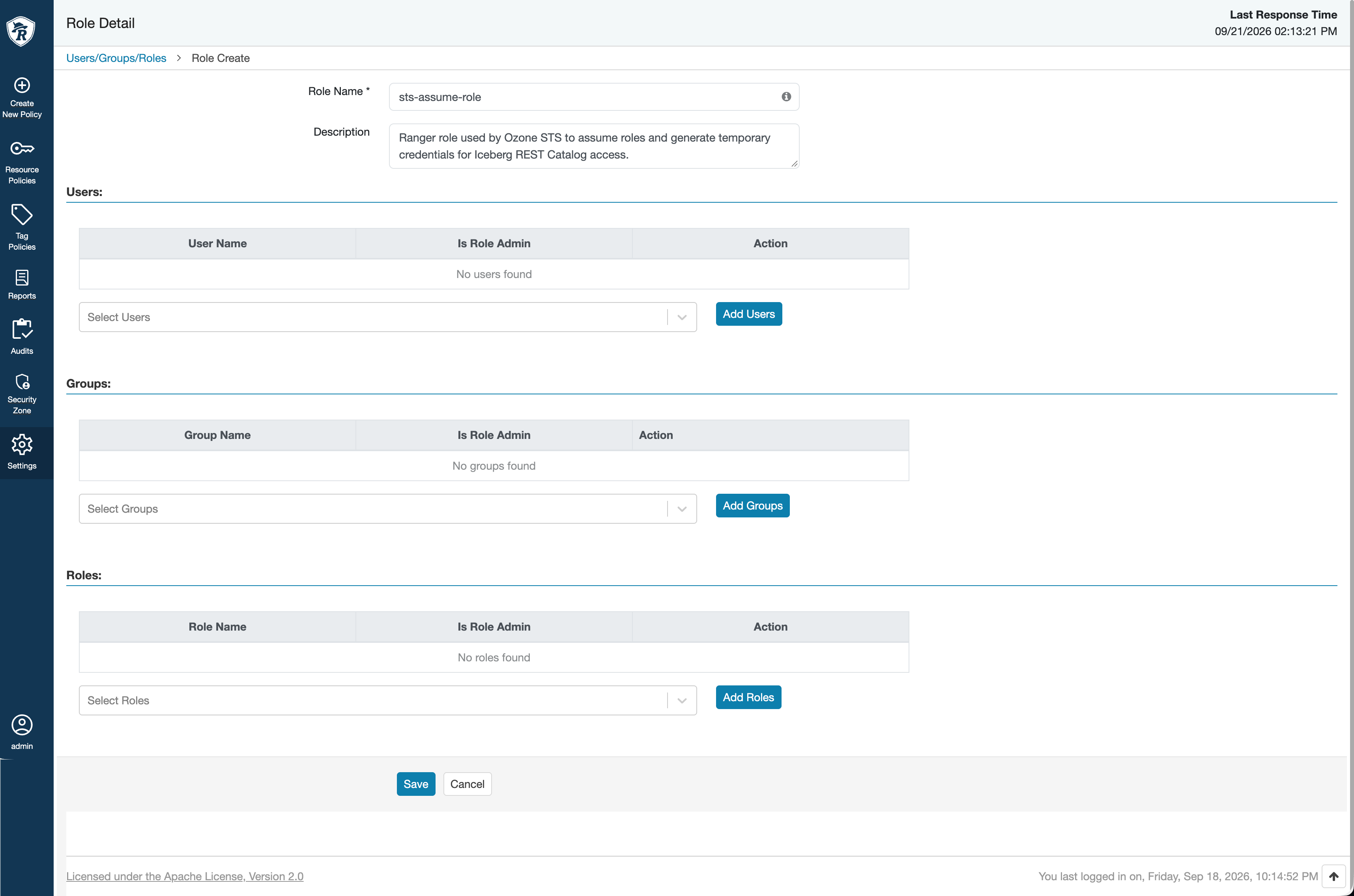
-
Grant the
hiveuser Assume Role access on the sts-assume-role role.Figure 2. Creating the Assume Role policy 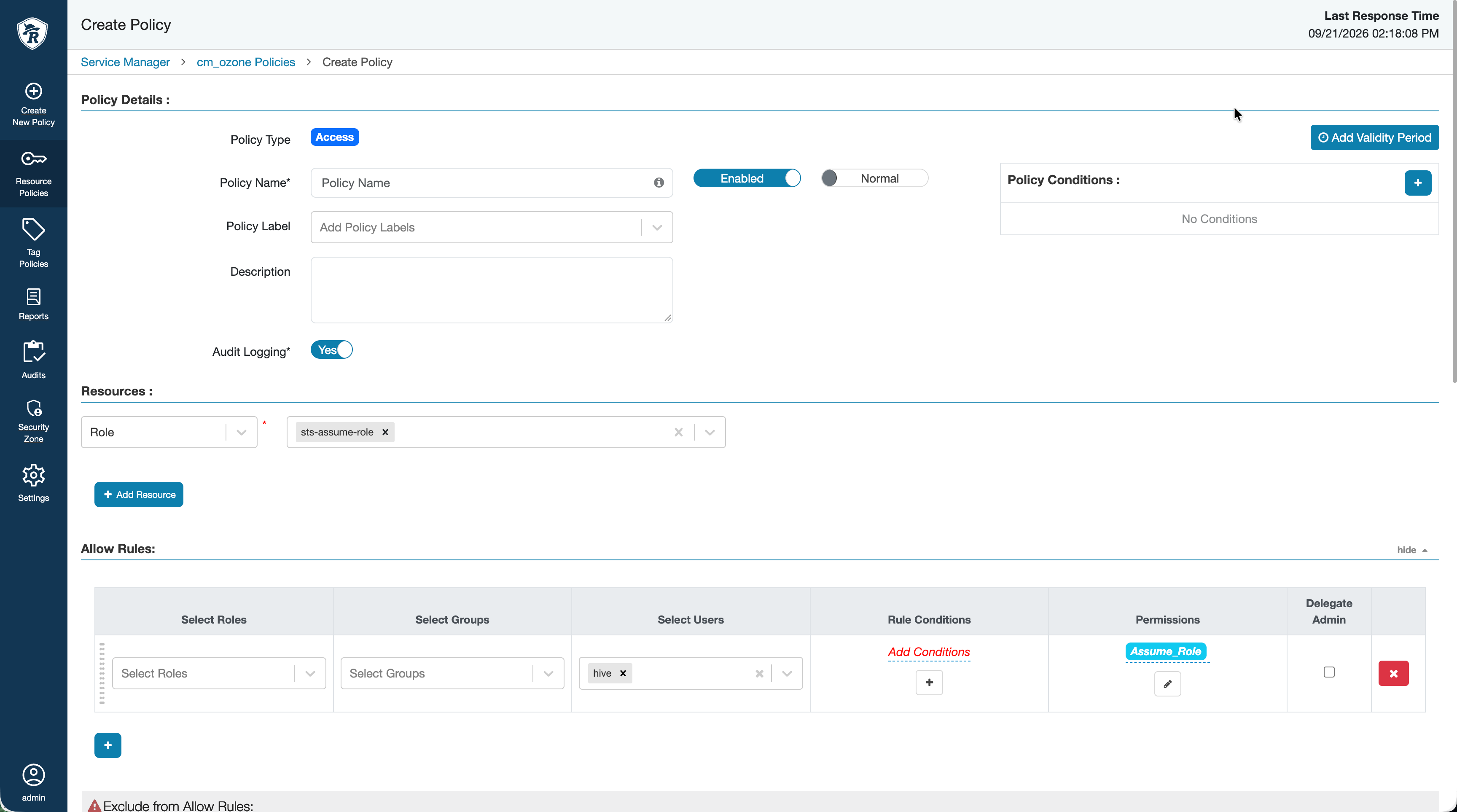
-
Grant the sts-assume-role role read access on the Cloudera Object Store (powered by Apache Ozone) volume, bucket, and key resources that back the shared tables.
- This grant requires the Ranger action-matcher condition for the Ozone service definition to be enabled.
- When you author resource paths for a policy that covers a table stored on Ozone, use the translated
s3a://link bucket path (for example,s3a://[***VOLUME***]-[***BUCKET***]/...), not the originalofs://location. Cloudera Iceberg REST Catalog derives IDBroker policy paths and inlineloadTablecredential prefixes from this translated link bucket, so a policy written against the rawofs://path does not match.
-
Edit your Ozone volume policy (for example, the default all - volume policy) and add the sts-assume-role role to the Allow Rules with read permissions.
Figure 3. Ozone volume policy 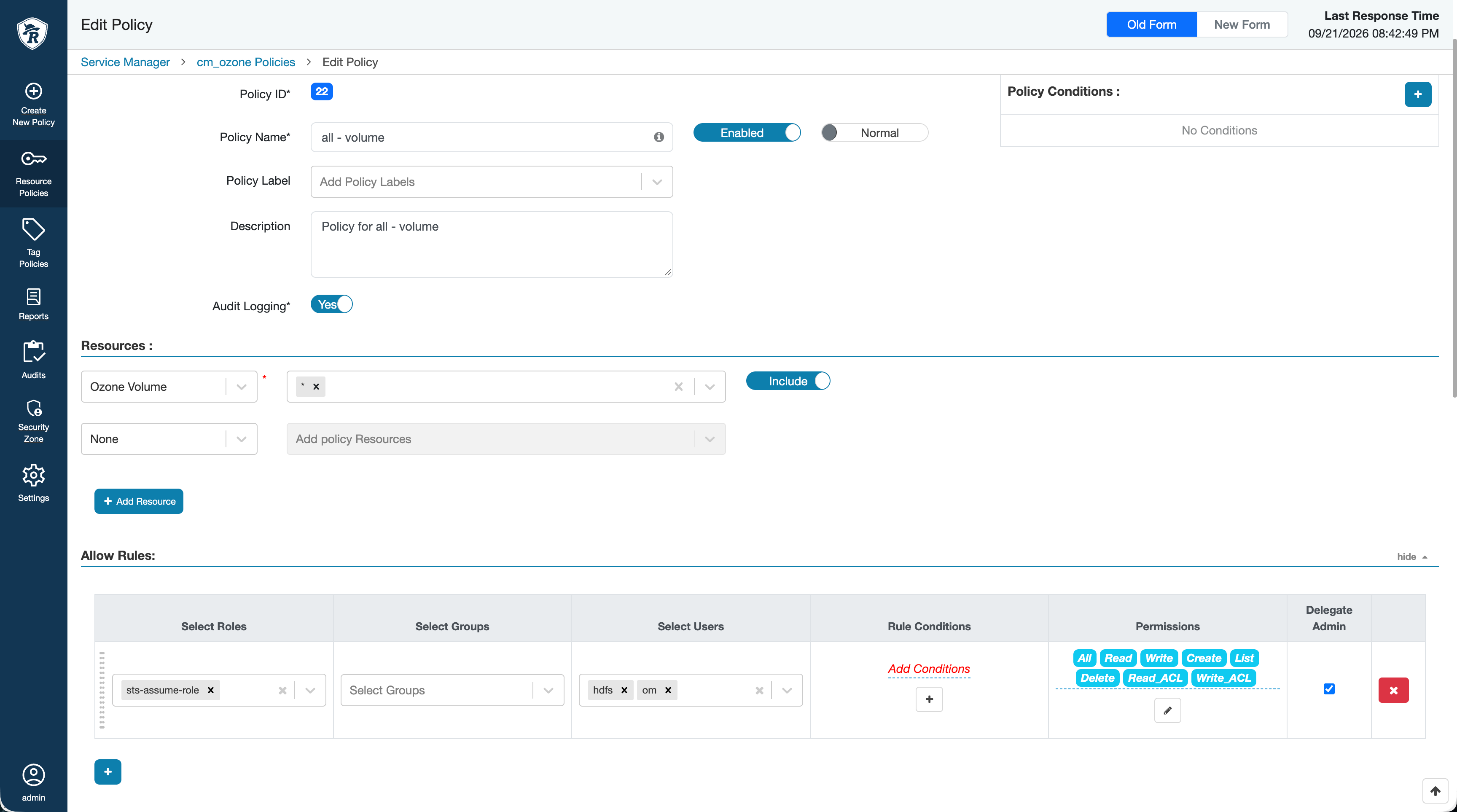
-
Edit your Ozone bucket policy (for example, the default all - volume, bucket policy) and add the sts-assume-role role to the Allow Rules with read permissions.
Figure 4. Ozone bucket policy 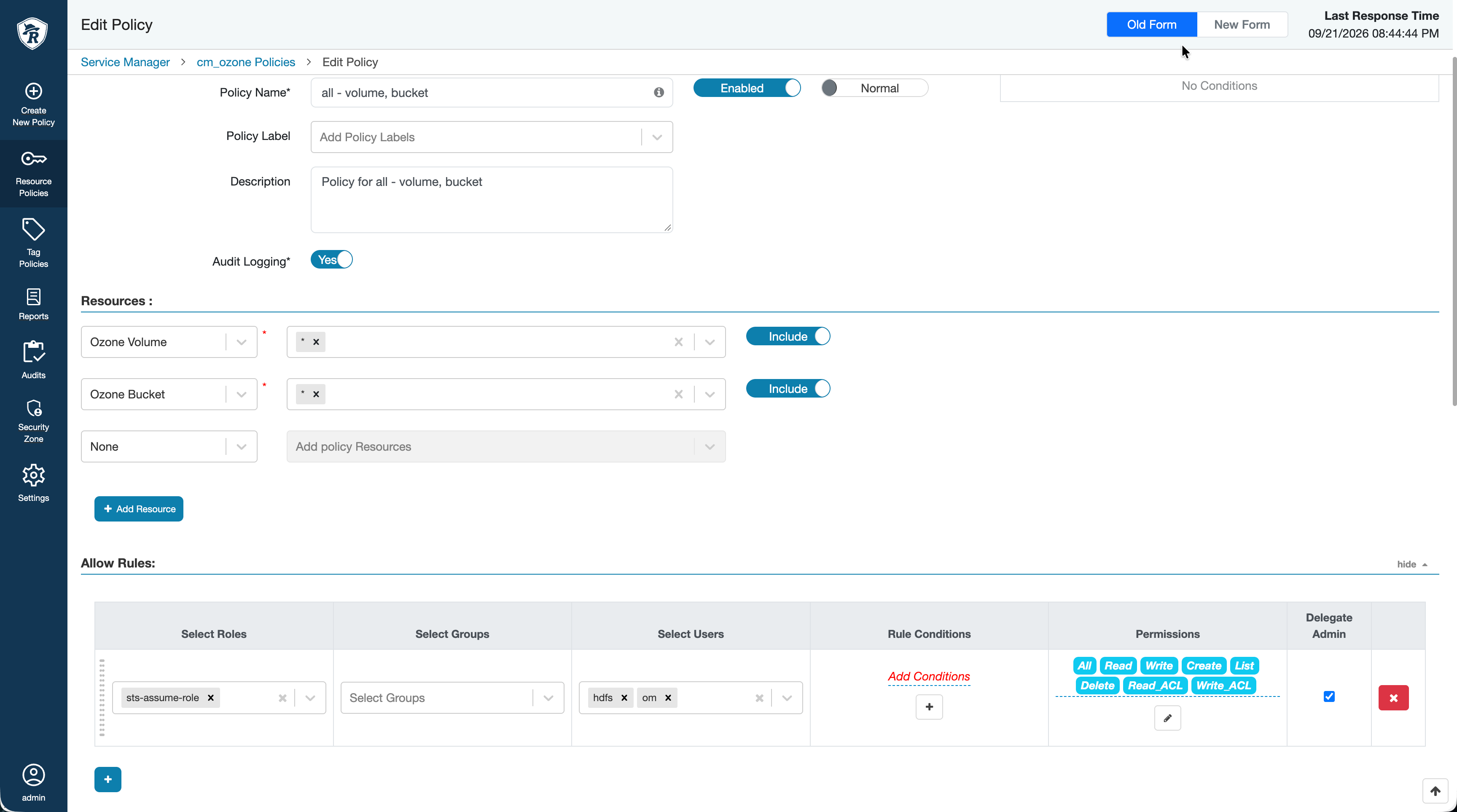
-
Edit your Ozone key policy (for example, the default all - volume, bucket, key policy) and add the sts-assume-role role to the Allow Rules with read permissions.
Figure 5. Ozone key policy 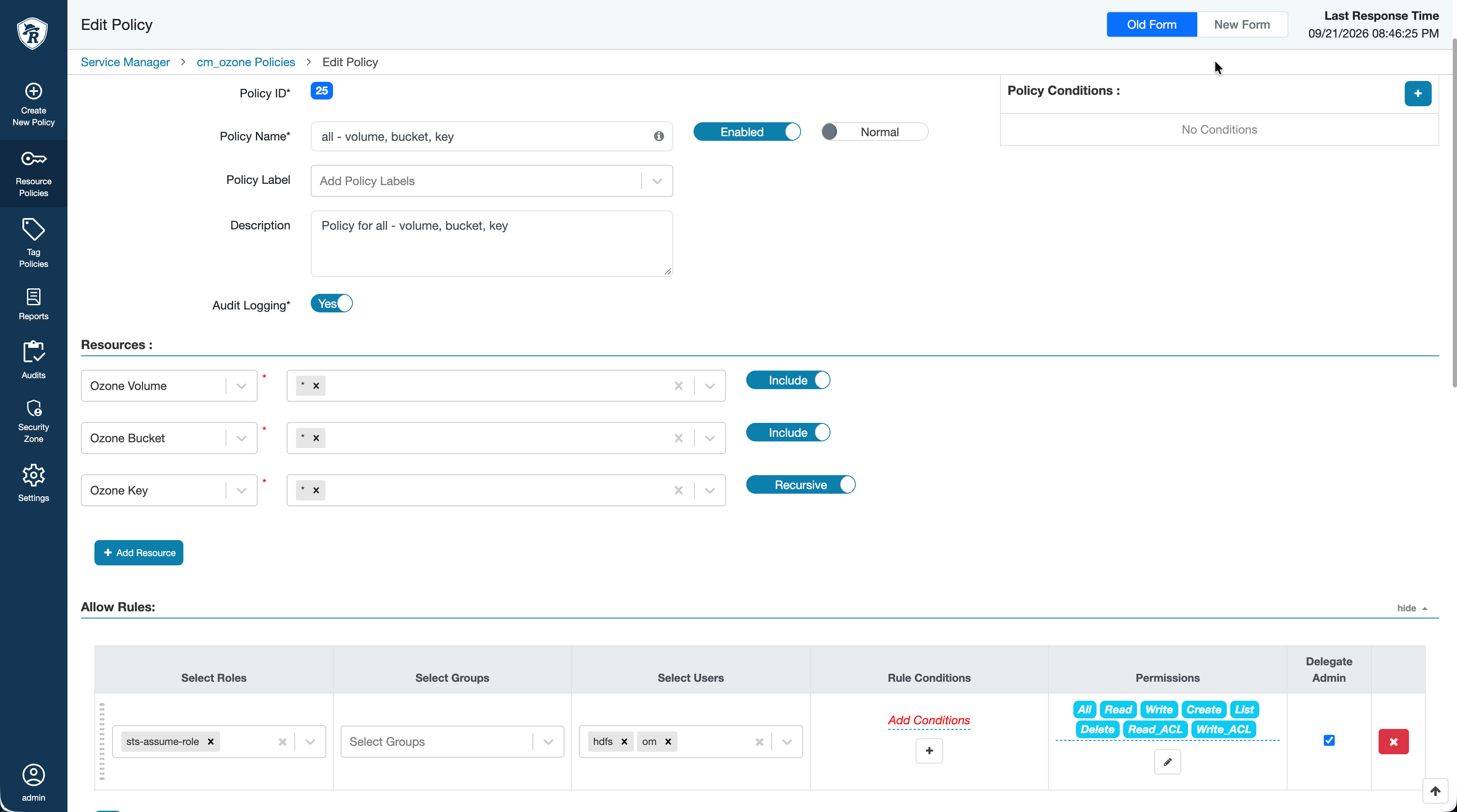
Continue with Configuring the Knox IDBroker for Ozone S3 environments.
