Installing the Knox IDBroker
Add the IDBroker role to the Knox service so that Cloudera Iceberg REST Catalog can vend temporary Ozone S3 credentials to external clients.
In Cloudera on cloud environments, the Knox IDBroker is provisioned automatically. In on premises environments, you must add the IDBroker role to the Knox service manually before you can configure it for Ozone S3 credential vending.
-
Add the IDBroker role to the Knox service.
Click Add Role Instances, and assign the IDBroker role to the host running Knox. Continue through the wizard.
Figure 1. Assigning the IDBroker role to the Knox host 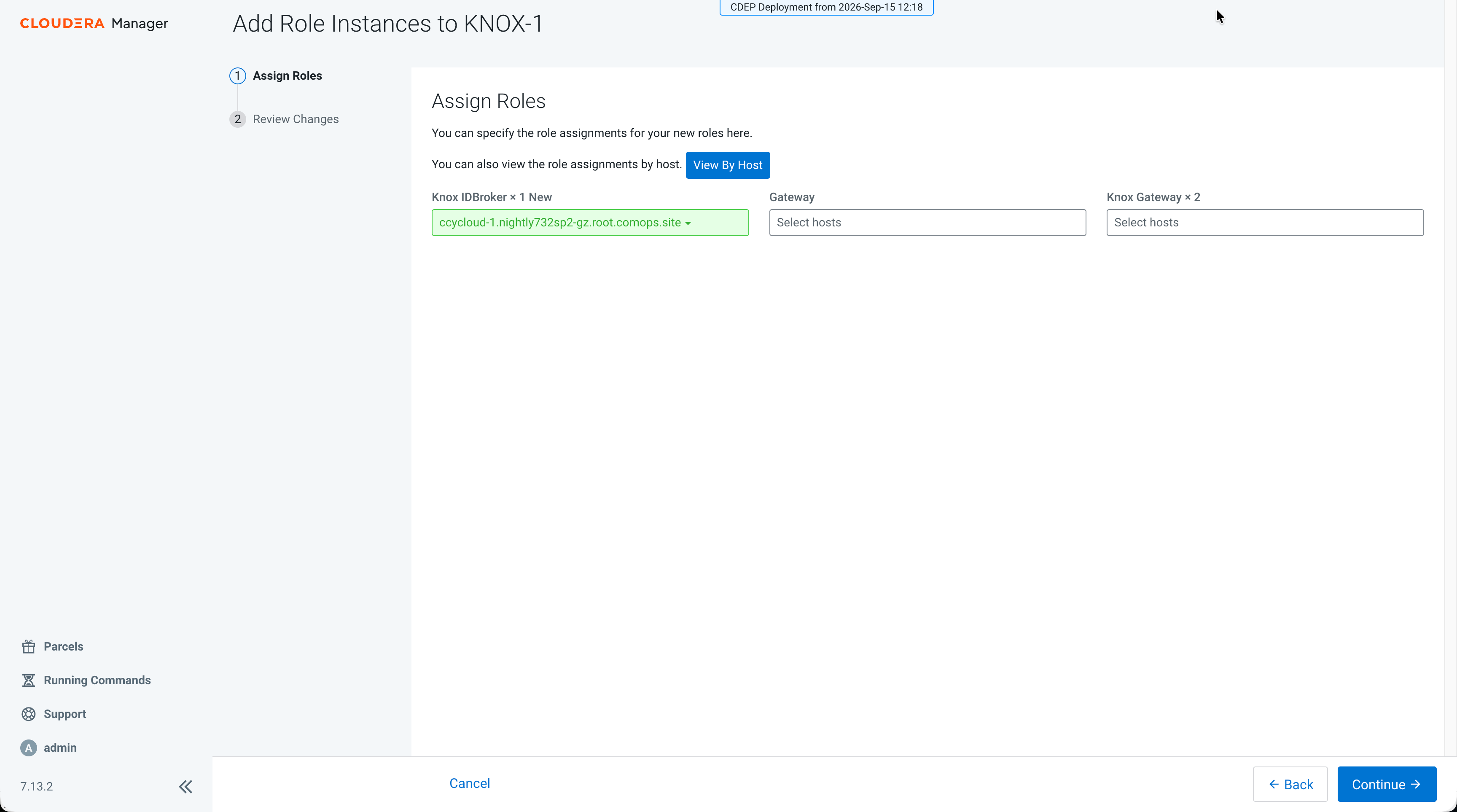
-
On the Review Changes page, set the IDBroker master
secret.
-
Provide a value for IDBroker Master Secret
(
idbroker_master_secret)Figure 2. IDBroker master secret on the Review Changes page 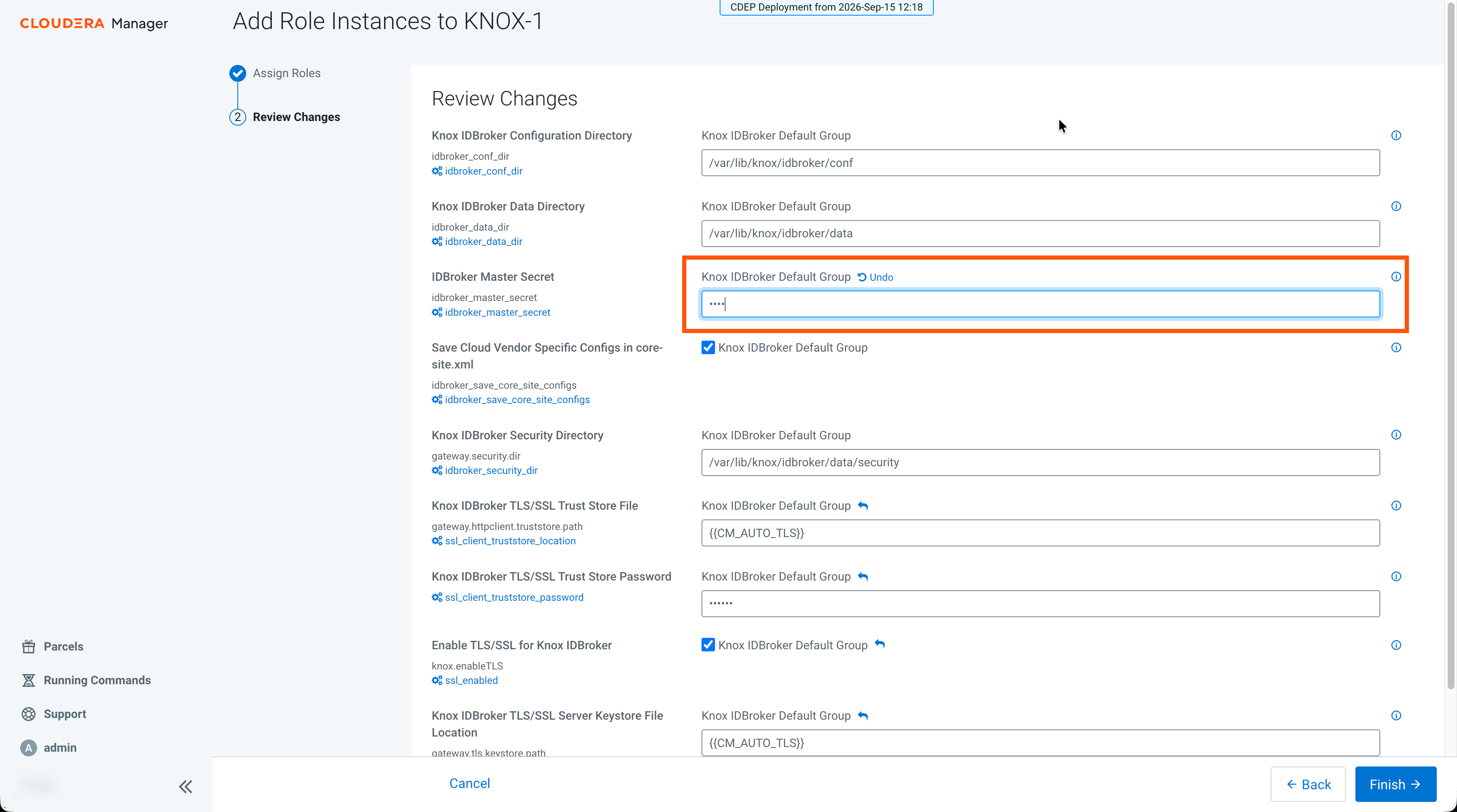
-
Provide a value for IDBroker Master Secret
(
-
Restart all affected services from Cloudera Manager.
Figure 3. Restarting affected services after adding IDBroker 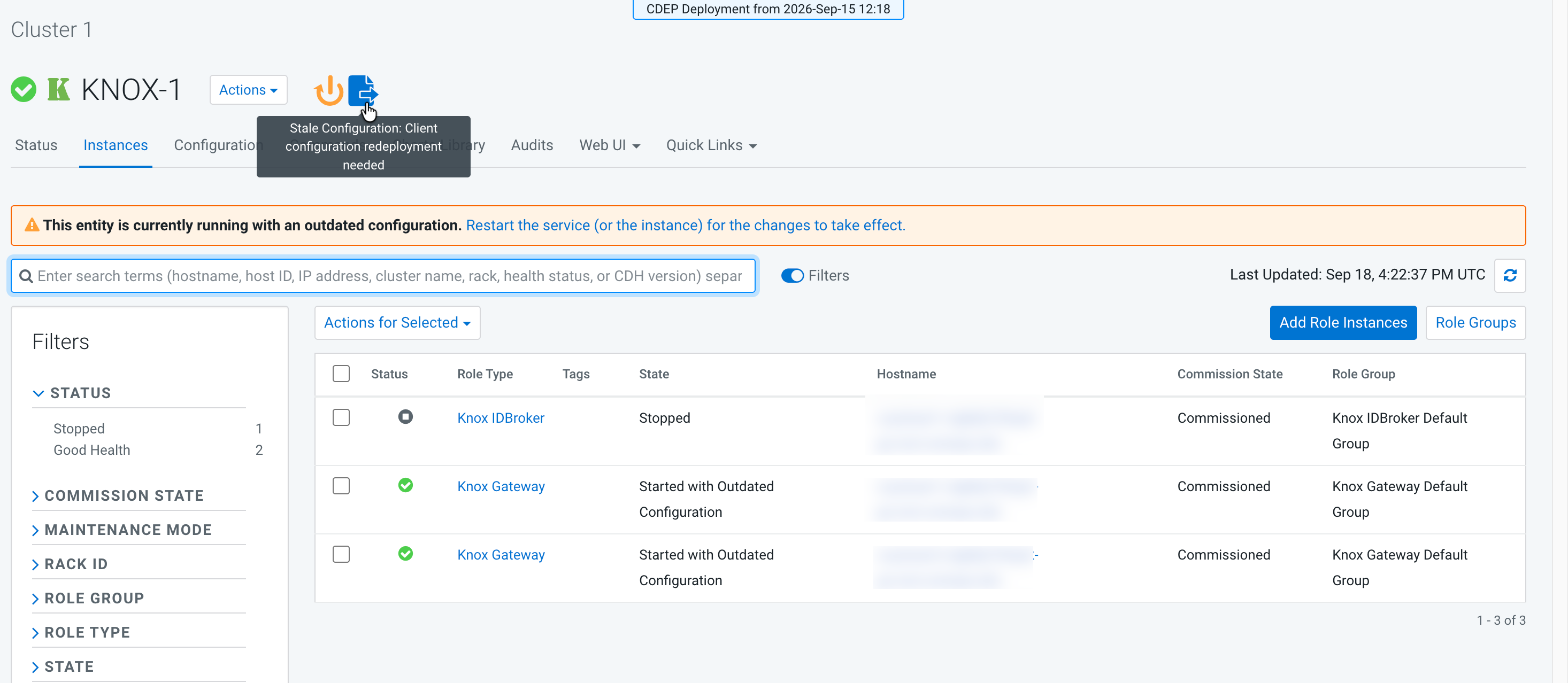
Continue with Configuring Ozone STS for on premises Data Sharing.
