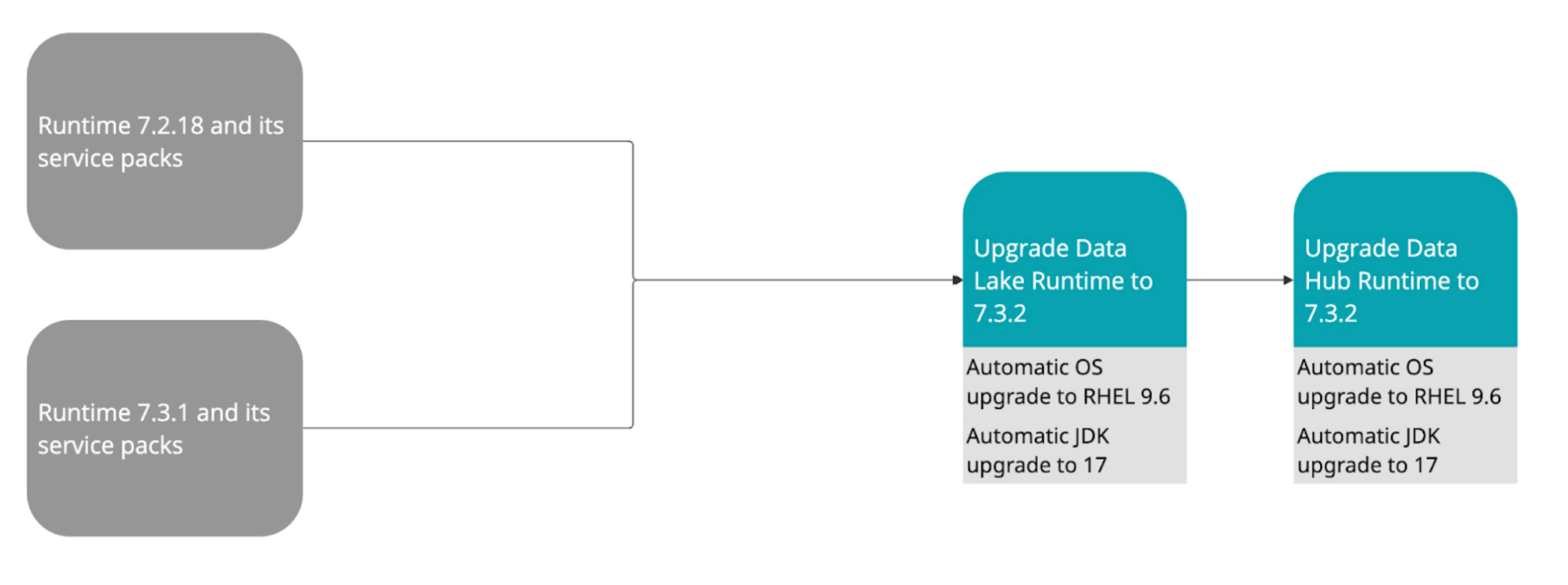
You need to upgrade the Data Lake and Cloudera Data Hub clusters in
your environment separately. During the 7.3.2 upgrade the operating system (OS) version is
automatically upgraded to RHEL 9.6 and the JDK version is automatically upgraded to
17.
important
The JDK upgrade to version 17 is performed
automatically as part of the 7.3.2 upgrade and cannot be rolled back. Ensure that your cluster
is ready for this change before you start the upgrade.
Use the following steps to directly upgrade to
Cloudera Runtime
7.3.2:
important
Each of these operations has its own prerequisites and postrequisites so in
addition to the actual upgrade steps, the prerequisites and postrequisites need to be
performed as well.
You will need to upgrade all Data Lakes and Cloudera Data Hub
clusters separately, first the Data Lakes and then each Cloudera Data Hub
cluster.
For Data Lakes, the Runtime and OS upgrade is performed in one step. For Cloudera Data Hub clusters, the Runtime and OS upgrade is performed in one
step with the exception of the following scenarios, where the OS upgrade is only performed
automatically for the Gateway nodes:
When upgrading a Cloudera Operational Database cluster
When rolling upgrade is requested for large clusters (more than 20
nodes)
You can perform each upgrade operation either from the Upgrade UI of the
respective cluster or using the CDP CLI.
The upgrade user interface in the Cloudera Management Console shows
you the next Data Lake and Cloudera Data Hub upgrade step available, so
you can refer to it as a guideline.