Agent class actions
You can perform several management actions on agent classes, including working with flows, managing agents, editing configurations, and accessing agent details.
From the Dashboard, click the arrow icon at the end of an agent class row to open the agent class details pane.
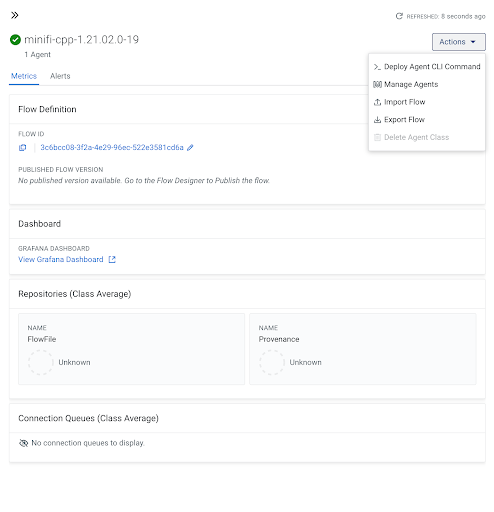
The Actions menu in the top-right corner provides various commands and tools for managing agent classes.
Starting/Stopping a flow in an agent class
You can start and stop running a flow after deployment. With this, you have greater control over when your flows are actively processing data.
-
From the Dashboard, click the arrow icon at the end of an agent class row to open the agent class details pane.
-
Click .
-
Temporarily pause data collection for maintenance or troubleshooting.
-
Deploy flows to agents but only start them when ready for staged rollouts.
-
Quickly stop flows in response to operational issues.
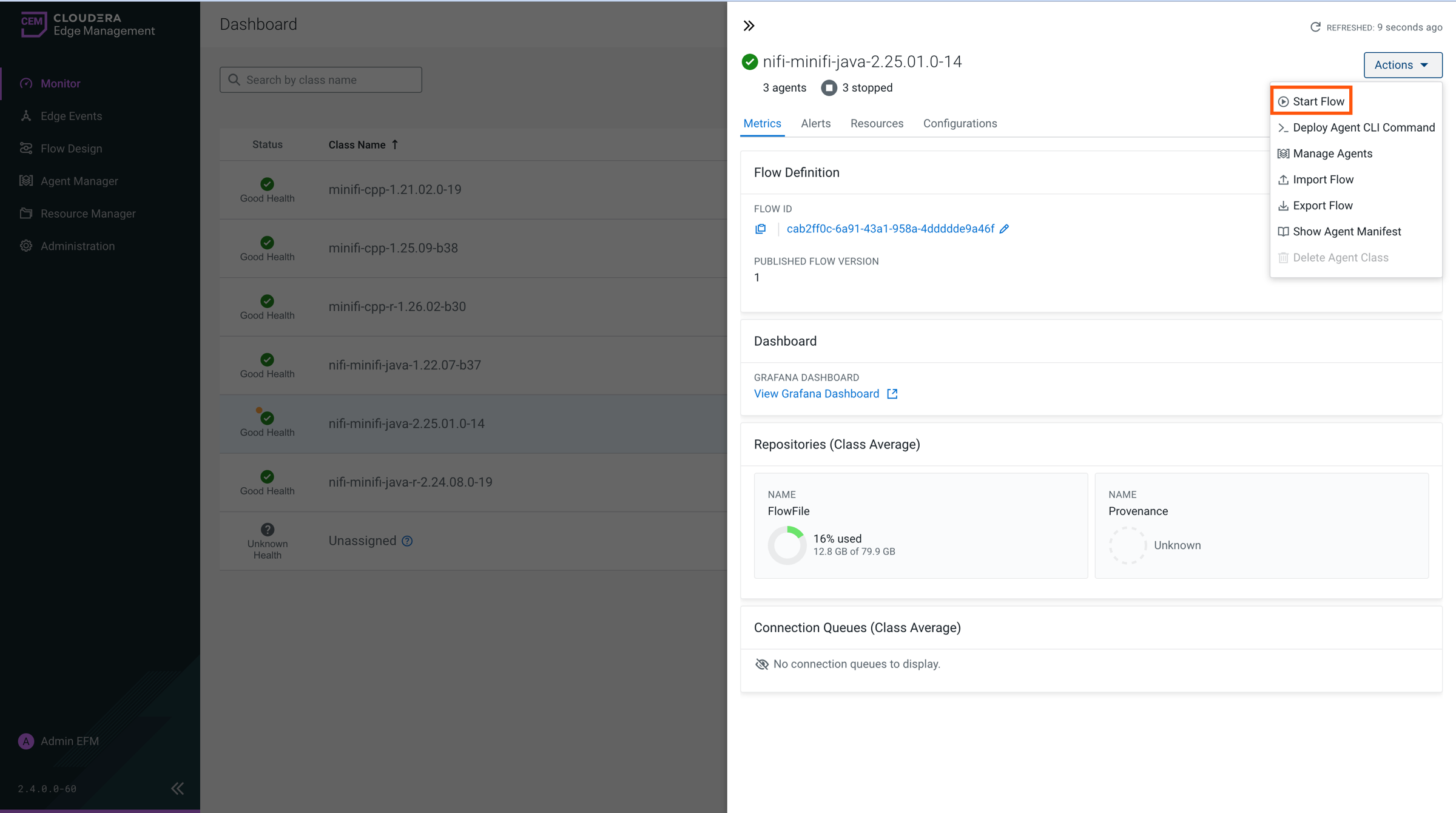
When all dataflows are started the menu item changes to Stop Flow, allowing you to stop all running flows at once.
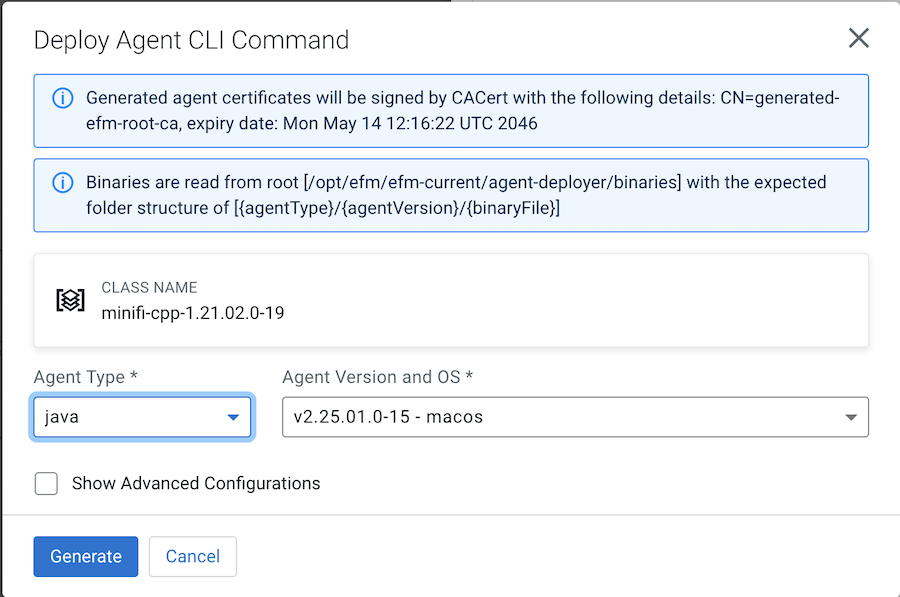
Deploying agent CLI command
This option allows you to deploy specific agent commands through the command-line interface (CLI). It provides flexibility for advanced operations or troubleshooting tasks that are not available through the UI.
Managing agents of an agent class
This option allows you to view and manage the agents assigned to an agent class.
To view the list of agents assigned to the selected agent class, click .
For more details about how to manage agents, see Managing agents in Cloudera Edge Management.
Importing a flow into a new agent class
This option allows you to import a pre-existing flow into the agent class.
Exporting a flow from a new agent class
This option allows you to export the current dataflow associated with the agent class. Exported flows can be shared or stored for backup purposes.
Viewing the agent manifest
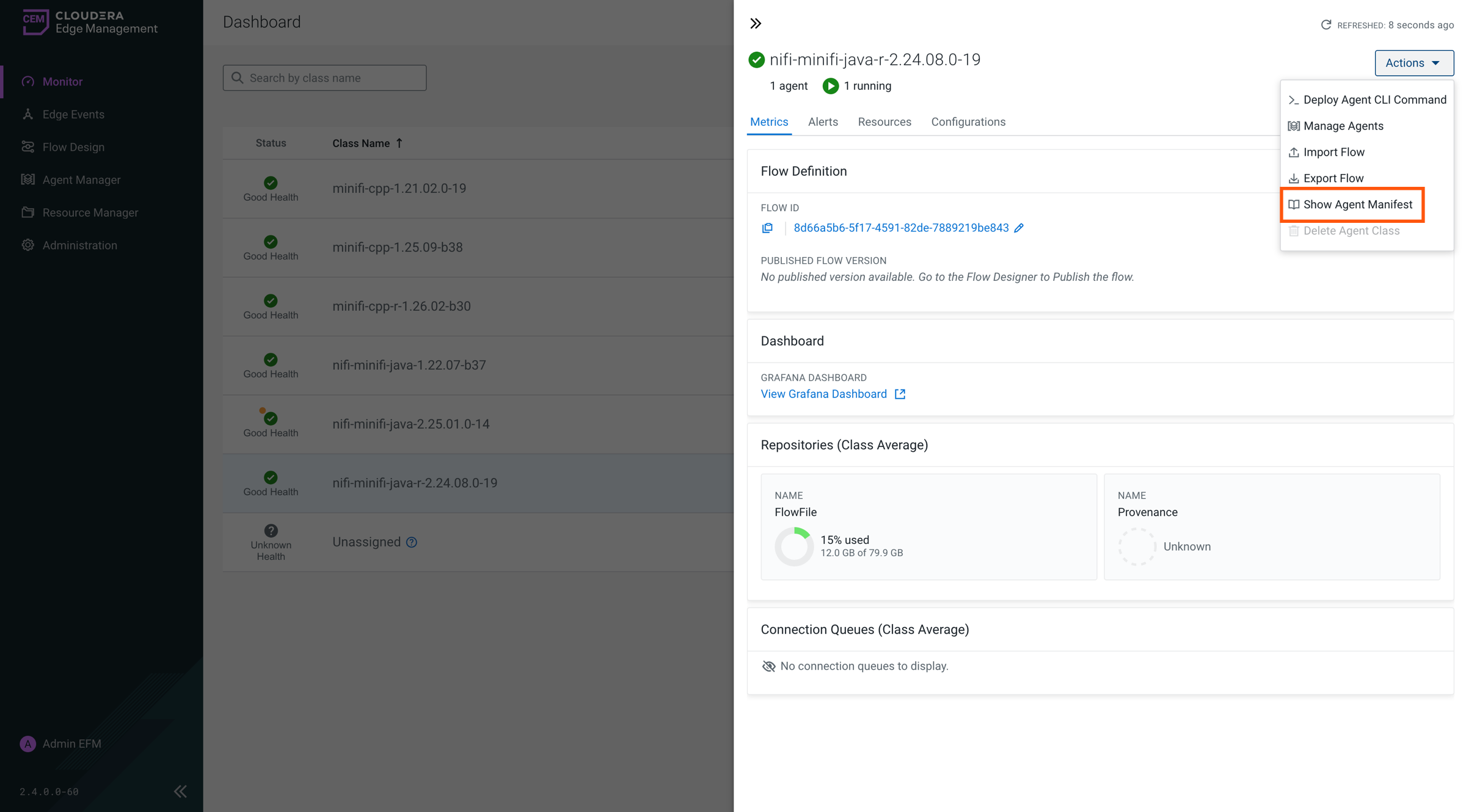
This option allows you to view the agent manifest to inspect the configuration and capabilities of an agent, including details used during deploying or running a flow.
-
From the Dashboard, click the arrow icon at the end of an agent class row to open the agent class details pane.
-
Click .
The agent manifest contains the agent’s configuration and capabilities.
You can copy and download the manifest files.
Deleting an agent class
This option allows you to permanently remove an agent class and its associated flow from Edge Flow Manager.
When you delete an agent class, it also removes the flow assigned to that class, but events associated with the deleted class will remain available in the Edge Events view. Edge Flow Manager does not provide any rollback option. You have to export the flow before deleting it, if you want to restore it in the future.
