Scanning clusters
Scan registered clusters to discover datasets and workloads you can migrate, then organize results into collections.
You need to scan the source cluster to identify the available datasets and workloads that can be migrated.
Available scan types
The scan options depend on the cluster platform type:
CDP Base clusters:
| Scan type | Description |
|---|---|
| HDFS data scan | Scans HDFS directories and files on the source cluster |
| Hive table scan | Scans Hive metastore for tables and databases |
| Ozone data scan | Scans Ozone volumes, buckets, and keys |
| Ranger policy scan | Scans Ranger access, masking, and row-filter policies (technical preview) |
Cloudera Data Services clusters:
| Scan type | Description |
|---|---|
| Cloudera Data Engineering for Airflow | Scans Cloudera Data Engineering virtual clusters for Airflow DAGs and resource files (technical preview) |
Git clusters:
| Scan type | Description |
|---|---|
| Git repository scan | Scans the target Git repository file tree |
-
Navigate to the Clusters page and click the cluster you want to scan.
Figure 1. Cloudera Migration Assistant Clusters page 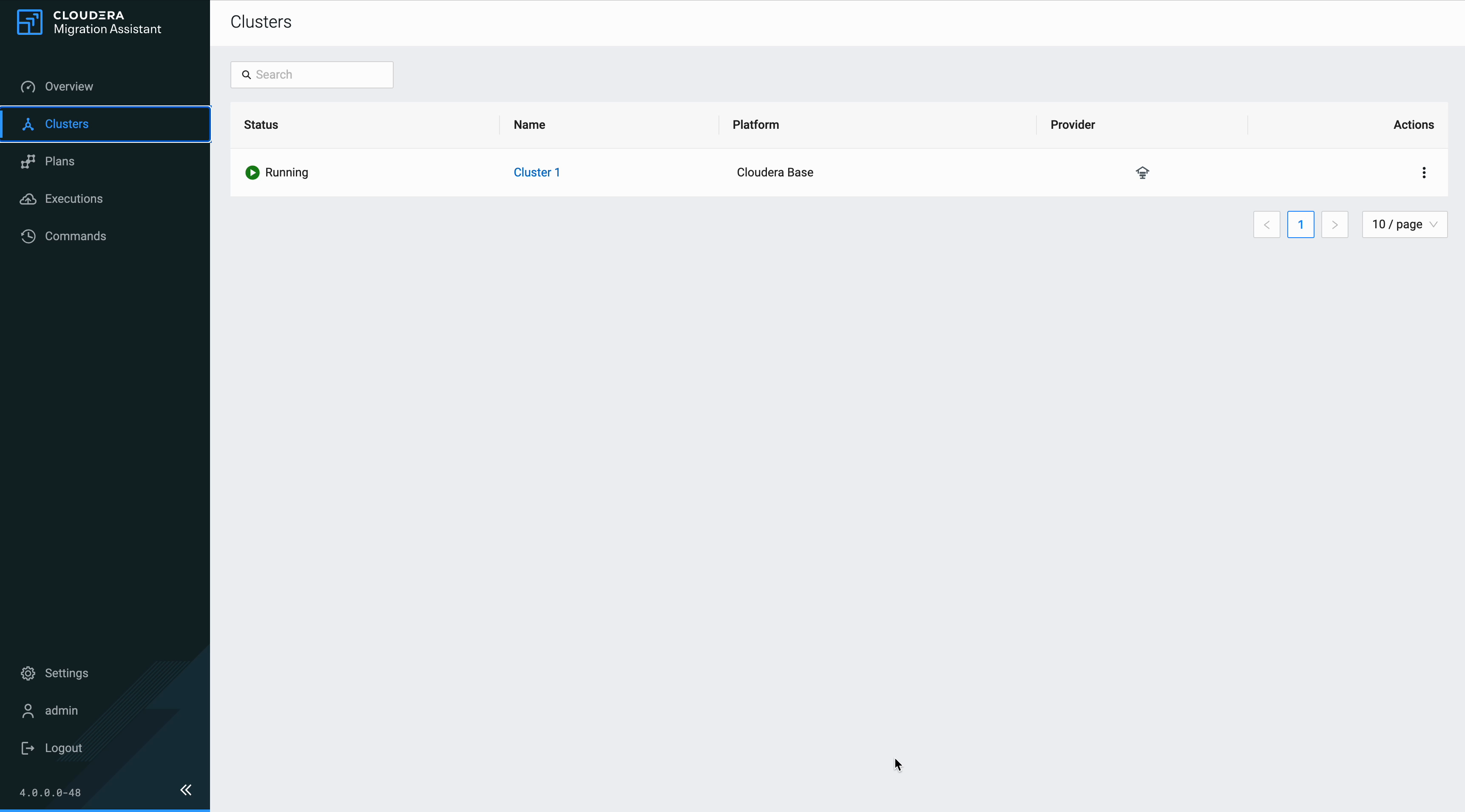
-
On the cluster detail page, find the Scanning section, which lists the available scan types for your cluster. Click the configuration icon on the right side of the scan type you want to trigger.
Figure 2. Cloudera Migration Assistant cluster scanning 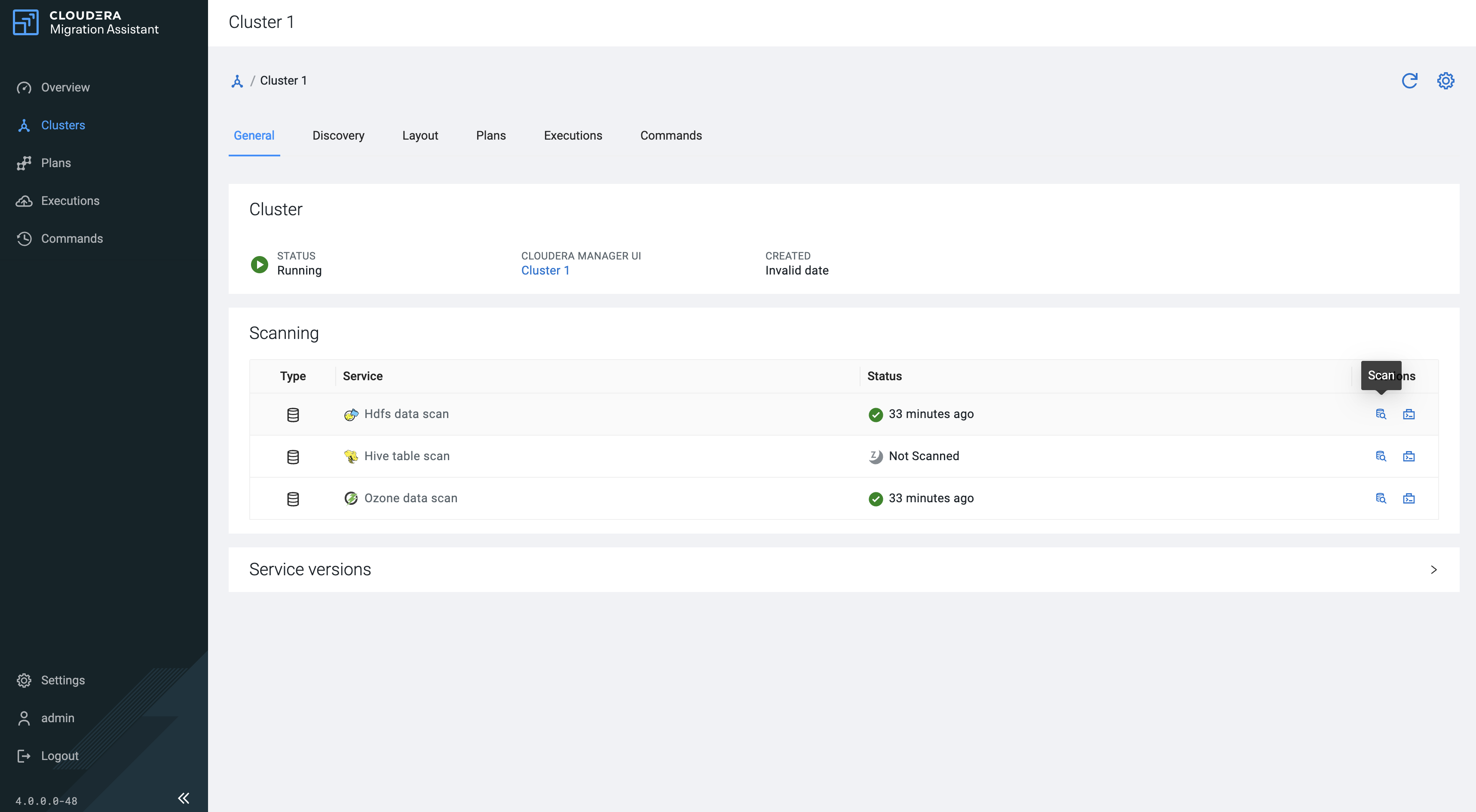
-
In the scan configuration drawer, configure the scan parameters (for example, scan path, scan type, scan depth) and click Scan Selected.
Figure 3. Cloudera Migration Assistant scan configuration 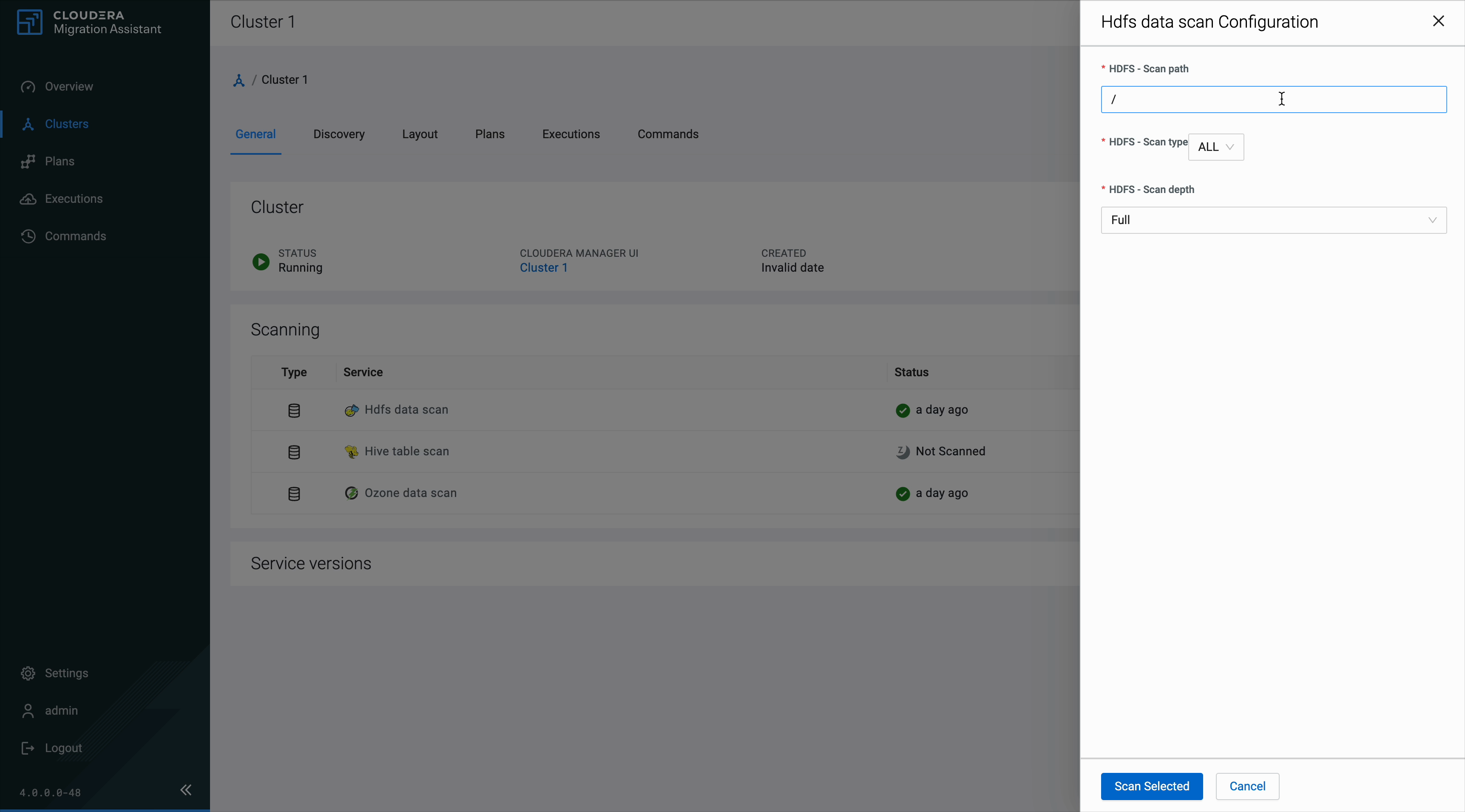
-
The scan starts and the status changes to Initializing. Track scan progress by clicking the Commands tab, which shows a badge with the number of active commands.
Figure 4. Cloudera Migration Assistant scan in progress 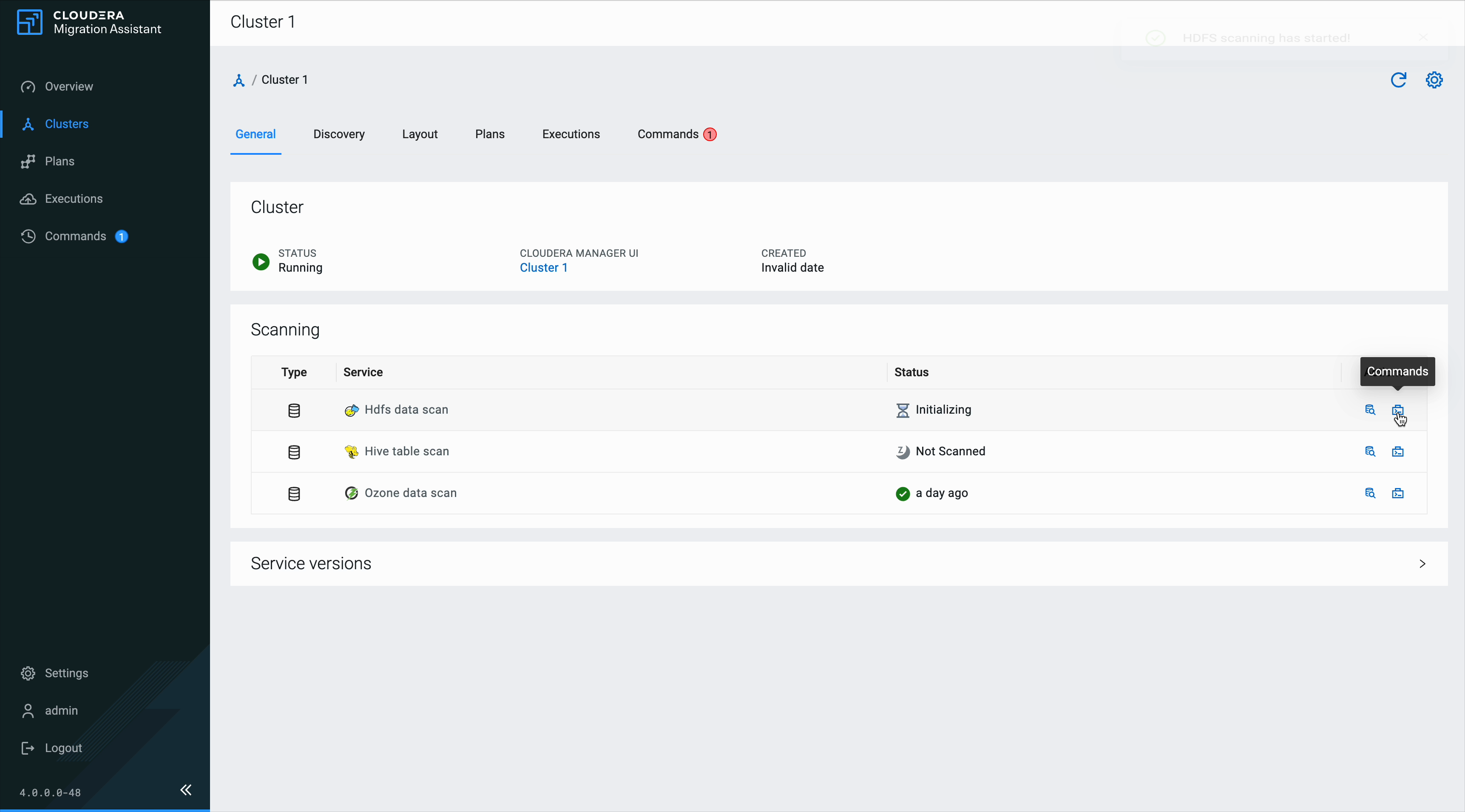
-
On the Commands tab, expand a command to view its Output Log, Error Log, and Configuration.
Figure 5. Cloudera Migration Assistant scan commands 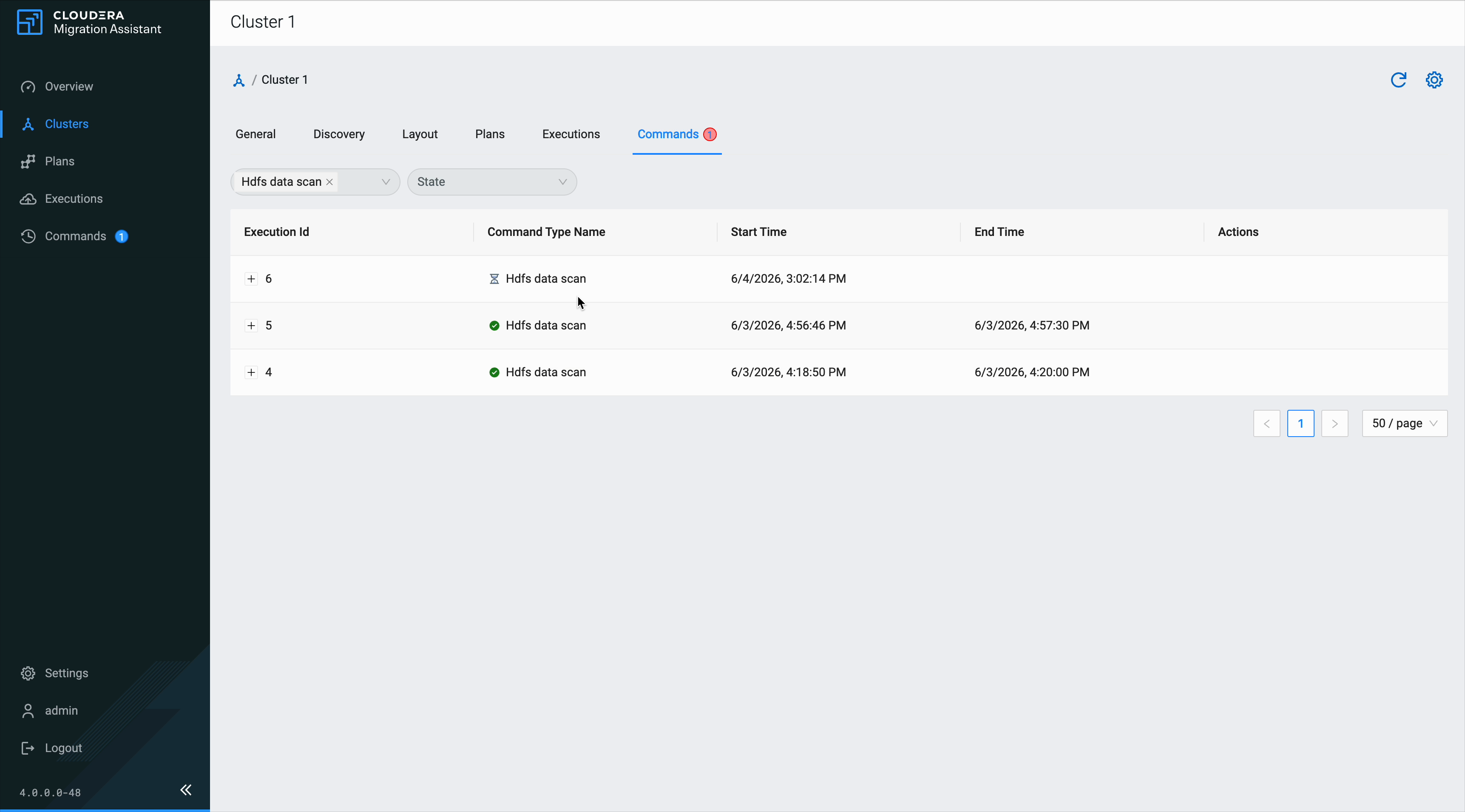
Selected datasets and workloads on the scanned cluster finish cataloging according to the scan types you triggered.
Rescanning
You can rescan a cluster at any time. Rescanning replaces the previous scan results for the selected scan types. Existing collections that reference scanned items are preserved.
Troubleshooting scan failures
| Symptom | Likely cause | Resolution |
|---|---|---|
| Scan stays in IN_PROGRESS indefinitely | Agent lost connection during scan | Check agent connectivity, cancel and retry the scan. See Scan failures. |
| Kerberos authentication error | Agent keytab expired or missing | Verify kerberos.auth.enable and keytab configuration in the CMA Agent service |
| Scan completes but shows no results | The scanned service is not deployed on the cluster | Verify the service exists in Cloudera Manager on the source cluster |
| Hive scan fails with connection error | Hive Metastore is not running or not accessible | Verify HMS is running; check agent logs for connection details |
| HDFS/Ozone scan times out | Scan path is very large (millions of files) | Configure scan depth or narrow the scan path in scan settings |
| Ranger scan fails | Ranger Admin not accessible or Kerberos SPNEGO auth fails | Verify Ranger is running and the scan user has admin privileges |
Sort the scanned data into collections to organize what will be migrated. Then proceed to create a migration plan. For instructions, see Creating collections for migration.
