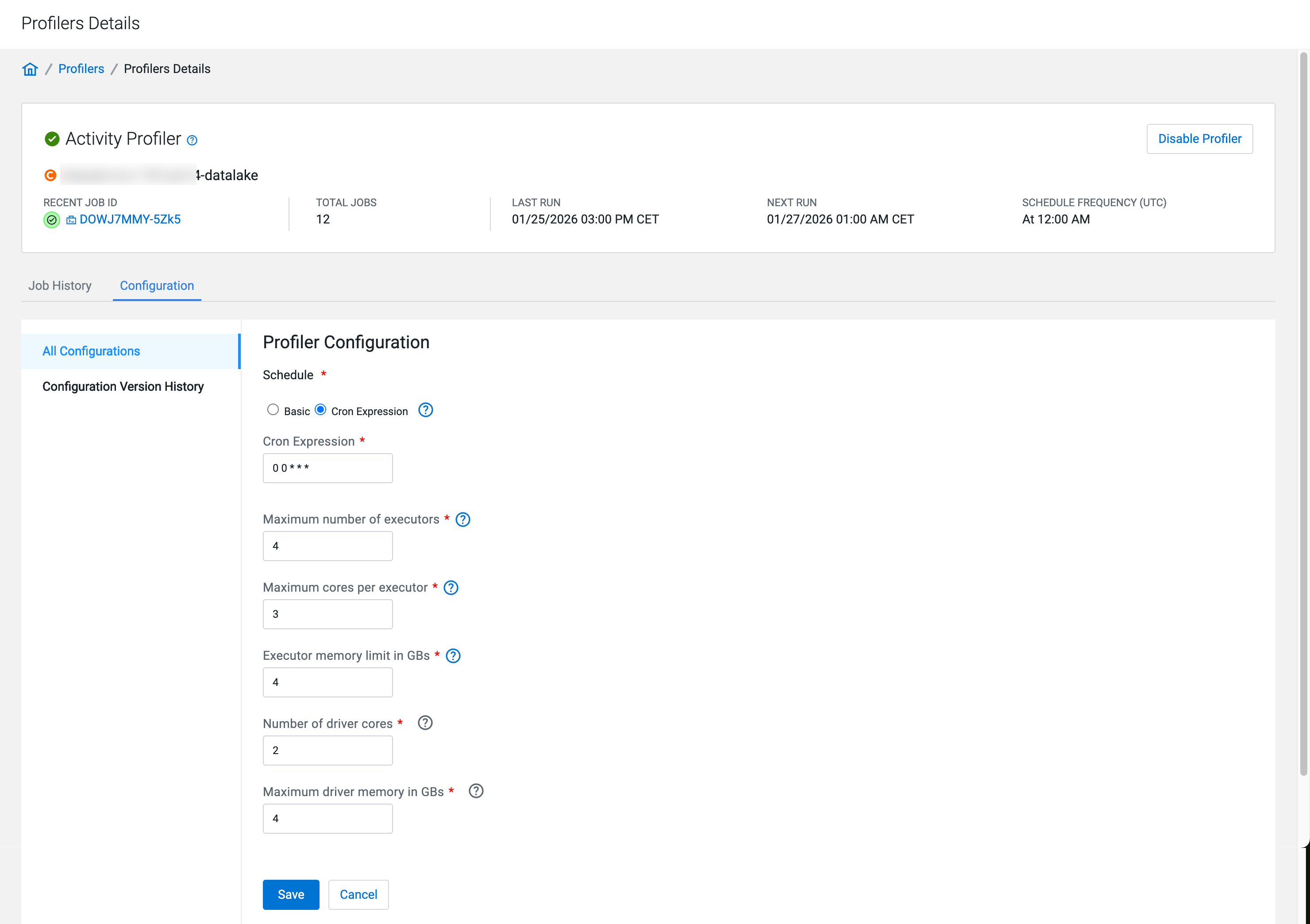
In addition to the generic configuration, you can configure scheduling and available
resources for the Activity Profiler.
Go to Profilers and select your data lake.
Go to Profilers > Activity Profiler > Profiler Details > Configuration > All Configurations
Select a schedule to run profiler using either UNIX Cron
Expression or the Basic scheduler.
Figure 1. Profiler schedule with cron expressionFigure 2. Profiler schedule with natural language
Configure the resources.
Set the Maximum number of executors.
Specifies the number of processes that are used by the distributed
computing framework. The recommended value is at least four
executors.
Set the Maximum cores per executor.
Specifies the maximum number of cores that can be allocated to an
executor.
Set the Executor memory limit in GBs.
Set the Number of driver cores.
Specifies the maximum number of driver cores. Increase the number of
cores to improve the speed of profiler job scheduling.
Set the Maximum driver memory in GBs.
Specifies the maximum amount of memory that can be allocated to an
driver core. Increasing the available memory accelerates the
profiling of larger and more complex tables and prevents
out-of-memory errors.
Click Save to apply the configuration changes to the
selected profiler.