Revoking user credentials
Revoke the credentials of an external user to immediately block their access to all Data Shares until new credentials are regenerated.
Revoking credentials invalidates a user's Client ID and Secret. The user will not be able to access any of their previous Data Shares or new ones until their credential is regenerated. Use this action when a user's credentials are compromised, when access needs to be temporarily suspended, or when a user leaves the organization.
You must have the DataShareAdmin resource role for the relevant
environment.
-
In the user row, click the actions menu (⋮) and select
Revoke Credential.
Figure 1. Actions menu with Revoke Credential option 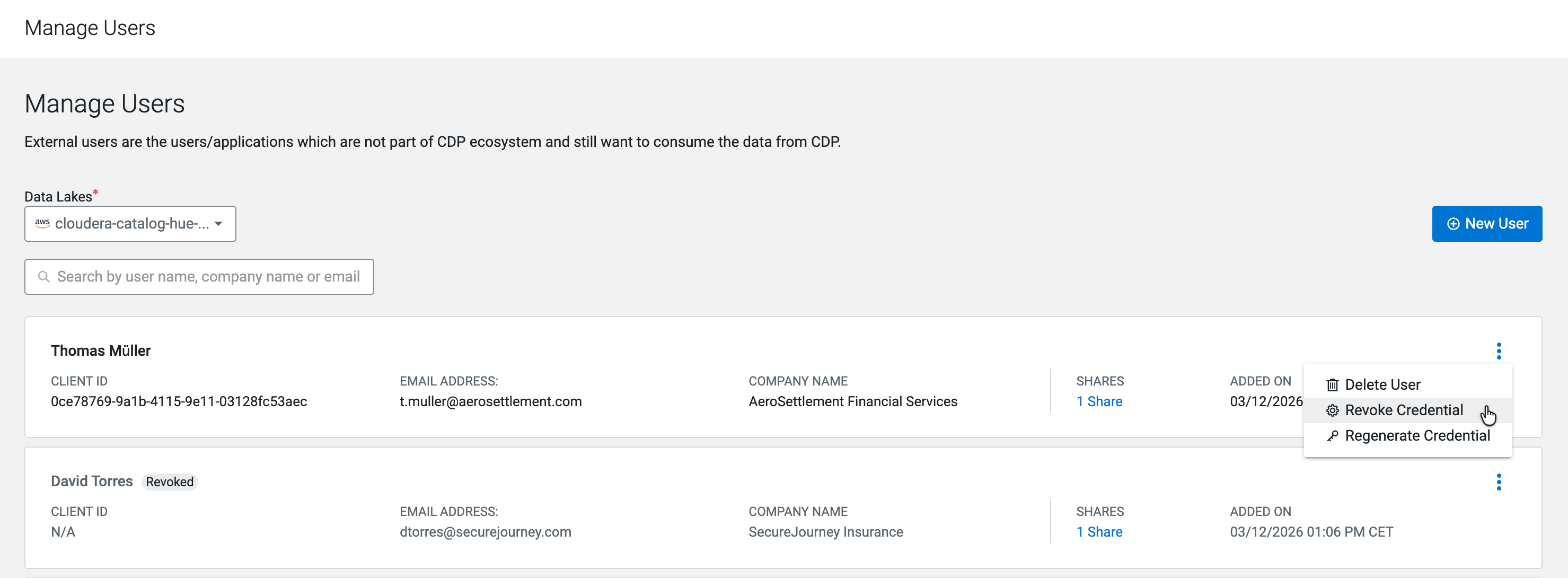
-
In the Revoke Credential confirmation dialog, click
Revoke.
Figure 2. Revoke Credential confirmation dialog 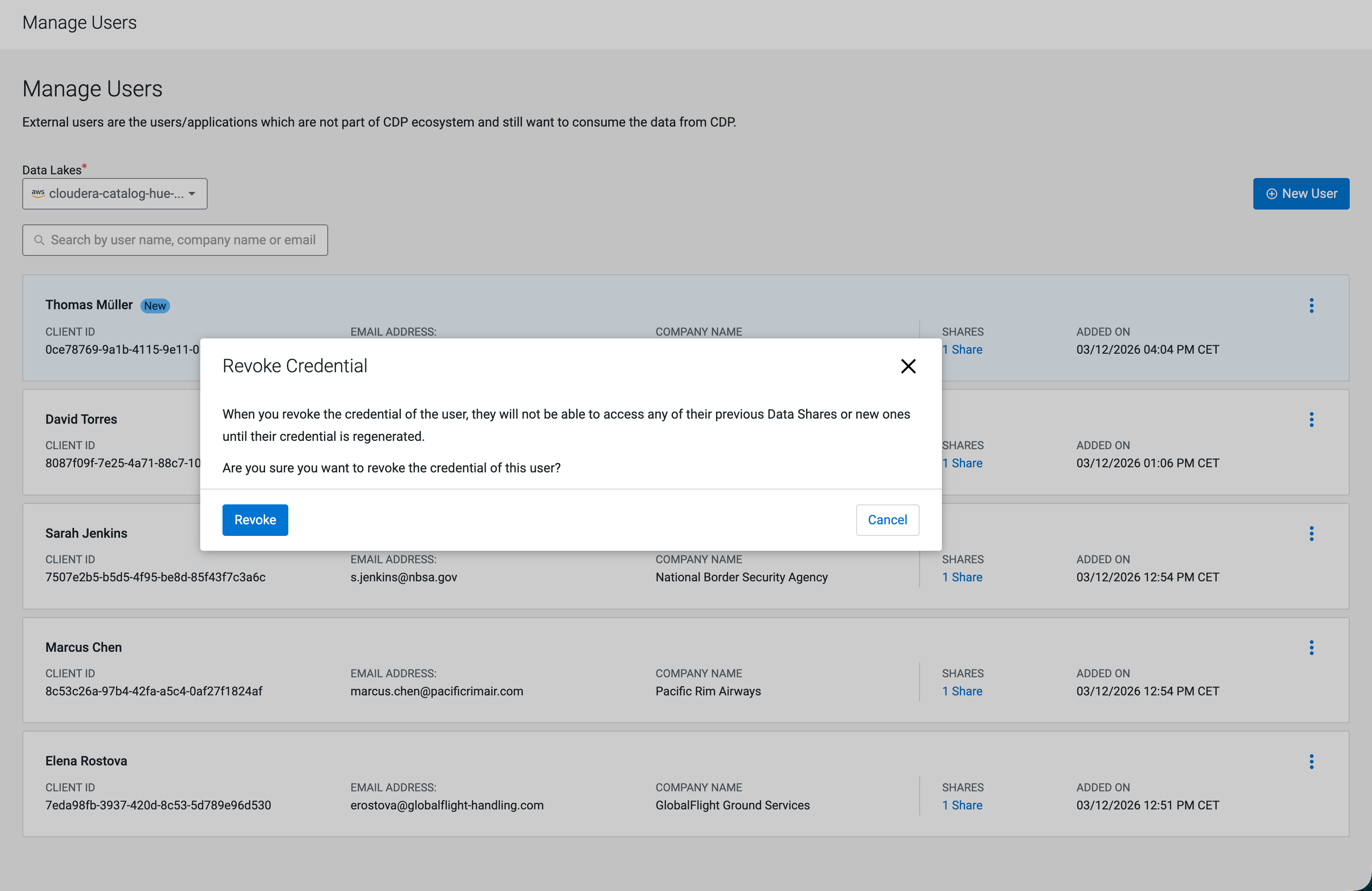
A success banner confirms that the credentials are revoked. The user row displays a Revoked badge and the Client ID field shows N/A.
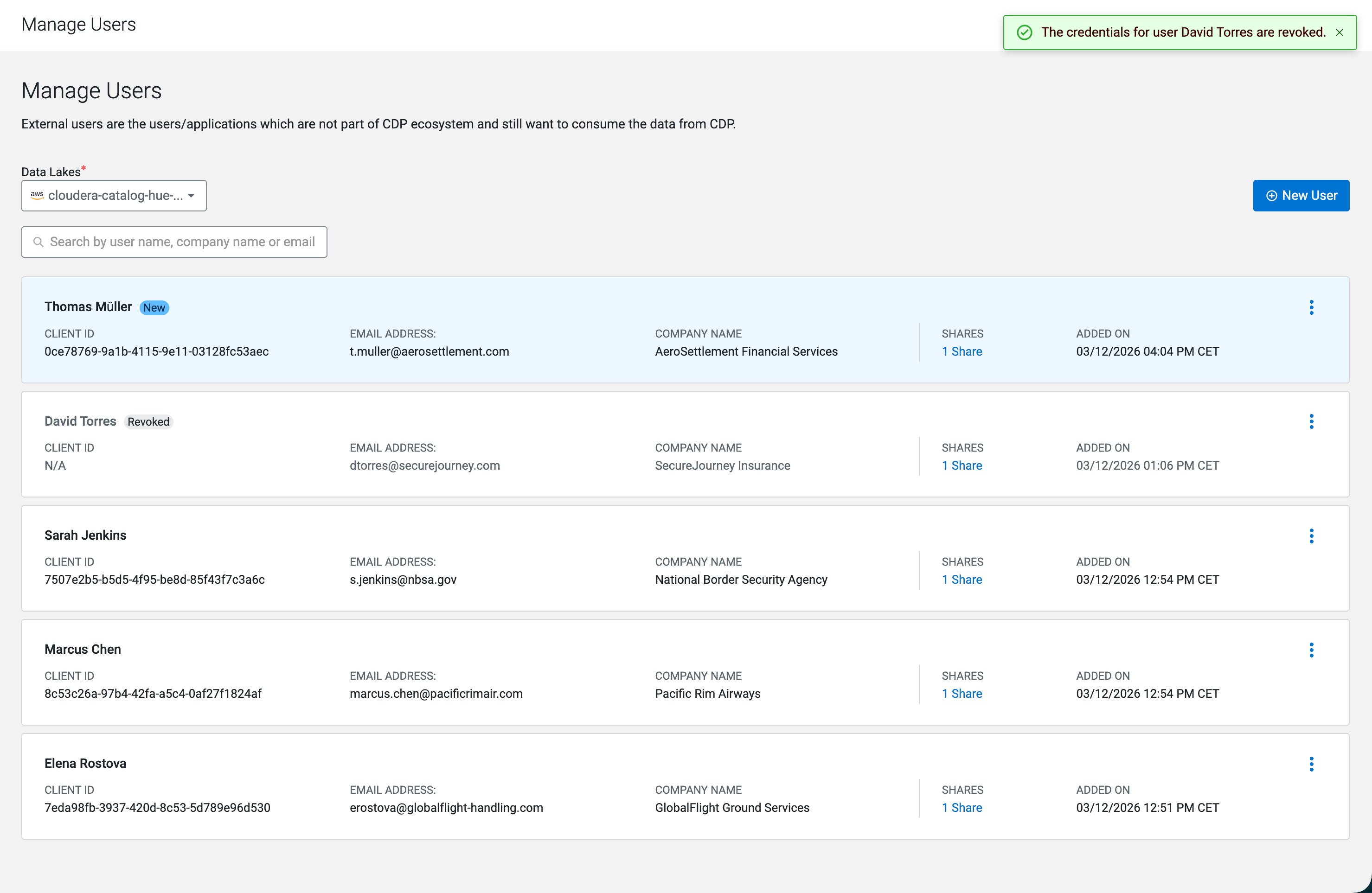
To restore the user's access, regenerate their credentials from the same actions menu.
