Troubleshooting Data Sharing after restoring a backup to a new Data Lake
When restoring a backup of an old Data Lake to a new Data Lake, old credentials might still work for the new Data Lake, and external users might remain attached to old Data Shares in Ranger. Learn how to invalidate old credentials and remove old external users.
In Cloudera Data Catalog, if you take a backup of a Data Lake and restore it to a new environment and Data Lake, you might see that the user count is displayed incorrectly under the tab. The old client IDs and secrets from the old Data Lake backup must not be available in the new Data Lake for security reasons, and their connections to Data Shares must be removed. You must create new client IDs (external users) and assign them to the restored Data Shares.
To resolve the issue where old credentials are still working and external users are still attached to old Data Shares in Ranger, you can invalidate the old credentials directly within the Knox user interface, and remove the users from Ranger.
-
Update the Knox configurations in to allow Data Share Administrators (with role
DataShareAdmin) to view credentials created by other Data Share Administrators:-
Search for the
gateway.knox.token.management.users.can.see.all.tokensconfiguration and add your username.Figure 1. Adding username to users who can see all Knox tokens 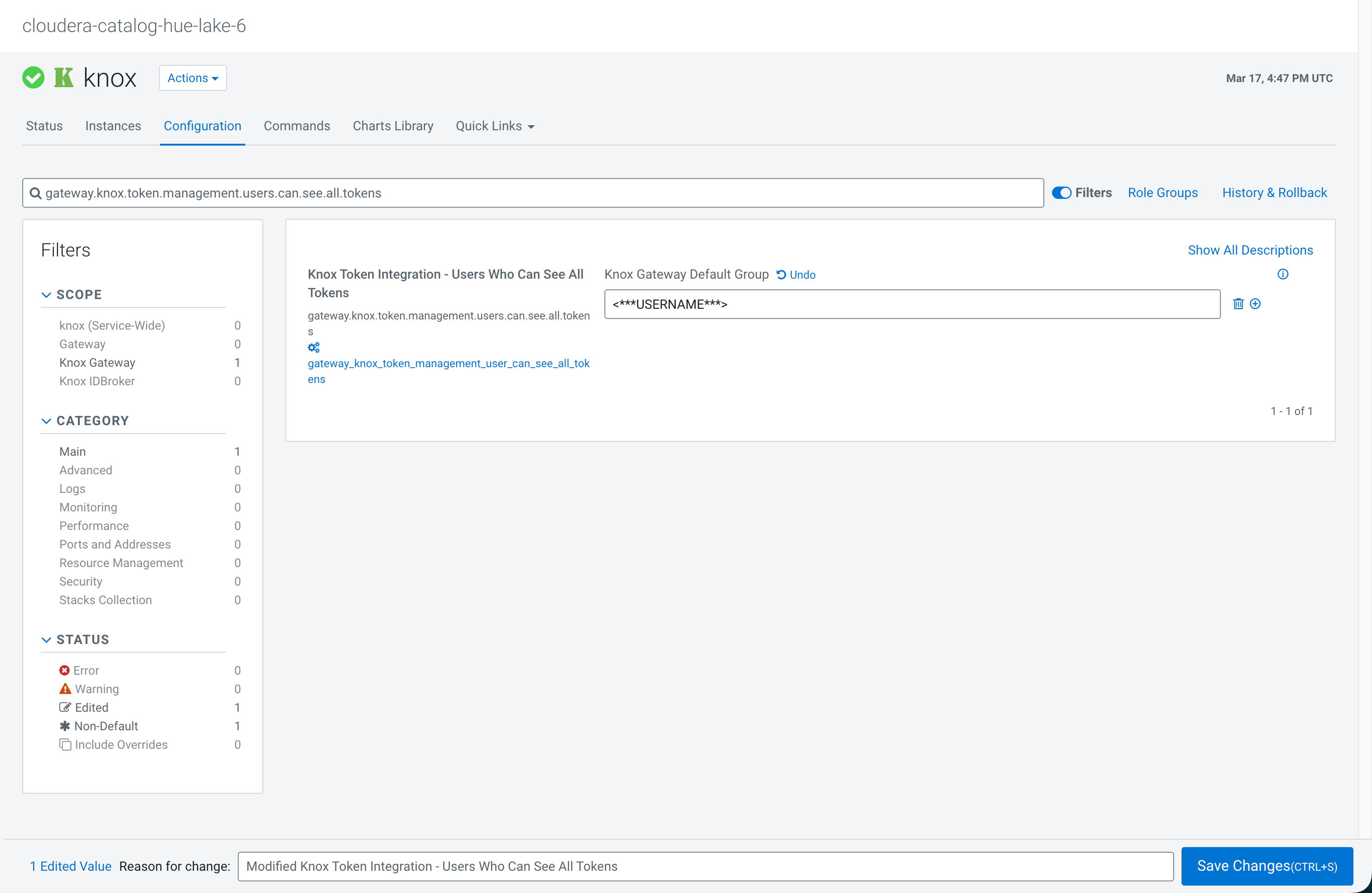
-
Search for the
gateway_knox_token_renewer_whitelistconfiguration and add your username in this as well.Figure 2. Adding username to Knox token renewer whitelist 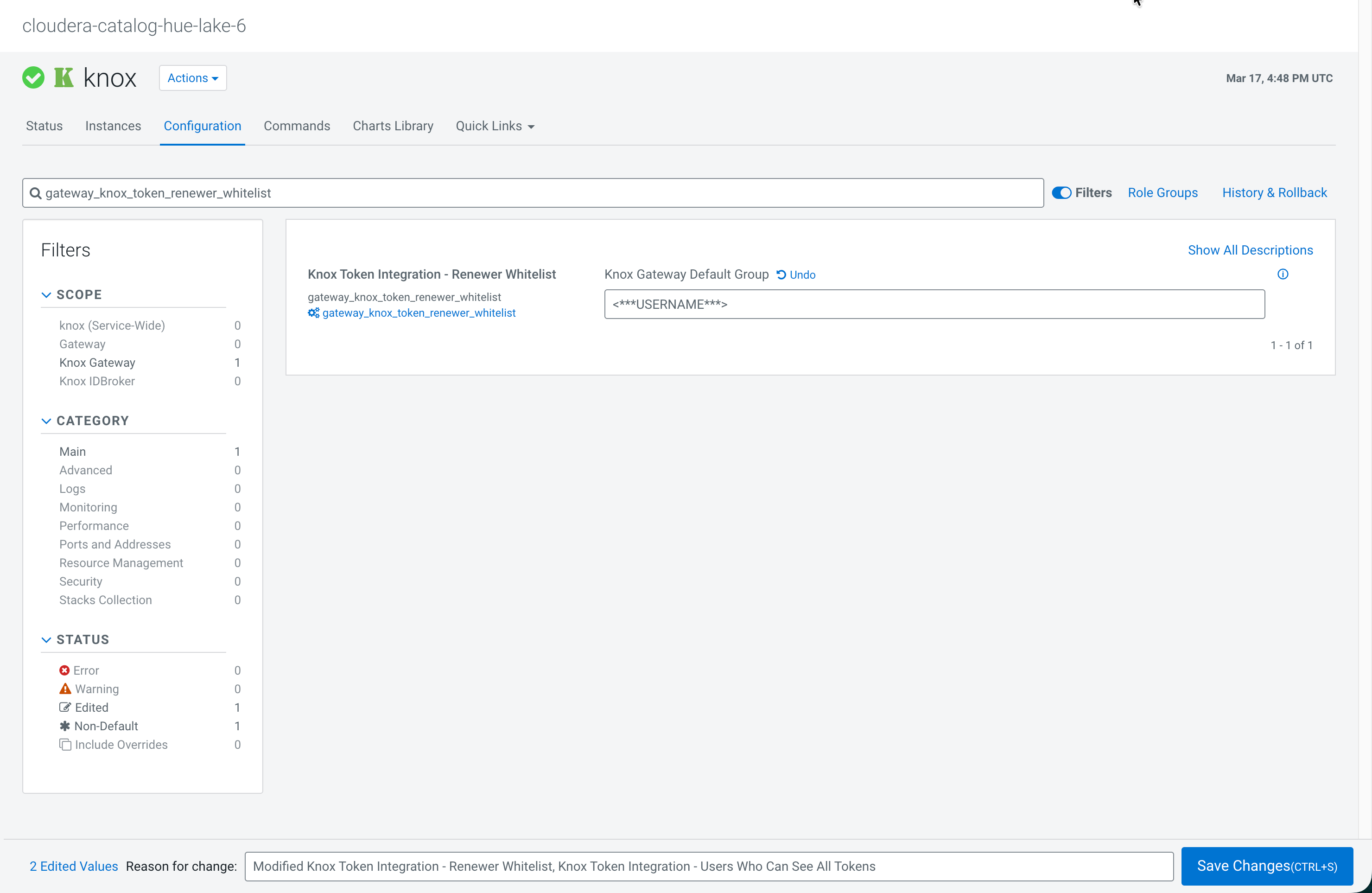
-
Search for the
-
Invalidate old credentials in the Knox user interface.
-
Select all the client IDs that have the OAUTH2
type.
Figure 3. Selecting OAUTH2 tokens in Knox User Interface 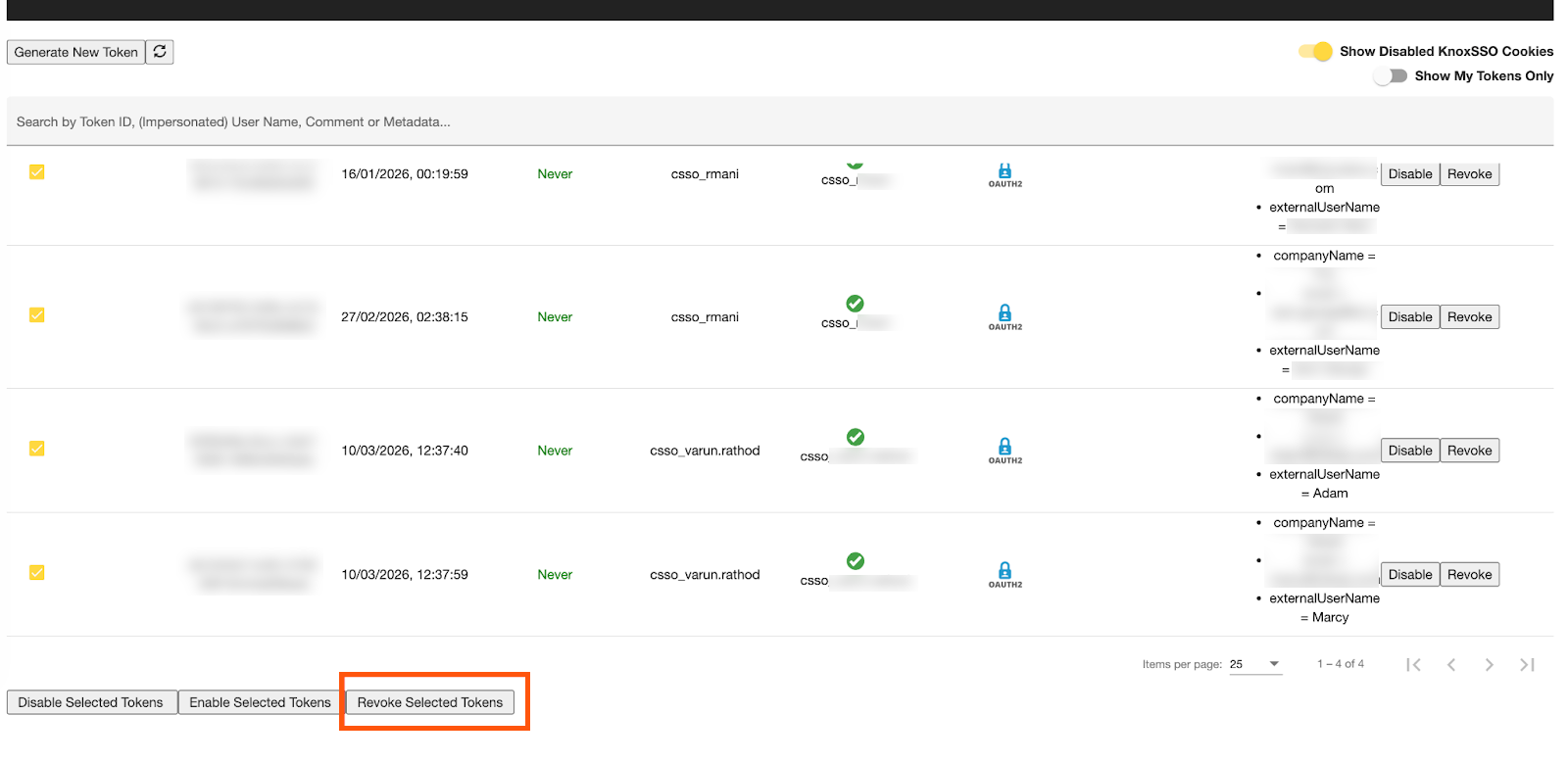
-
Select all the client IDs that have the OAUTH2
type.
-
Remove the old client IDs from Ranger.
-
In the search bar, filter by USER_SOURCE = Federated.
Figure 4. Filtering by Federated User Source in Ranger 
-
In the search bar, filter by USER_SOURCE = Federated.
