Changing custom Javascript field display format
In Cloudera Data Visualization, you can use custom JavaScript to define how field values are displayed across visuals in a dataset.
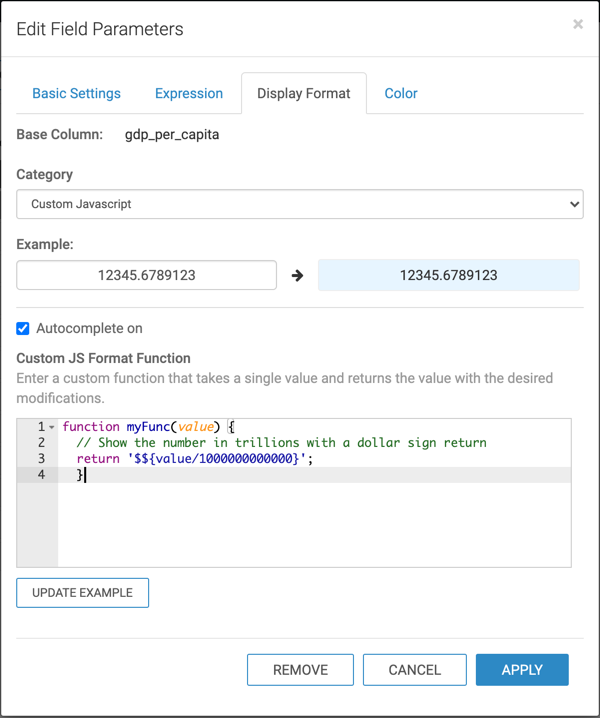
Follow these steps to continue configuring a field at the dataset level using Javascript (js). See Changing the field display format for the initial navigation steps.
- Under Custom JS Format Function, enter the following js
code:
function myFunc(value) {
  // Show the number in trillions with a dollar sign return
  '$${value/1000000000000}';
  }
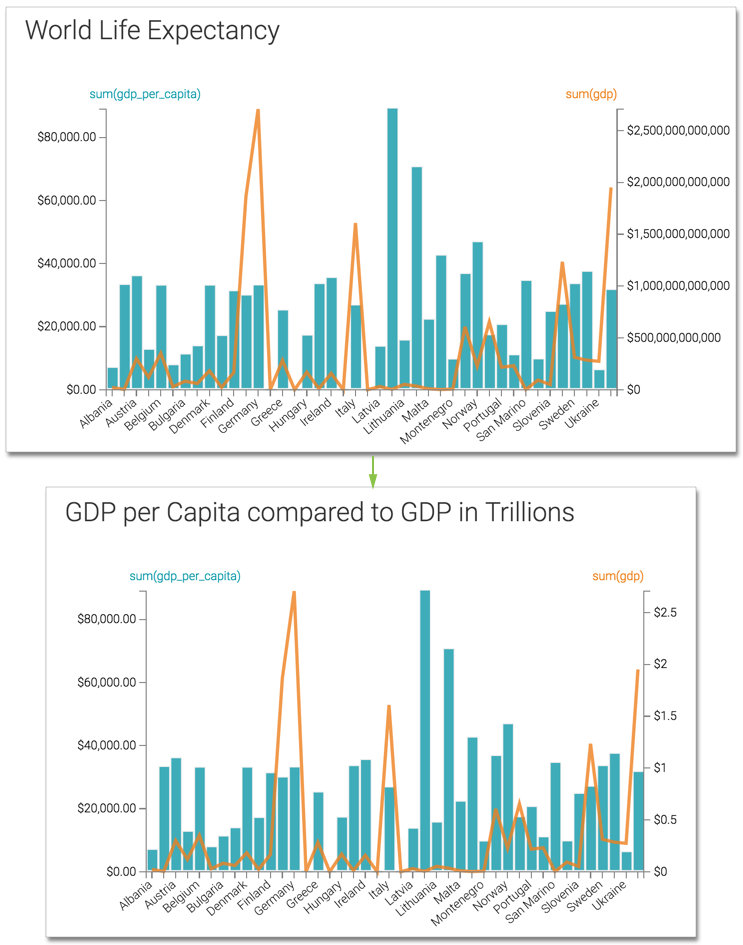
Let's compare the visuals before and after we apply the js format on the
gdp field.
- Before we apply the js format, the visual displays the currency with many trailing zeros.
- After applying the custom js format, notice that the trailing zeros no longer appear.