Deleting a dataset
In Cloudera Data Visualization, you can delete a dataset without removing the underlying data in the database.
-
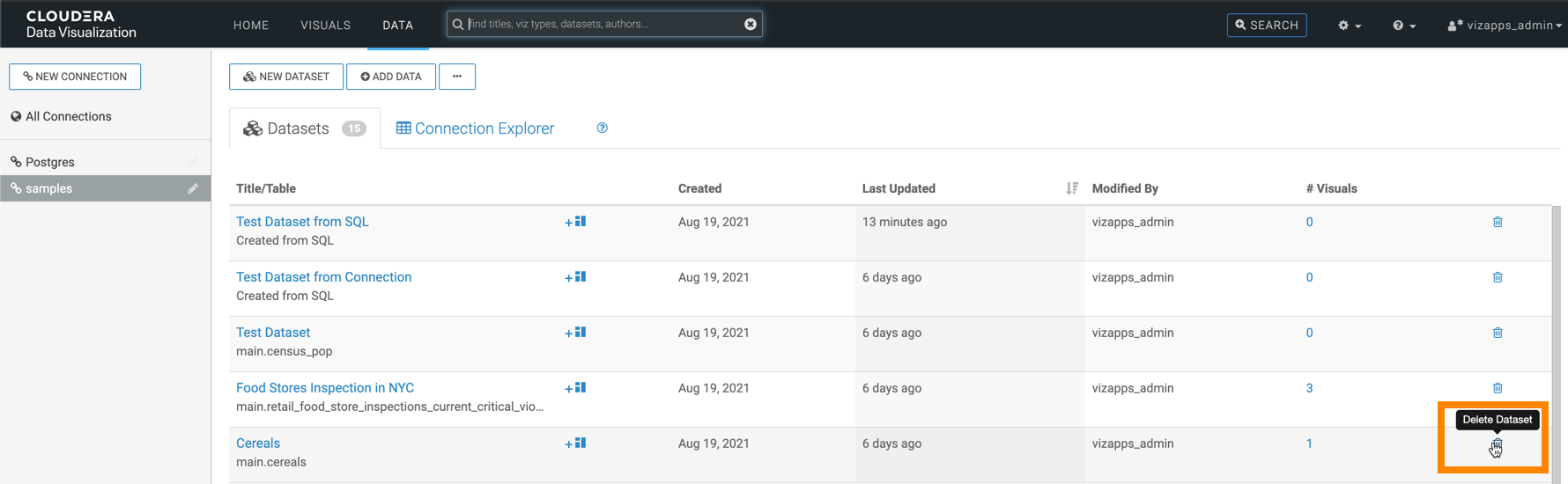
On the row of the dataset, click
 to delete the dataset.
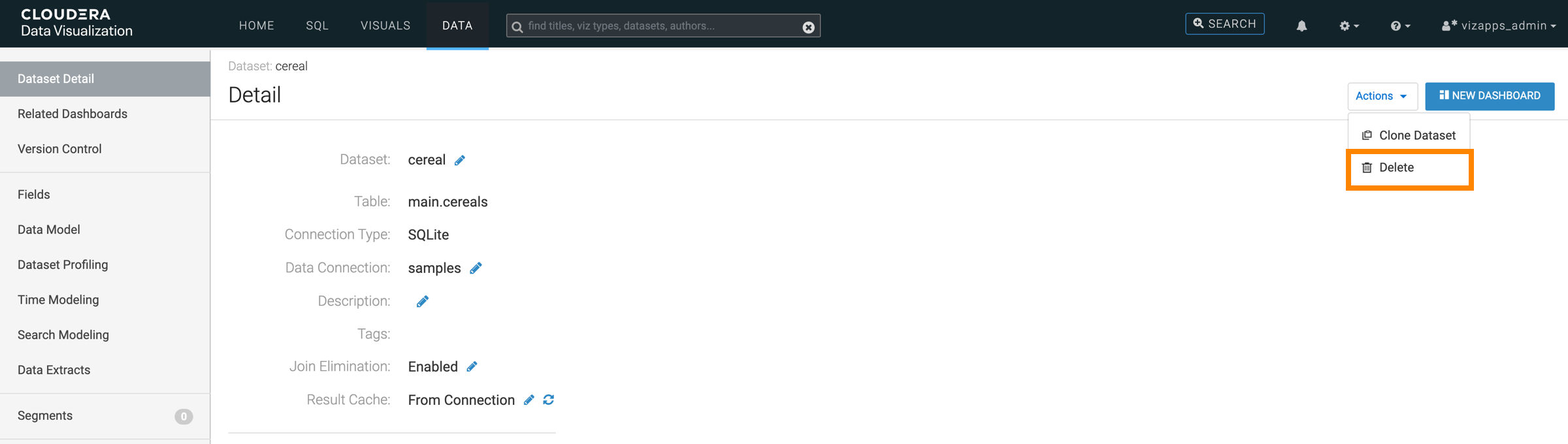
Alternatively, you can click the dataset to open the Dataset Detail view, then click .
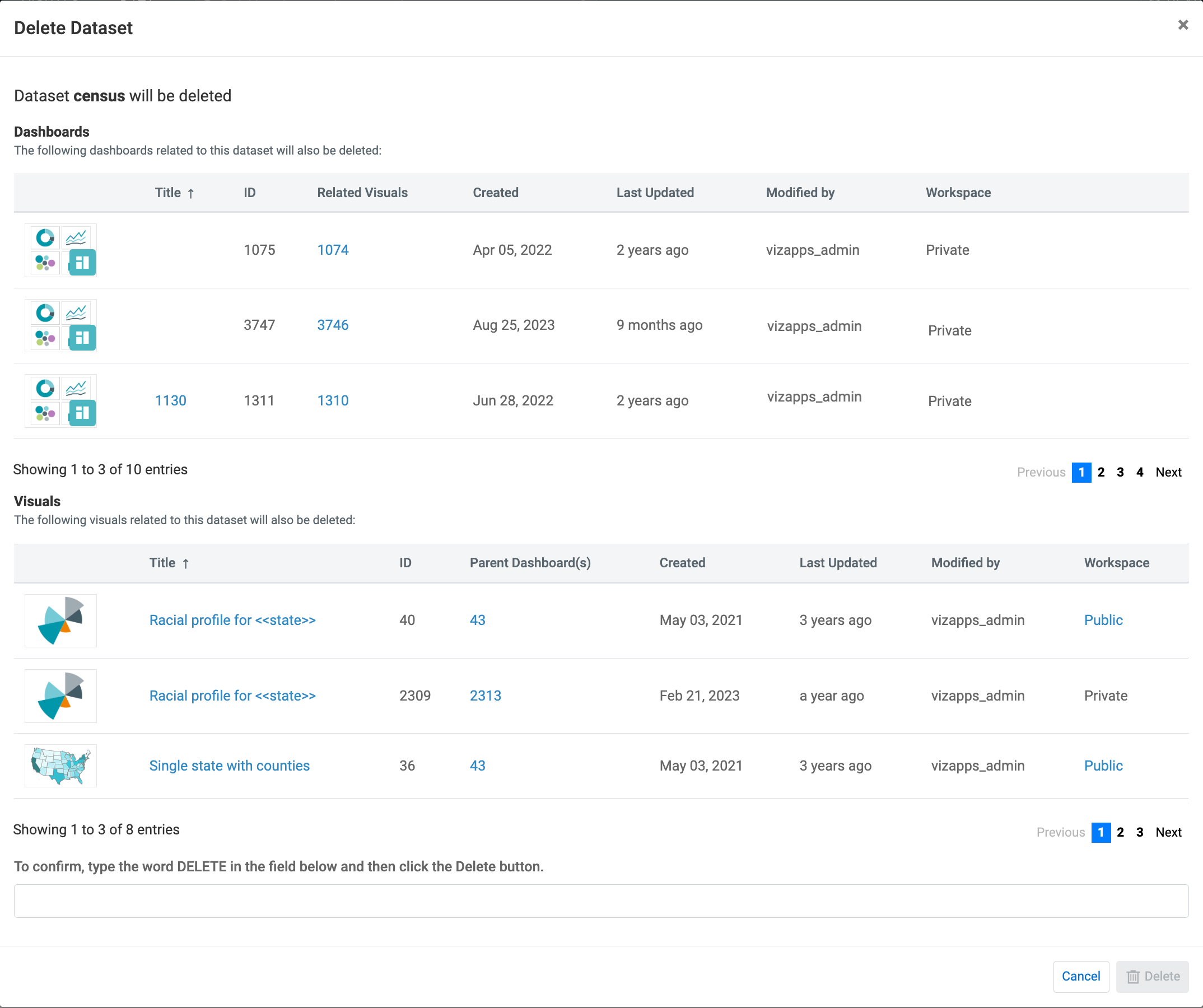
The Delete Dataset modal opens displaying information about the dashboards and visuals linked to the dataset that will also be deleted with the dataset.