Restricting rows in datasets based on SQL query
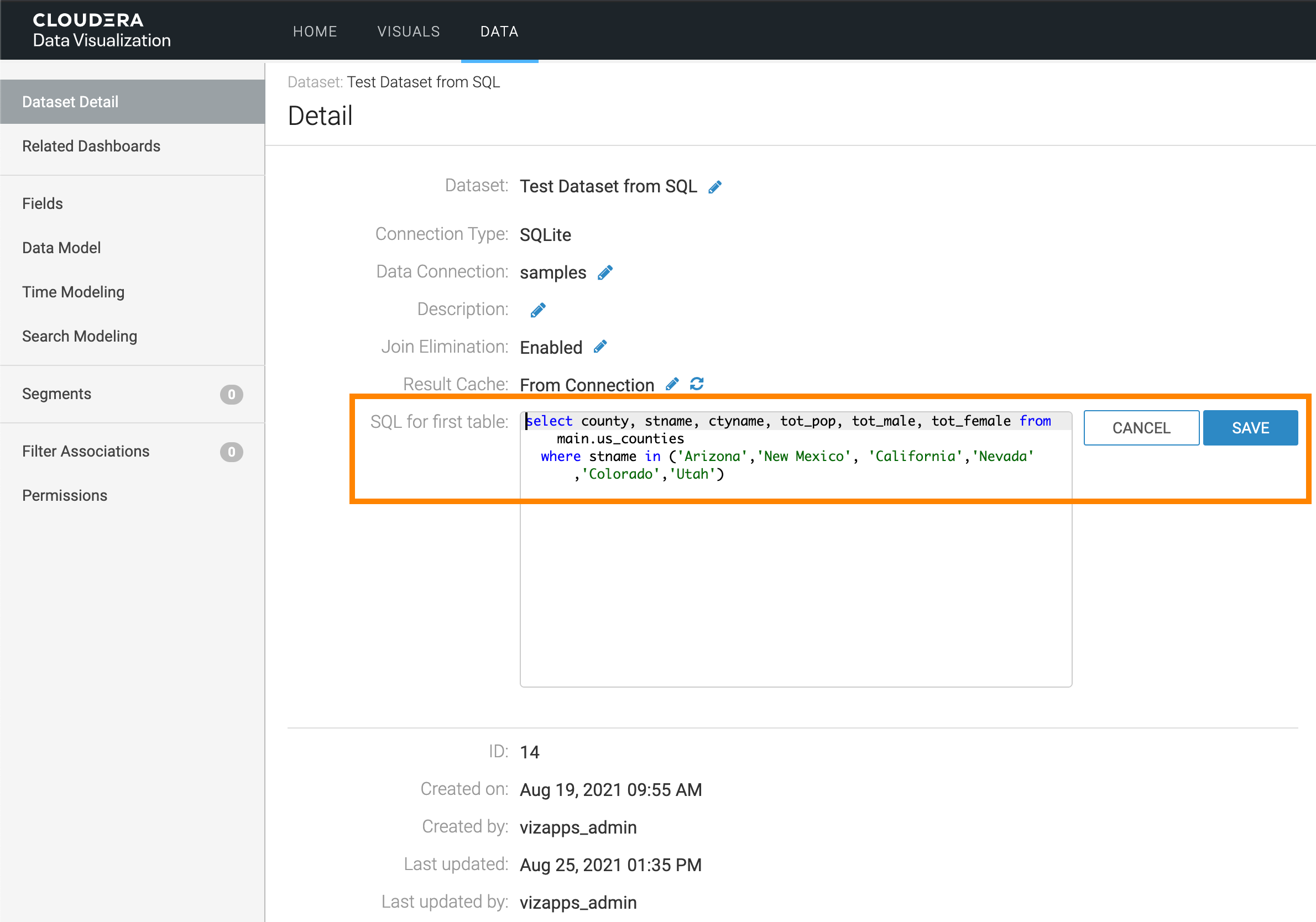
You can restrict which rows are included in a dataset by adding filtering conditions to the query. This limits the records available for analysis.
SQL-defined datasets make it easy to limit dataset content to specific rows by adding
filtering conditions (for example, using a WHERE clause). This allows you
to control the subset of data available for analysis based on your requirements.
- Click Save.
-
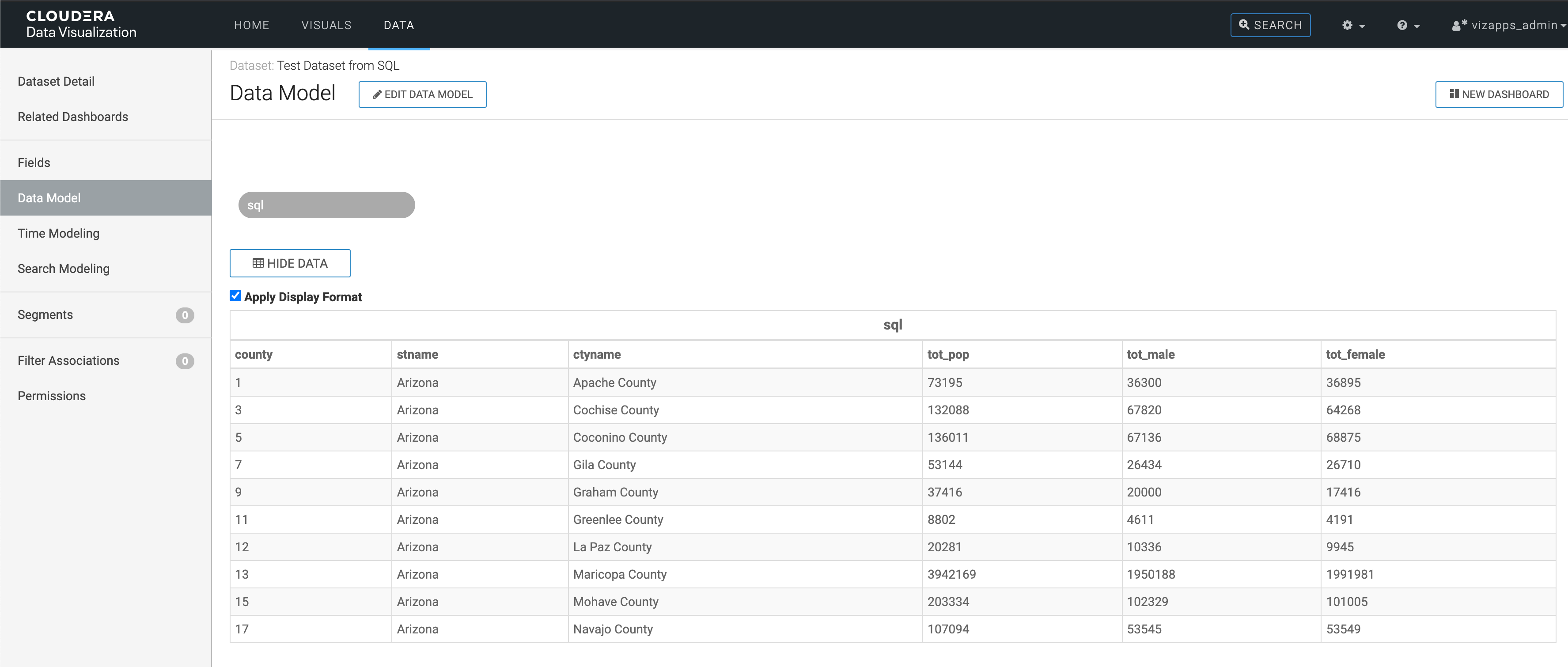
Click Show Data and verify that only records for the specified
states appear.
You can see that the dataset is limited to cereals that contain less than 80 calories, as specified in the SQL statement.