Configuring a temporary staging directory for Hive connectors
By default, the temporary staging directory for the Hive connector on Ozone is disabled. Enabling this directory can improve performance and stability during complex data operations by providing a dedicated space for intermediate data processing.
If you are using Cloudera Data Warehouse 1.5.5 SP2 or later, you can manually enable and configure this staging directory. This process involves adding specific configuration properties to your Hive connector before deploying your Trino Virtual Warehouse.
-
In the Hive connector, click,
 > Edit Configuration.
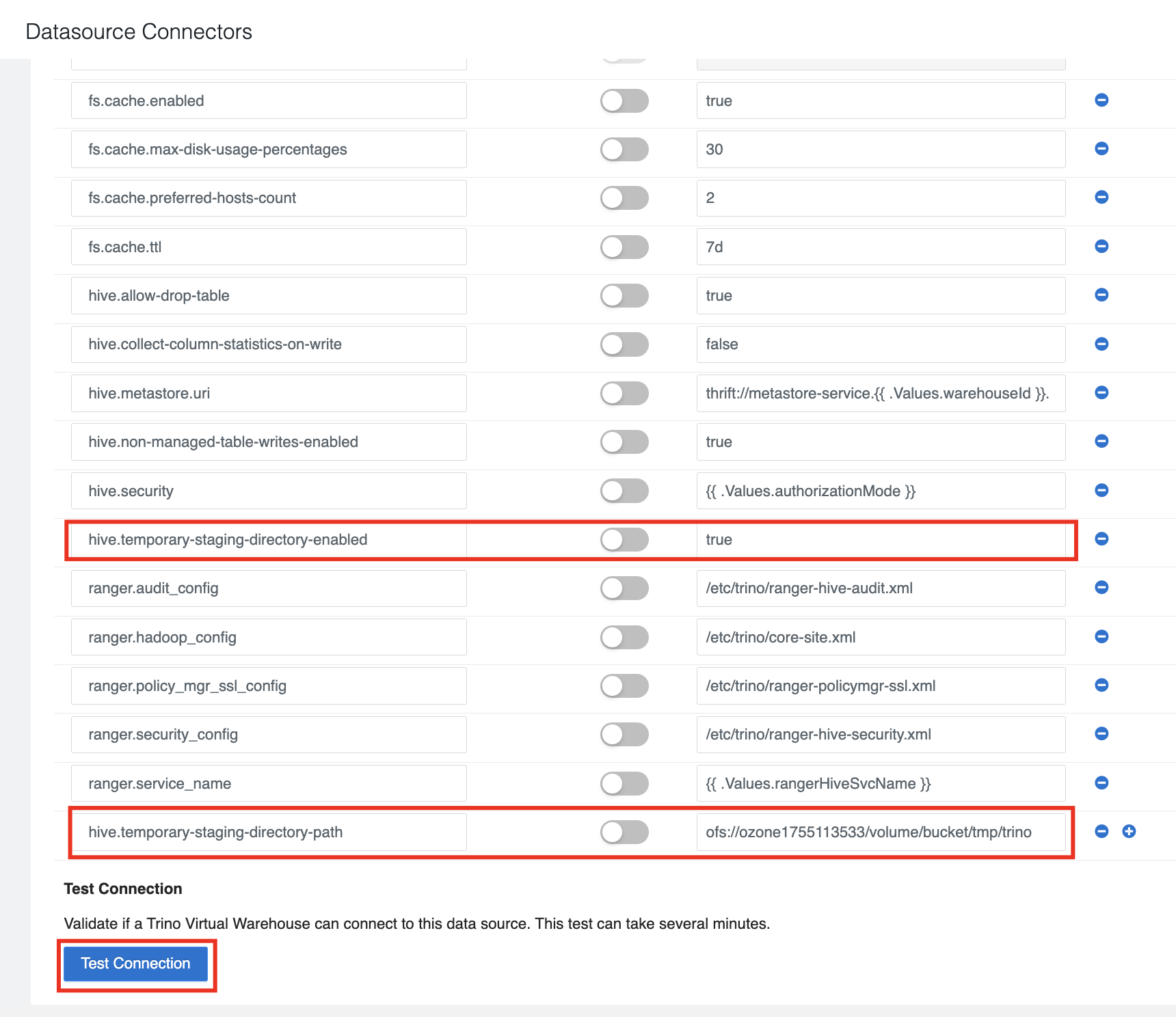
The Configuration Details page is displayed that lists the hive configuration details.
> Edit Configuration.
The Configuration Details page is displayed that lists the hive configuration details. -
Under the Key tab, click
 to add the
following configuration:
to add the
following configuration:
- hive.temporary-staging-directory-enabled
- hive.temporary-staging-directory-path