Obtaining a subscription ID and a tenant ID
- Owner built-in Azure role, and
- Application Developer role in Azure Active Directory
An Azure Subscription and Tenant ID are required to create a provisioning credential for Azure.
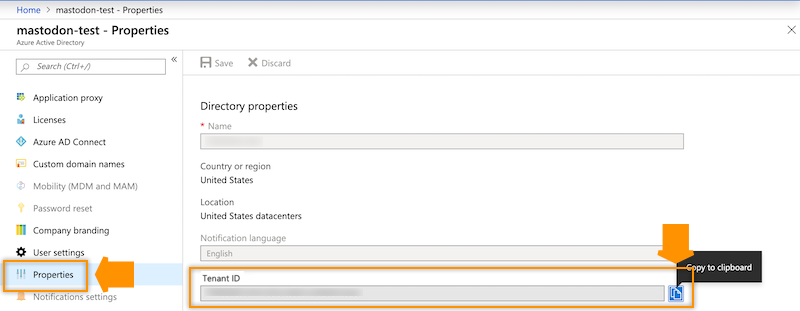
Obtain the Azure Subscription ID and the Tenant ID.
Figure 1. Obtaining a Subscription ID
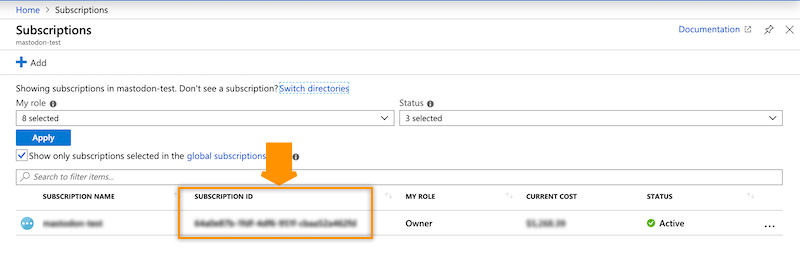
Figure 2. Obtaining a Tenant ID
You can obtain both the Subscription ID and Tenant ID from Azure CLI by using the following Azure CLI command:
az account list|jq '.[]|{"subscriptionId": .id, "tenantId": .tenantId, "state": .state}'You can obtain your Azure Subscription ID from your Azure Portal under Subscriptions.
You can obtain your Azure Tenant ID from your Azure Portal, under .
