Prerequisites for configuring Fine-grained authorization
To use Fine-grained authorization, you must manually configure the Ranger and RAZ
services in the Base Cluster. This includes installing and configuring both services and
setting up the Cloudera AI Inference service instance in the Cloudera AI Control Plane.
Set up the Ranger Administrator user in the Cloudera Base cluster Ranger.
For Fine‑Grained authorization to function, Cloudera AI Inference service requires a configured Ranger
Administrator user. Cloudera AI Inference service uses this user
to authenticate to Ranger through Kerberos and to perform automatic
policy‑management tasks for the Cloudera AI Inference service
instance.
The default name for the Ranger administrator user is
caii_ranger_admin. In case you do not use the default
name, provide the non-default Ranger Administrator user name when
configuring the Cloudera AI Inference service.
Install the Cloudera Base cluster RAZ.
To install the RAZ service perform the instructions in Adding RAZ
service.
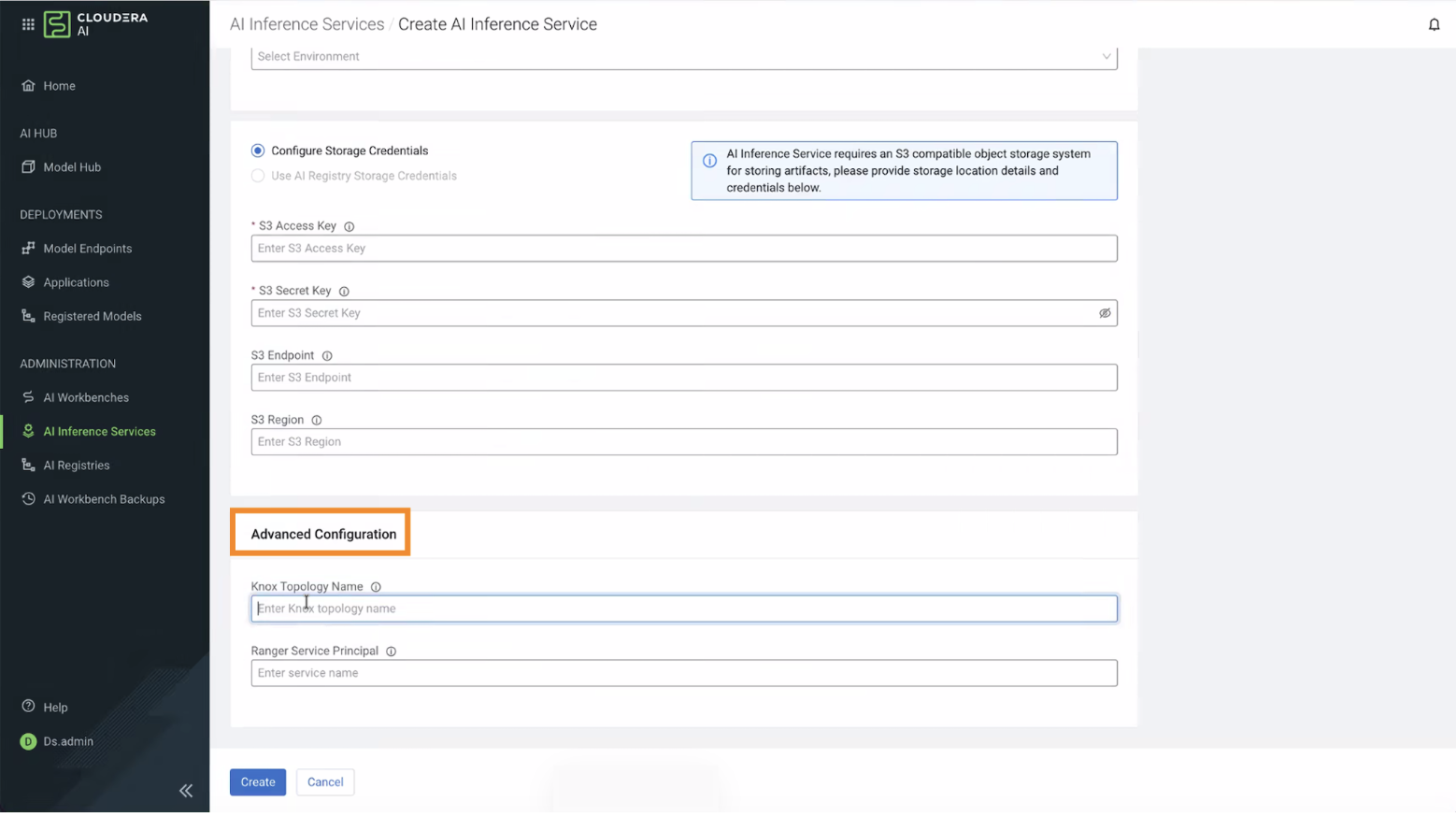
If the Ranger Administrator user was created with a custom name, you must
configure the custom name when installing the Cloudera AI Inference service. Specify the custom topology name in
the UI or include it in the CLI payload during installation.
Figure 1. Configuring Cloudera AI Inference service with Knox and Ranger
details