Registering models in Agent Studio
Register Large Language Models (LLMs) in Agent Studio to connect to model providers and establish a default model for agent operations.
-
In the Cloudera
console, click the Cloudera AI tile.
The Cloudera AI Home page is displayed.
-
Click on the name of the workbench.
The Cloudera AI Workbench Home page is displayed.
-
In the left navigation pane, click AI Studios.
The AI Studios page is displayed.
-
On the Agent Studio tile, click
Open.
The Agent Studio page is displayed.
-
Click the LLMs tab.
The Models window is displayed.
-
Click Register New Model.
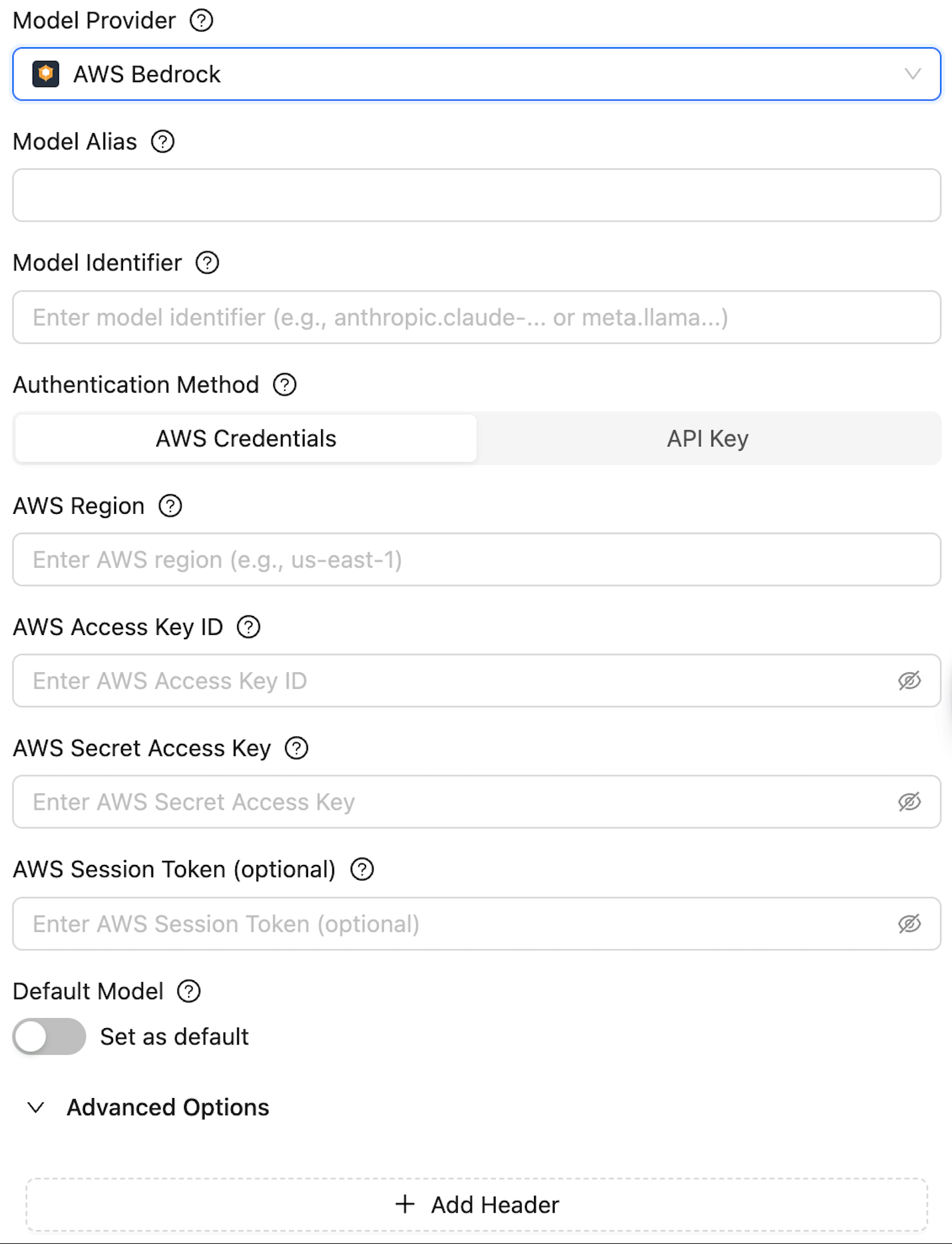
The Register Model window is displayed.
Figure 1. Register Model window
-
Specify the following fields:
-
Model Provider - Select one of the following supported providers:
- Cloudera AI Inference
- OpenAI
- Azure OpenAI
- Google Gemini
- Anthropic
- AWS Bedrock
- OpenAI compatible providers - This option allows you to connect to any model endpoint that adheres to the OpenAI API specifications.
- Model Alias - Enter a unique name for your model to reference it within the studio.
- Model Identifier - Enter the identifier corresponding to the selected Model Provider.

- API Base - Enter the base URL for the model API.
- API Key - Enter the API key for accessing the model service.
-
Default Model - Click the Set as Default toggle
to set this as the default model for the studio.
-
Model Provider - Select one of the following supported providers:
- Click on Register.