Monitoring workflows
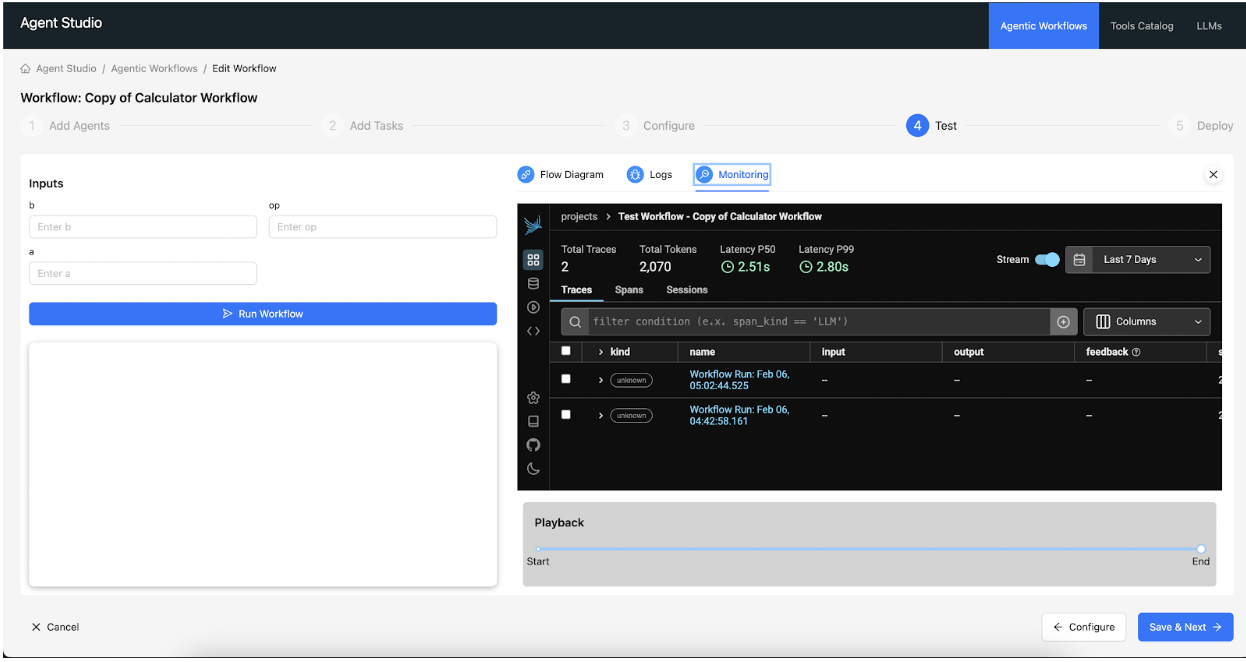
Monitor workflows in Agent Studio through the integrated Phoenix observability tool, to centralize execution reports for all tested and deployed workloads within a workbench project.
-
On the Test page, click
Monitoring to view the Phoenix application. The
Phoenix interface is displayed within an iframe and receives
reports from all tested and deployed workflows . The instance
Phoenix is fully operational within the workbench project.
Figure 1. Phoenix monitoring interface embedded in the Agent Studio Test tab