Evaluations metrics and analysis
Evaluations are processed in two stages, automatic metrics provide instant deterministic data, while qualitative analysis requires a manual trigger through the LLM to balance speed and depth.
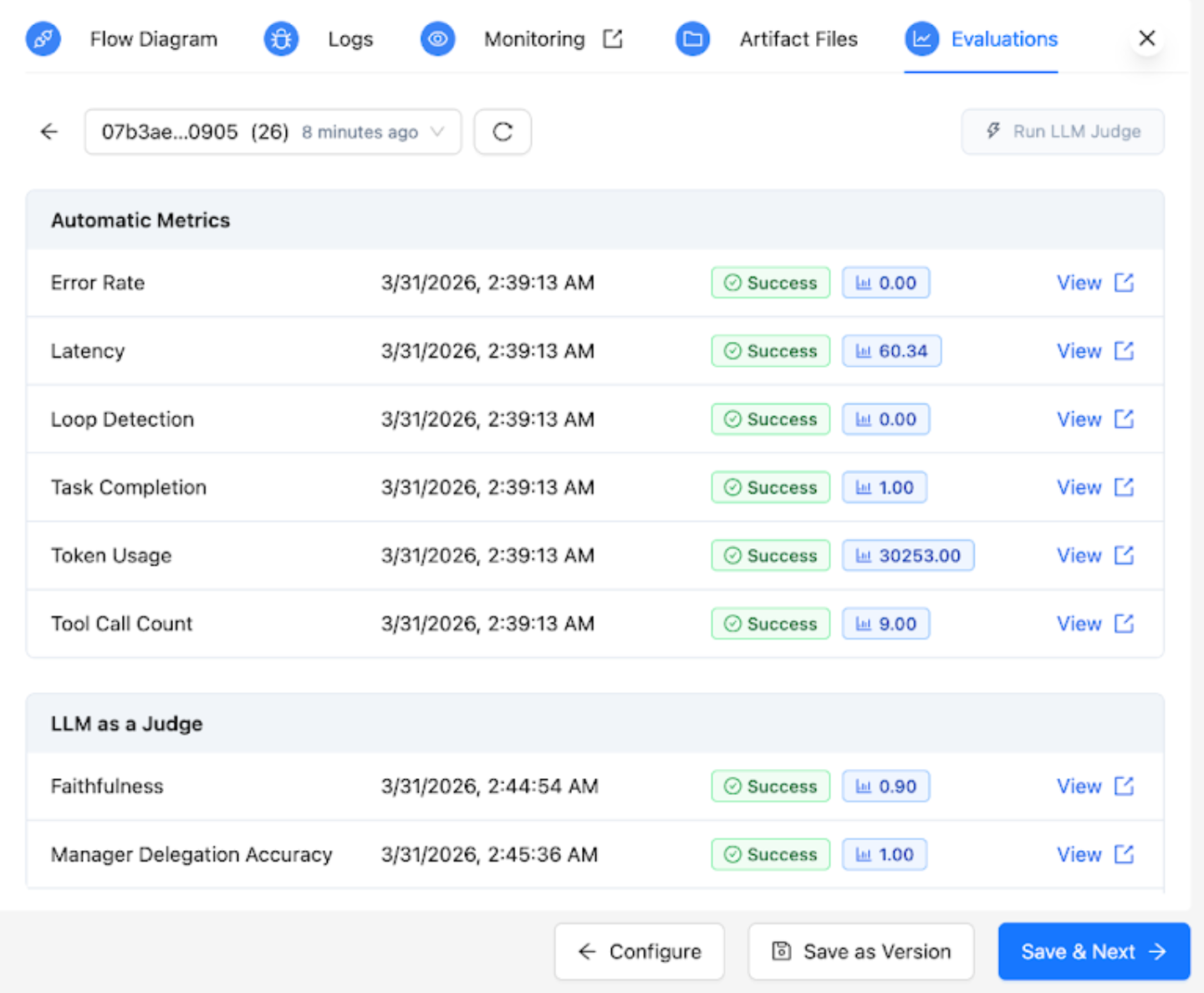
Automatic metrics
After successful completion of a workflow run, the Automatic Metrics table is instantly populated. These metrics are deterministic and do not require an additional LLM call. For more information on the automatic metrics, see Metrics Reference Glossary.
LLM as a Judge – Qualitative analysis
Qualitative metrics require a manual trigger. Clicking the Run LLM as a judge evals button initiates this analysis.
The processing logic includes the following functionalities:
- Redundancy protection - To prevent duplicate compute costs, the button is automatically disabled if all LLM judges for that specific run context are complete.
- Partial execution - If new evaluators are added or if previous ones failed, the Run LLM as a judge evals button only triggers the judges that have not reached a completed status.
- Rich context - You can hover over evaluator names to see descriptions and clear definitions of what each judge measures.
For more information on the qualitative analysis metrics, see Metrics Reference Glossary.

