Testing registered models in Agent Studio
Test a registered Large Language Model (LLM) in Agent Studio to ensure that the LLM is configured correctly and the network connectivity to the LLM is active.
-
In the Cloudera
console, click the Cloudera AI tile.
The Cloudera AI Home page is displayed.
-
Click on the name of the workbench.
The Cloudera AI Workbench Home page is displayed.
-
In the left navigation pane, click AI Studios.
The AI Studios page is displayed.
-
On the Agent Studio tile, click
Open.
The Agent Studio page is displayed.
-
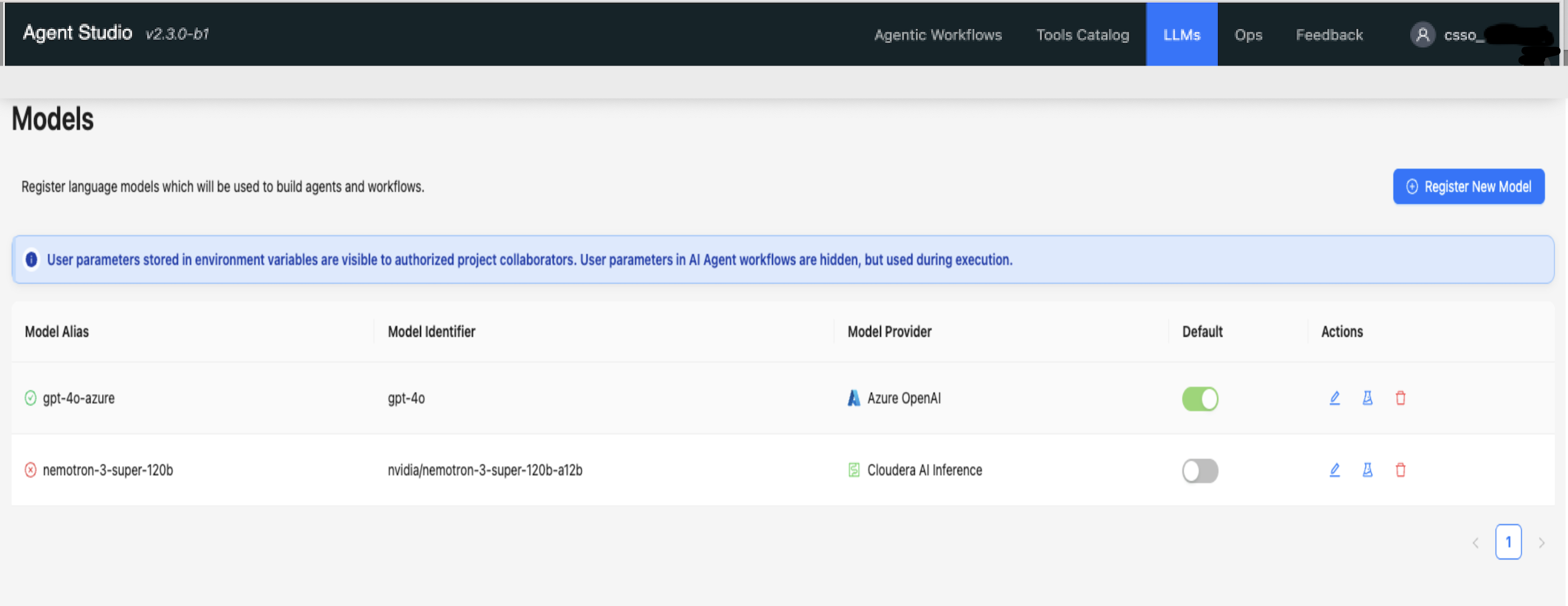
Click the LLMs tab.
The Models page displays the list of all registered models.
Figure 1. Registered models in the Models page
-
Select the model to test, and click
in
Actions.
The Test Model dialog box is displayed. -

In the Text tab, click Test
Model.
If the LLM is configured correctly, the system displays a generated answer in the Test Output text box.
-
In the Function Calling tab, click Test
Function Calling.
If the LLM is configured correctly, the Model supports function calling is displayed.
