The Agent Studio sandbox environment manages file access through two distinct
directories, Artifact File Directory and Workflow Data Directory, that are designed to separate
writable outputs from read-only inputs.
Artifact File Directory
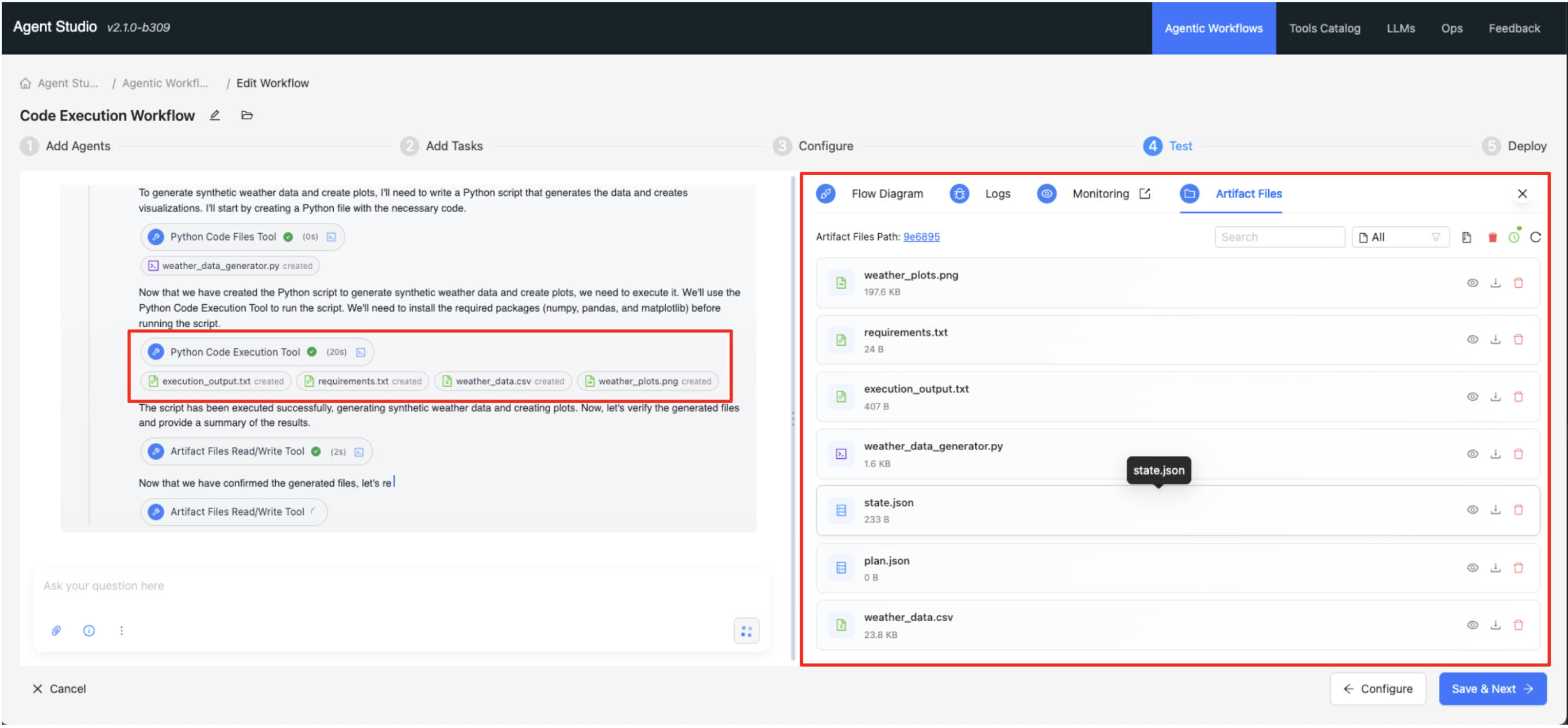
Artifact File Directory is the designated and sole writable
location within the sandboxed environment for tool execution.
Key Functions of the Artifact File Directory (/workspace):
Current Working Directory (CWD): It is automatically set as the CWD for all tool
executions.
Output Destination: All tool outputs are automatically written to this location.
UI Visibility: This directory is visible within the Agent Studio UI, allowing users to view
and download artifacts.
Practical Implications:
The sandbox automatically configures /workspace as the working
directory on tool execution.
Tools writing files using a relative path (such as, output.csv) places
them in /workspace.
Files generated here are immediately accessible in the Agent Studio UI.
The path to this directory is also accessible to the tools through the
SESSION_DIRECTORY environment variable.
Workflow Data Directory
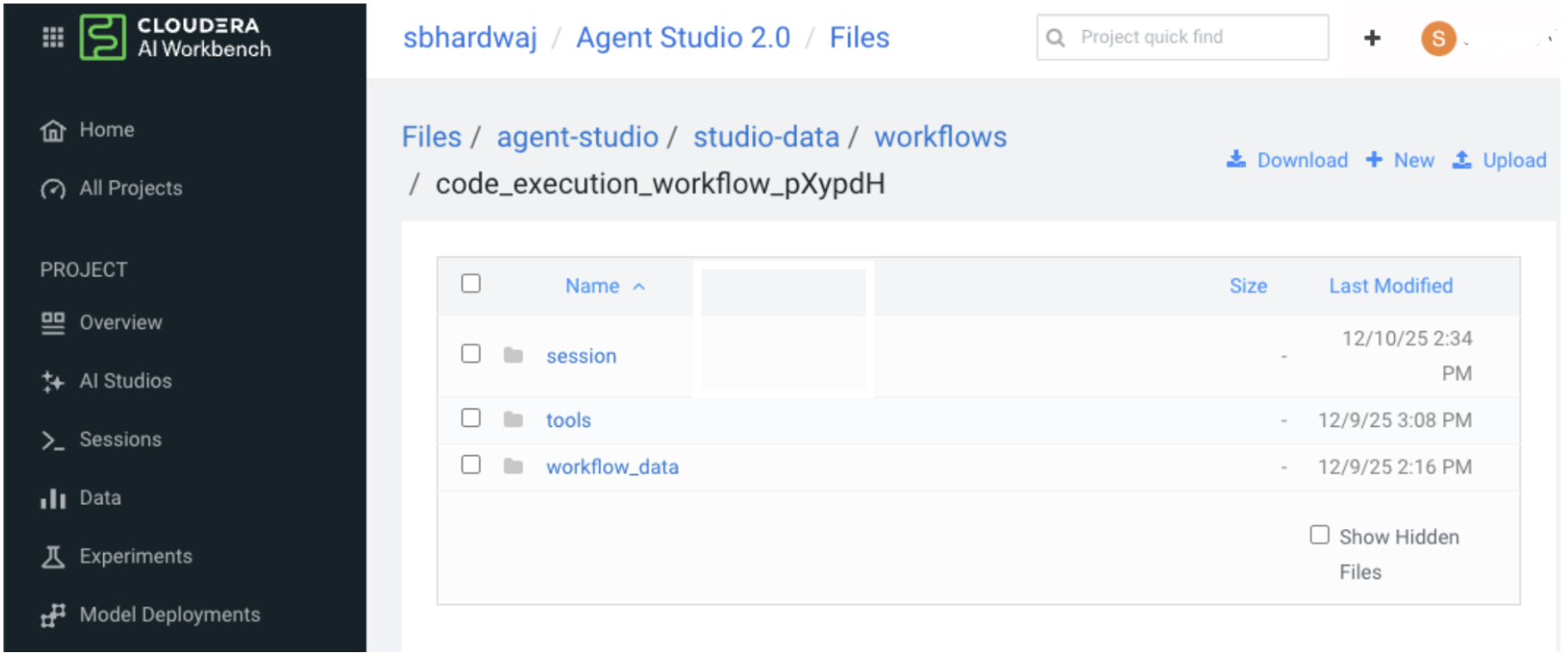
The Workflow Data Directory is a critical subdirectory within
the Workflow directory, designed to centralize input datasets, runtime artifacts required by
tools, and other project files. Users with Contributor access or higher in the Agent Studio's
CAI project can access this directory.
Access and Location:
It is mounted inside the sandbox environment at the /workflow_data
directory.
The environment variable WORKFLOW_DATA_DIRECTORY also points to
/workflow_data.
Functionality and Key Features:
Standardized Access: It provides a consistent, path-independent method for accessing
project files.
Read-Only: The directory is mounted as read-only, meaning you can read files from it (for
example, input files, configuration files, data files), but you cannot write to it.
Content: It contains all files - both uploaded and created - from your CML project that
Directories for are made available to the workflow.