Associations tab
In Cloudera on cloud 7.3.2 and higher versions, the Associations tab replaces the Tables tab and provides Tables Associations and Namespaces Associations subtabs for managing maintenance tasks and policy links.
Tables Associations sub tab
The tab displays all the available namespaces. Select a NAMESPACE to view the total NUMBER OF TABLES in the namespace and the following details for each table in the namespace:
- The current Status icon of the maintenance task
- The Table Name. Click to open the Table Policies side panel.
- Policies that the table is associated with. Click to open the View Policy page.
- Last Run timestamp
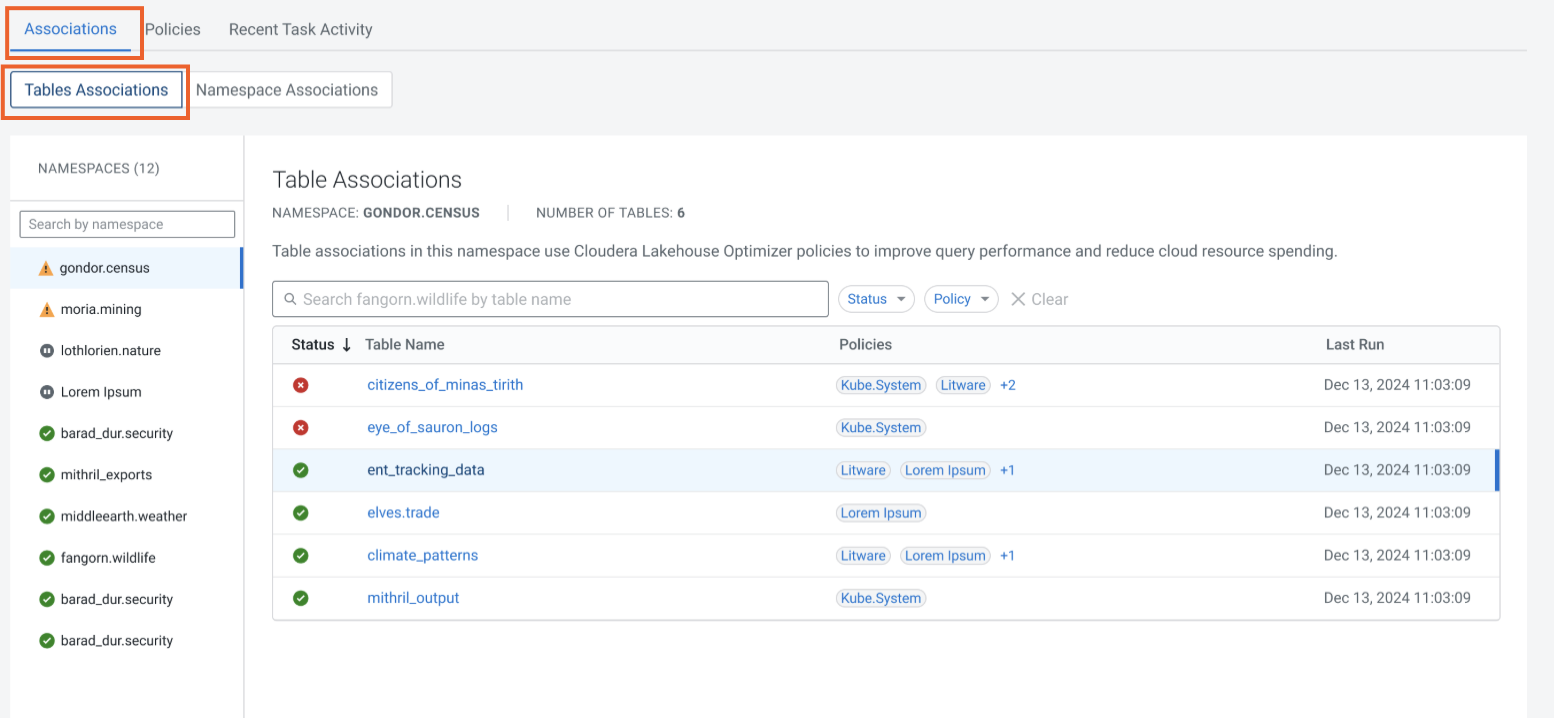
Optionally, you can search for tables using keywords, task Status, or Policy name.
Namespace Associations sub tab
The tab displays all the available catalogs. Select one or more catalogs, or search for the required catalog to view the total NUMBER OF NAMESPACES in the catalogs, and the following details about the namespace associations in it:
- The current Status icon of the maintenance tasks in the namespace
- The Namespace name
- Policies that are associated with the namespace. Click to open the View Policy page.
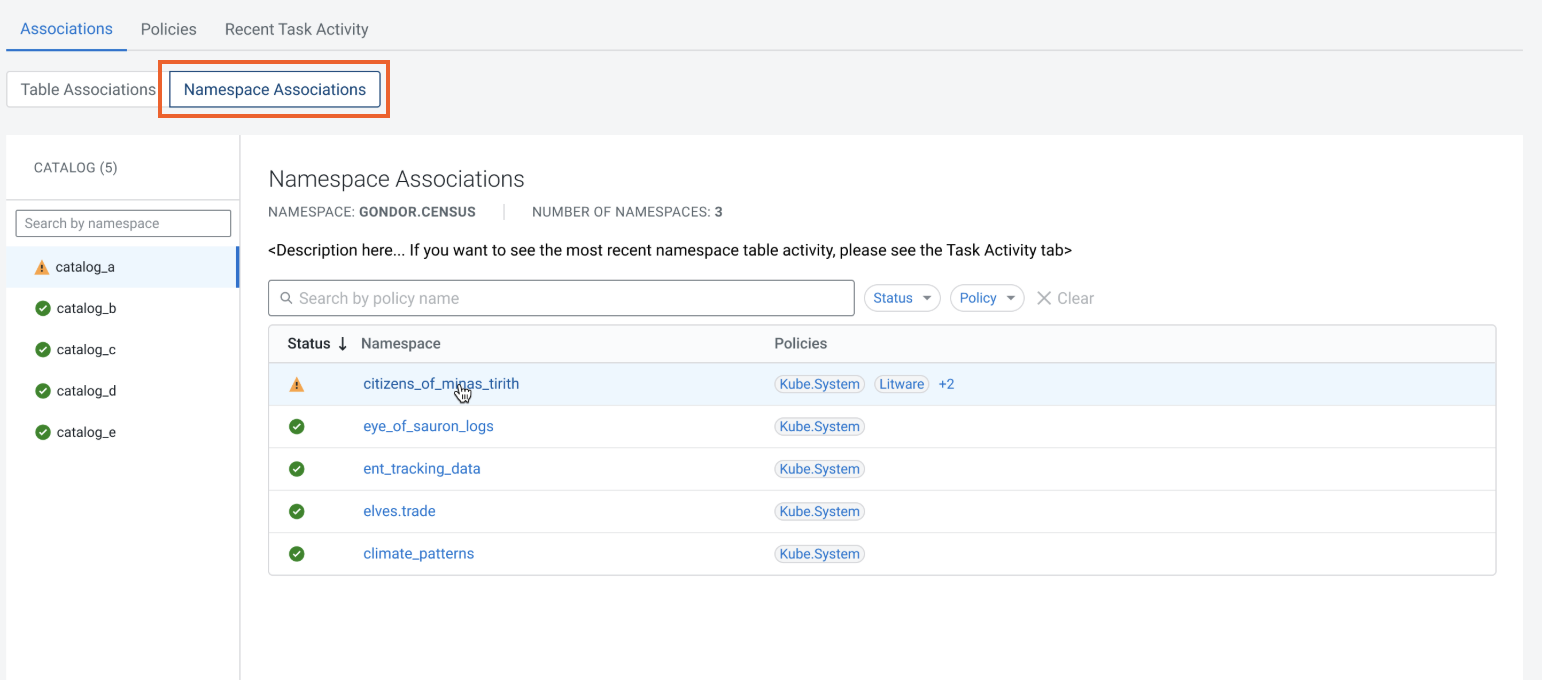
Optionally, you can search for the policy names using keywords, task Status, or Policy name.
