Access Lakehouse Optimizer UI
You can access the Lakehouse Optimizer page on "Cloudera on cloud Management Console". You can create Cloudera Lakehouse Optimizer policies, associate them with namespaces, and view the policy details in the Lakehouse Optimizer UI.
The following image shows the Lakehouse Optimizer page when you visit the page for the first time:
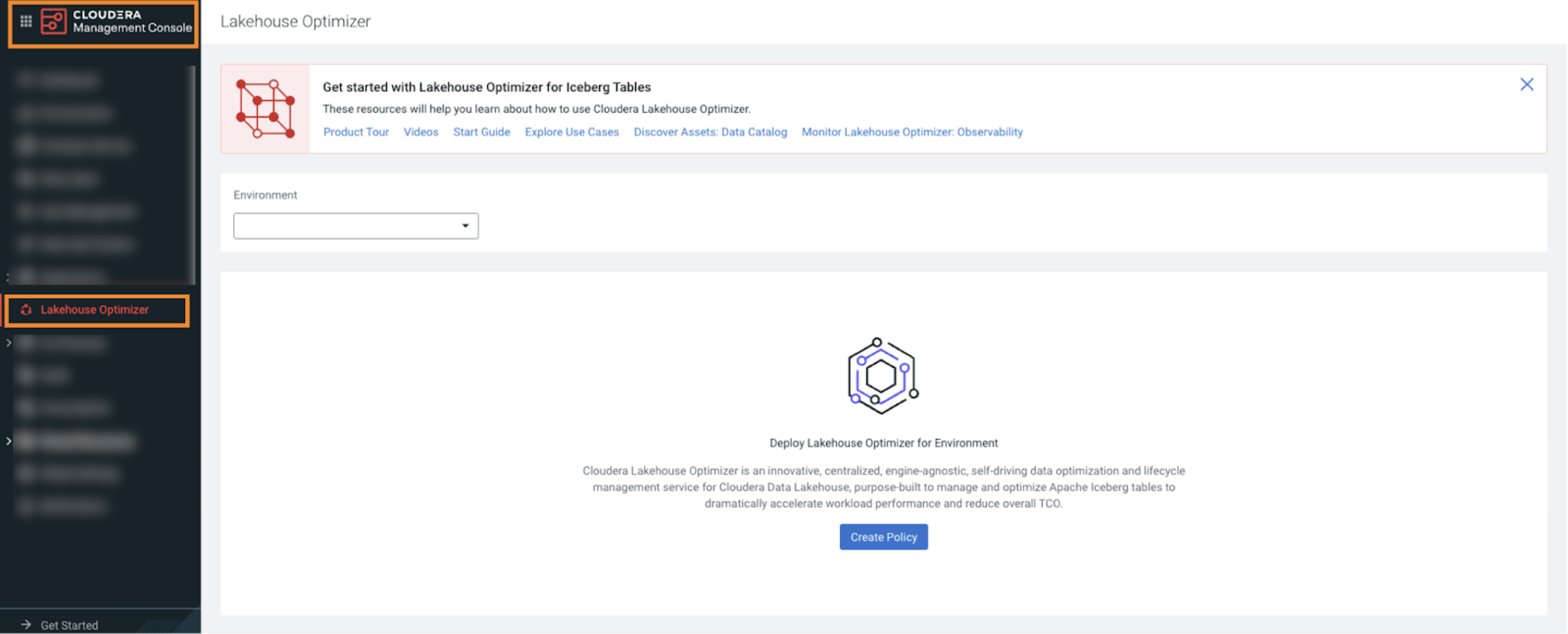
When you access the Lakehouse Optimizer UI for the first time, the following
elements are displayed:
- Get Started banner – Provides links to various pages.
- Environment – Choose the environment where you configured the Lakehouse Optimizer Data Hub. The current Status of the environment and Quick links to other services are displayed.
After you choose an environment, the following elements are displayed:
- Create Policy – Click to create a new Cloudera Lakehouse Optimizer policy. For more information, see Creating a Cloudera Lakehouse Optimizer policy in Lakehouse Optimizer UI.
- Policies tab – Click to view the list of existing policies for the chosen environment.
- Tables tab – Click to view the tables in the chosen namespace. Available only in Cloudera on cloud 7.3.1.500 and higher versions.
- Associations tab – Click to view the tables associations and namespace associations. Available in Cloudera on cloud 7.3.2 and higher versions.
