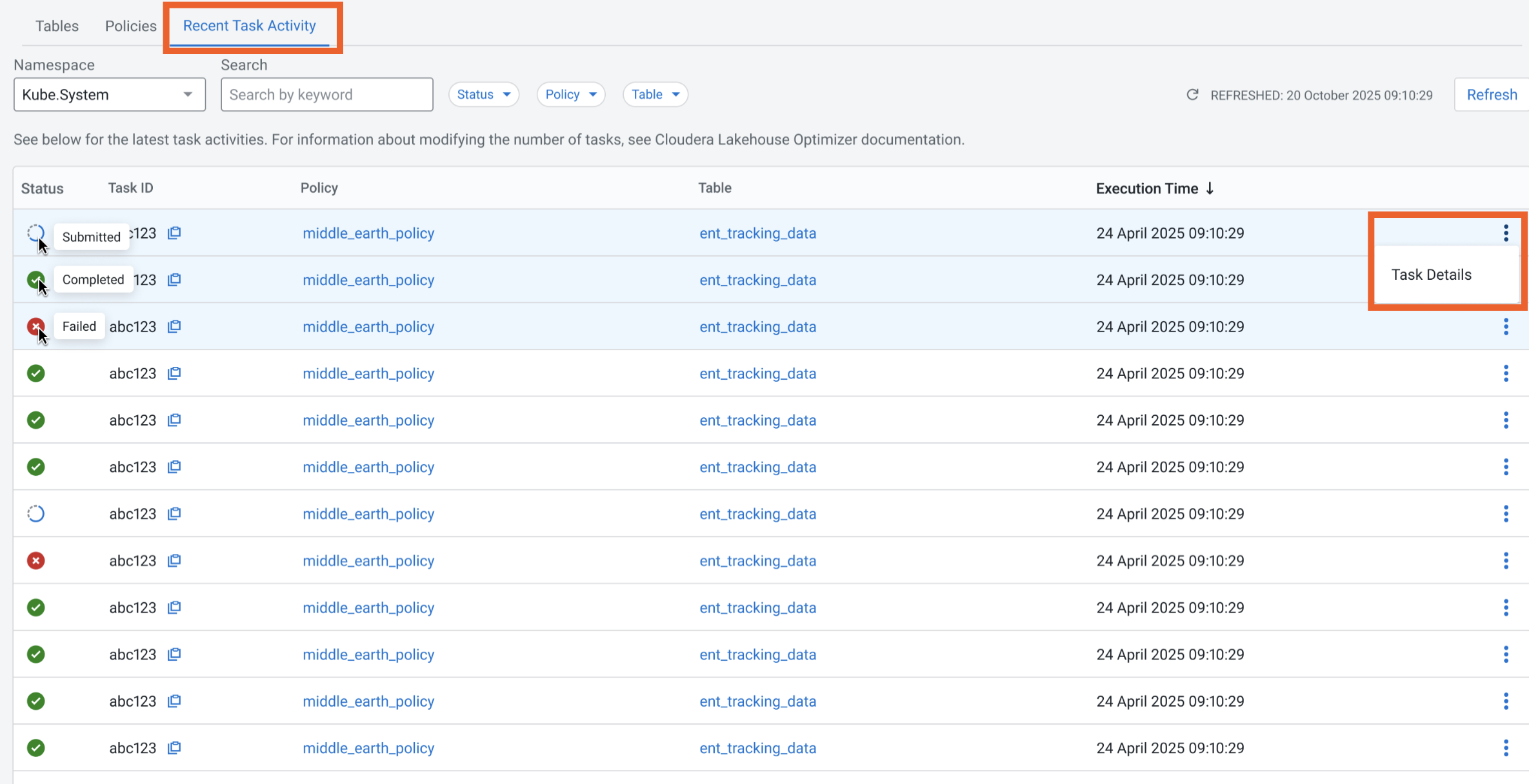
The Recent Task Activity tab lists a maximum of 100 recent tasks run by Cloudera
Lakehouse Optimizer.
The tab displays the Status icon, Task
ID that you can copy, Policy name, Table
name, and the Execution Time for each task. You can go to Actions > Task Details to view more details about the task in the Task Table
Details side panel.
The Recent Task Activity tab provides the following
options:
You can select a Namespace to view the recent
maintenance tasks run on the Iceberg tables in it.
You can enter a policy name or table name as a keyword in the
Search field to view its task details.
Select either Status, Policy, or
Table or a combination of these to display the required task
details.
The following page shows the Recent Task Activity tab:Figure 1. Recent Task Activity tab
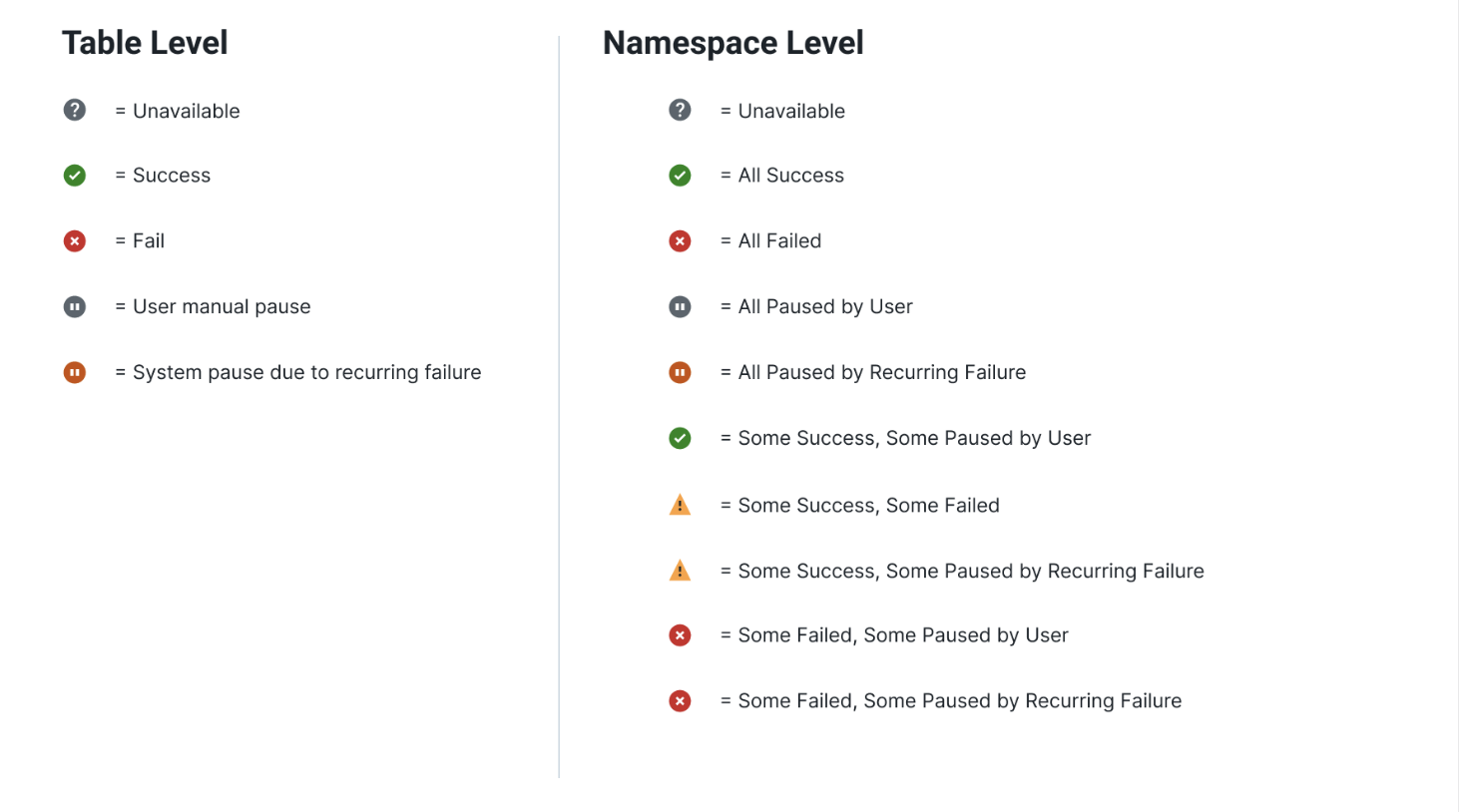
The following image shows all the Status icons that are
available at table level and namespace level on the Recent Task
Activity tab. These icons provide detailed information to help you understand
the current status of the task and to take appropriate action to mitigate any issues.Figure 2. Status icons at table and namespace level