Upgrading Compute Clusters
You can upgrade default and additional Compute Clusters in an environment when there is a new Kubernetes version available from Cloudera Management Console and from CDP CLI.
Required role: EnvironmentAdmin or EnvironmentOwner
Before you begin
- Ensure that the Cloudera environment is running and available..
Using Cloudera Management Console
- Navigate to Container Service in Cloudera Management Console.
- Find the compute cluster that you want to upgrade.
You can scroll through the list of compute clusters or use the search box to filter down the list of clusters.
In case there is an upgrade available for the compute cluster, the new version is indicated next to the Kubernetes Version.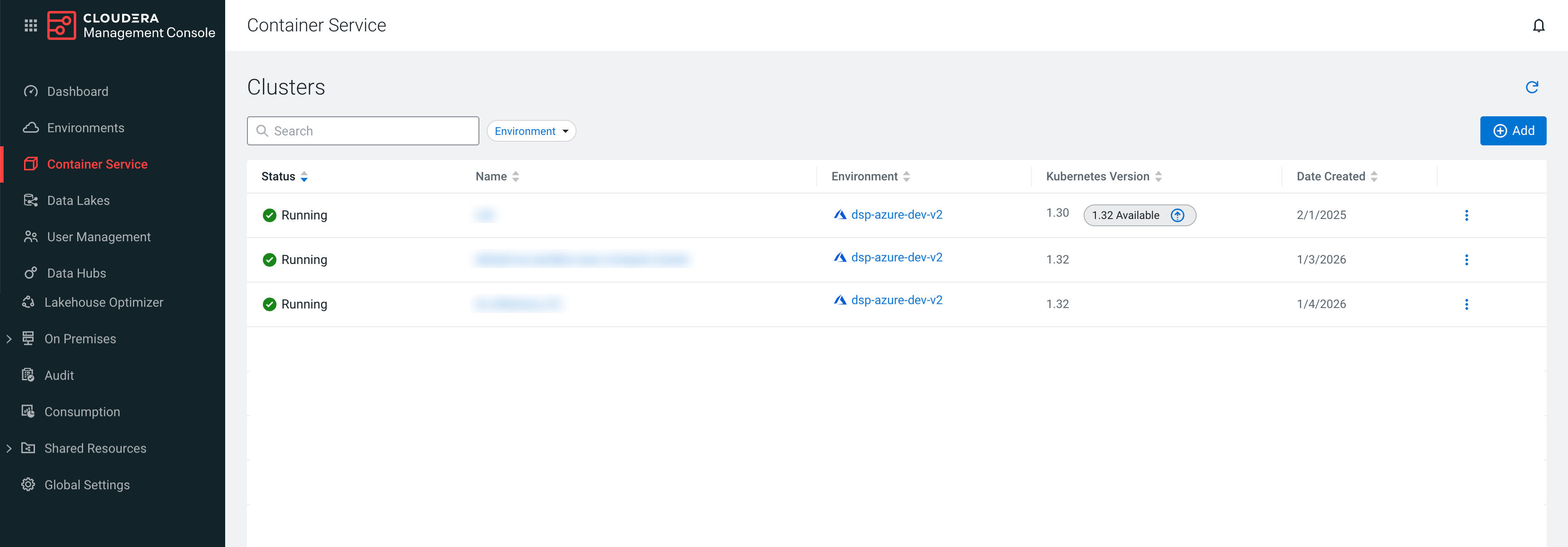
- Start the upgrade process by using one of the following steps:
- Click on the cluster that you want to upgrade. You will be redirected to the
Compute Cluster Details page, and select .
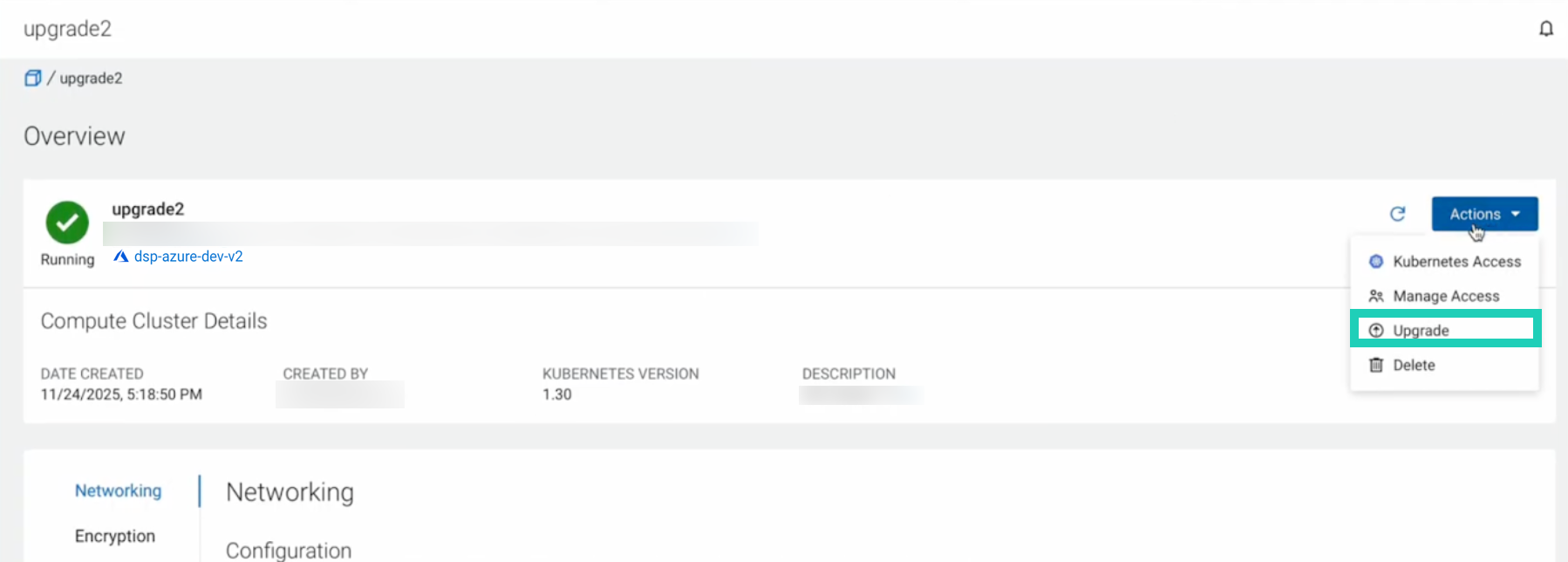
- Click on the
 next
to the new version.
next
to the new version.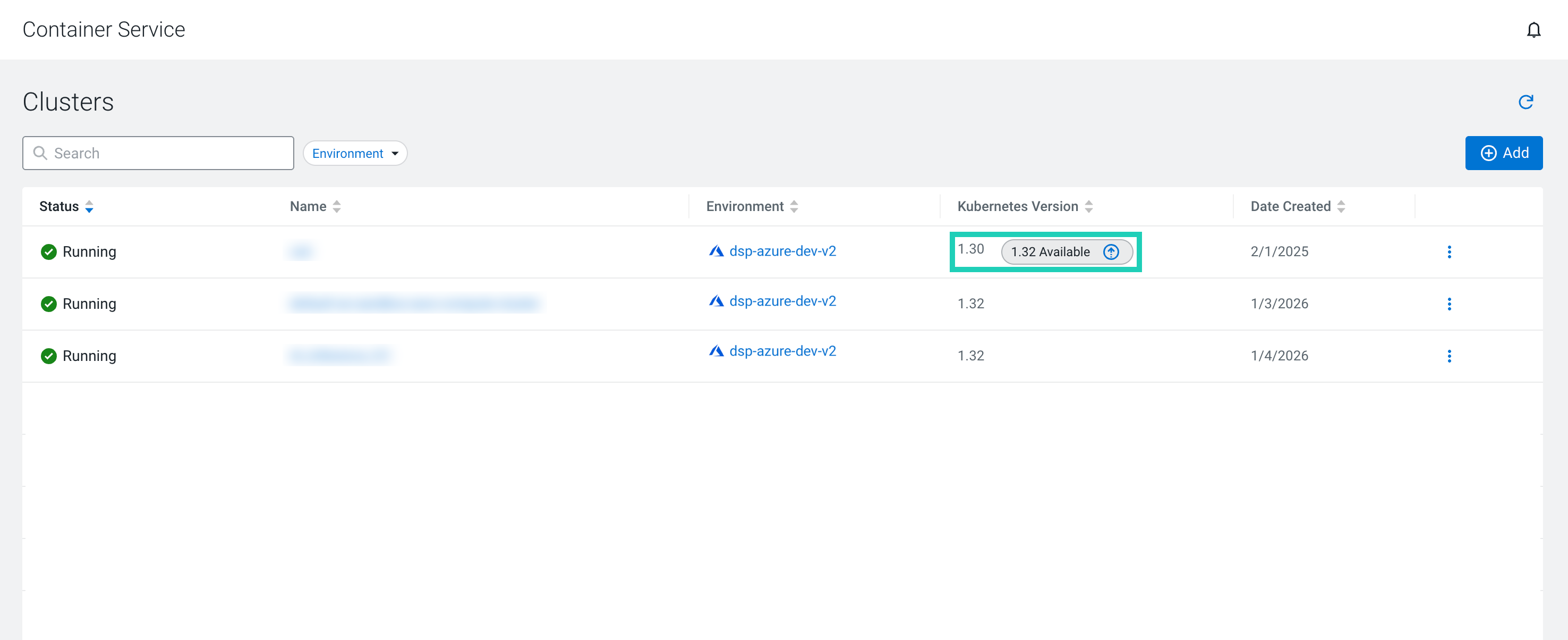
- Click on the cluster that you want to upgrade. You will be redirected to the
Compute Cluster Details page, and select .
- Click Ok to confirm the upgrade.
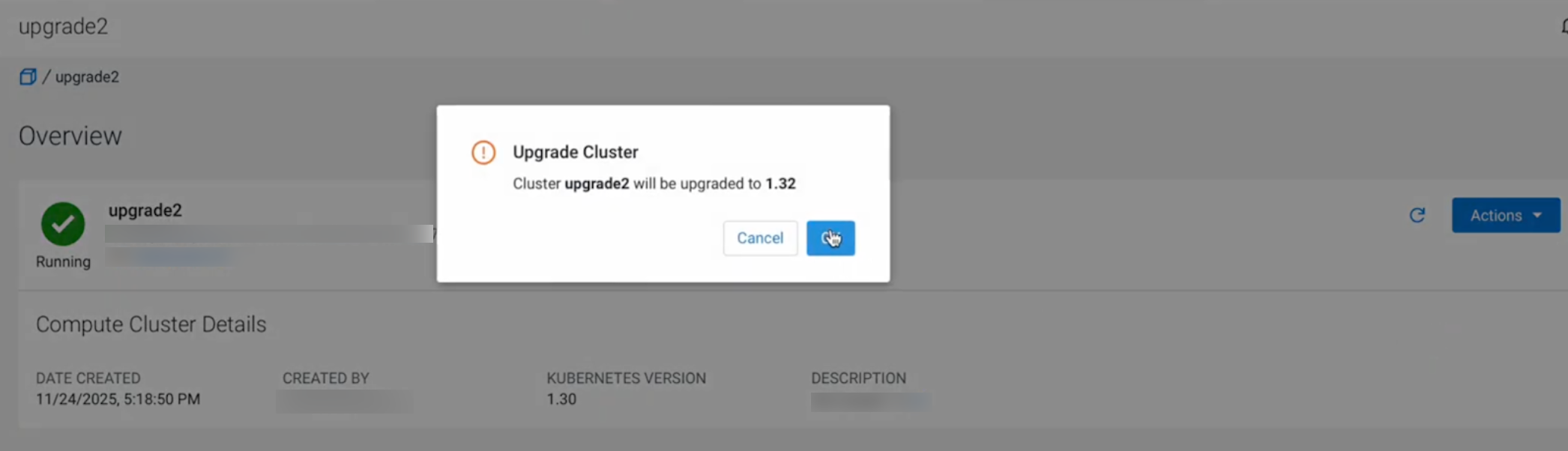 The upgrade process will be triggered. You can track the phases of the upgrade process under the Cluster Upgrade Operation.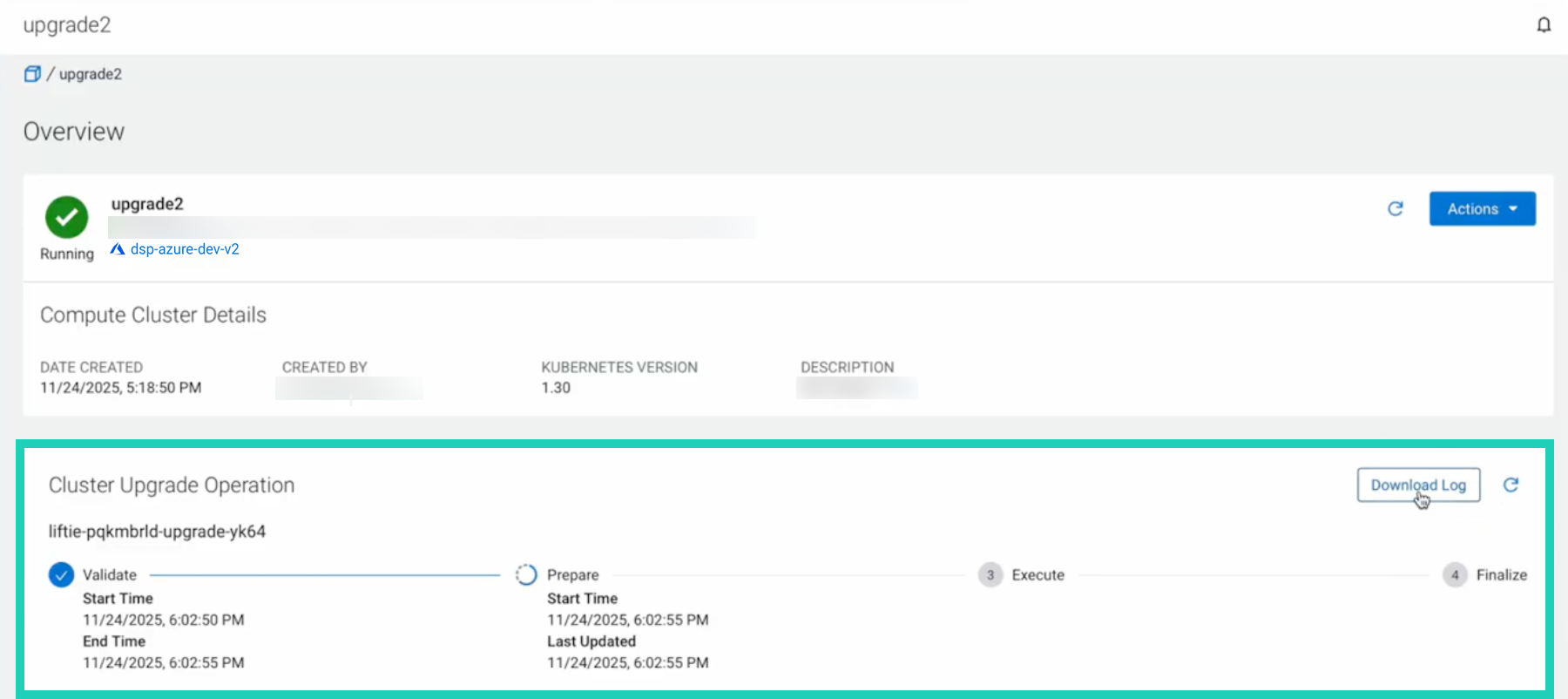
Using CDP CLI
Run the following command to upgrade the Compute
Cluster:
cdp compute upgrade-cluster --cluster-crn [***CLUSTER CRN ***]The above command returns an
operationId that can be used to further track
the upgrade
progress:cdp compute get-operation-details --operation-id [***OPERATION ID ***]
cdp compute get-operation-status --operation-id [***OPERATION ID ***]In case the upgrade process has failed, you can use the
retry-operation
command with the operationId to trigger the upgrade
again:cdp compute retry-operation --operation-id [***OPERATION ID ***]