Cloudera Data Lineage onboarding process: A guide to successful implementation
Learn about the main stages of Cloudera Data Lineage (formerly Octopai) onboarding journey to ensure a smooth implementation.
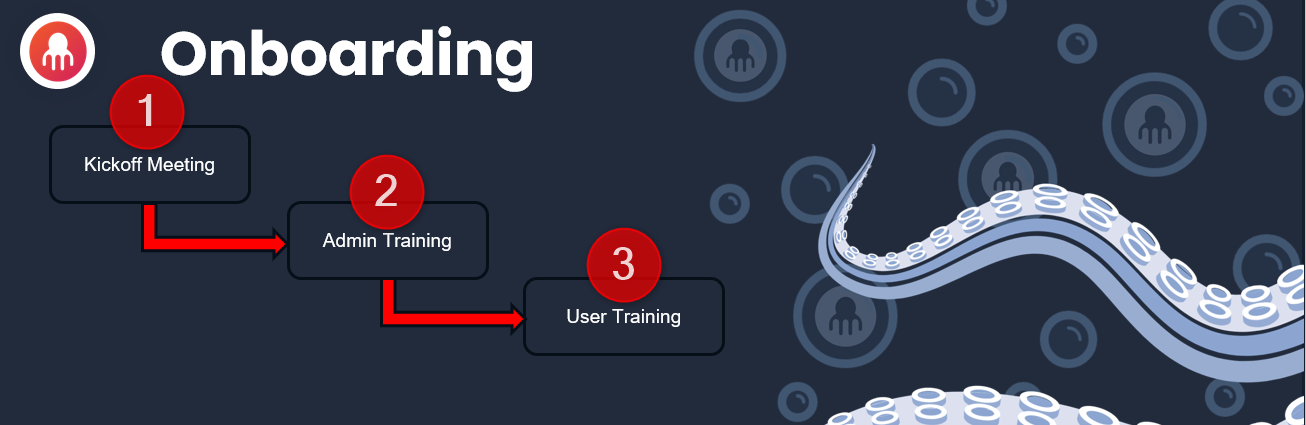
The onboarding process consists of the following main stages, including their importance, and how they contribute to the overall success of implementing Cloudera Data Lineage within your organization:
Stage 1: Kickoff Meeting
The Kickoff Meeting marks the beginning of the onboarding process and sets the stage for a successful implementation. It is recommended to have the following key individuals attend the meeting: Decision Maker, Project Manager, and a technical focal point. During this meeting, the following topics will be covered:
- Subscription Review
An overview of the Cloudera Data Lineage subscription and its key features, ensuring a clear understanding of the platform's capabilities.
- Getting to Know Cloudera Data Lineage
Introducing the Cloudera Data Lineage platform and its benefits, highlighting how it can address your organization's specific data governance and metadata management needs.
- Cloudera Data Lineage Configuration
Discussing the configuration process, including integration with existing systems, defining user roles, and establishing security protocols.
- Best Practices
Sharing industry best practices to maximize the value derived from Cloudera Data Lineage, providing insights on how to optimize your data governance initiatives.
- Next Steps
Outlining the action plan for the onboarding process, setting expectations, and establishing timelines for subsequent training sessions.
Stage 2: Admin Training
Admin Training focuses on empowering your administrators with the necessary knowledge and skills to manage Cloudera Data Lineage effectively. This stage covers the following topics:
- Cloudera Data Lineage Portal
A comprehensive overview of the Cloudera Data Lineage web portal, its navigation, and key functionalities.
- Octopai Client
Exploring the Octopai Client application, which provides a user-friendly interface for managing metadata, configurations, and system integrations.
- Cloudera Data Lineage Platform - Admin Console
Guiding administrators through the Cloudera Data Lineage Admin Console, where they can manage users, permissions, and system configurations.
Stage 3: User Training
User Training is designed to familiarize your end-users with the Cloudera Data Lineage platform and its capabilities. During this stage, participants will learn:
- Cloudera Data Lineage Platform
A detailed introduction to the Cloudera Data Lineage platform, emphasizing its intuitive interface and ease of use.
- Cloudera Data Lineage Capabilities
Exploring the various capabilities of Cloudera Data Lineage such as data discovery, data lineage visualization, impact analysis, and data cataloging.
- Cloudera Data Lineage Functionalities
A comprehensive overview of the key functionalities within Cloudera Data Lineage, including search capabilities, metadata management, and collaboration features.
Use Cases
Presenting real-world use cases to demonstrate how Cloudera Data Lineage can be leveraged to solve common data governance challenges and optimize data operations.
Q&A Session
Two weeks after the User Training, it is highly recommended to schedule a dedicated Q&A session. This session provides an opportunity for users to ask questions, seek clarification on any aspects of Cloudera Data Lineage, and further solidify their understanding of the platform.
Conclusion
By following the Cloudera Data Lineage onboarding process, starting from the Kickoff Meeting, proceeding through Admin Training, User Training, and concluding with a Q&A session, your organization will be well-equipped to successfully implement the Cloudera Data Lineage data governance and metadata management solution. This comprehensive onboarding process ensures that all stakeholders are empowered with the knowledge and skills required to maximize the value derived from Cloudera Data Lineage and drive data-driven decision-making across your organization.
