Deploying Agent Studio-supported LLMs using Cloudera AI Inference service
Configure and validate Model Hub Large Language Models (LLMs) to ensure compatibility
with Agent Studio and Agentic workflows within Cloudera AI Inference service.
The Cloudera AI Inference service supports the following Agentic
workflow-tagged LLM models:
nemotron-3-super-120b-a12b
llama-3.3-nemotron-super-49b
The models use helper script plugins to support tool invocation (function calling)
and advanced reasoning. As standard model cards use local relative paths that are
not resolved in containerized environments, you must configure the required runtime
environment overrides by using the NIM_PASSTHROUGH_ARGS
parameter.
In the Cloudera
console, click the Cloudera AI tile.
The Cloudera AI Home page is displayed.
Click the name of the workbench.
The Cloudera AI Workbench Home page is displayed.
Click Model Endpoints in the left navigation pane.
The Endpoint Details page is displayed.
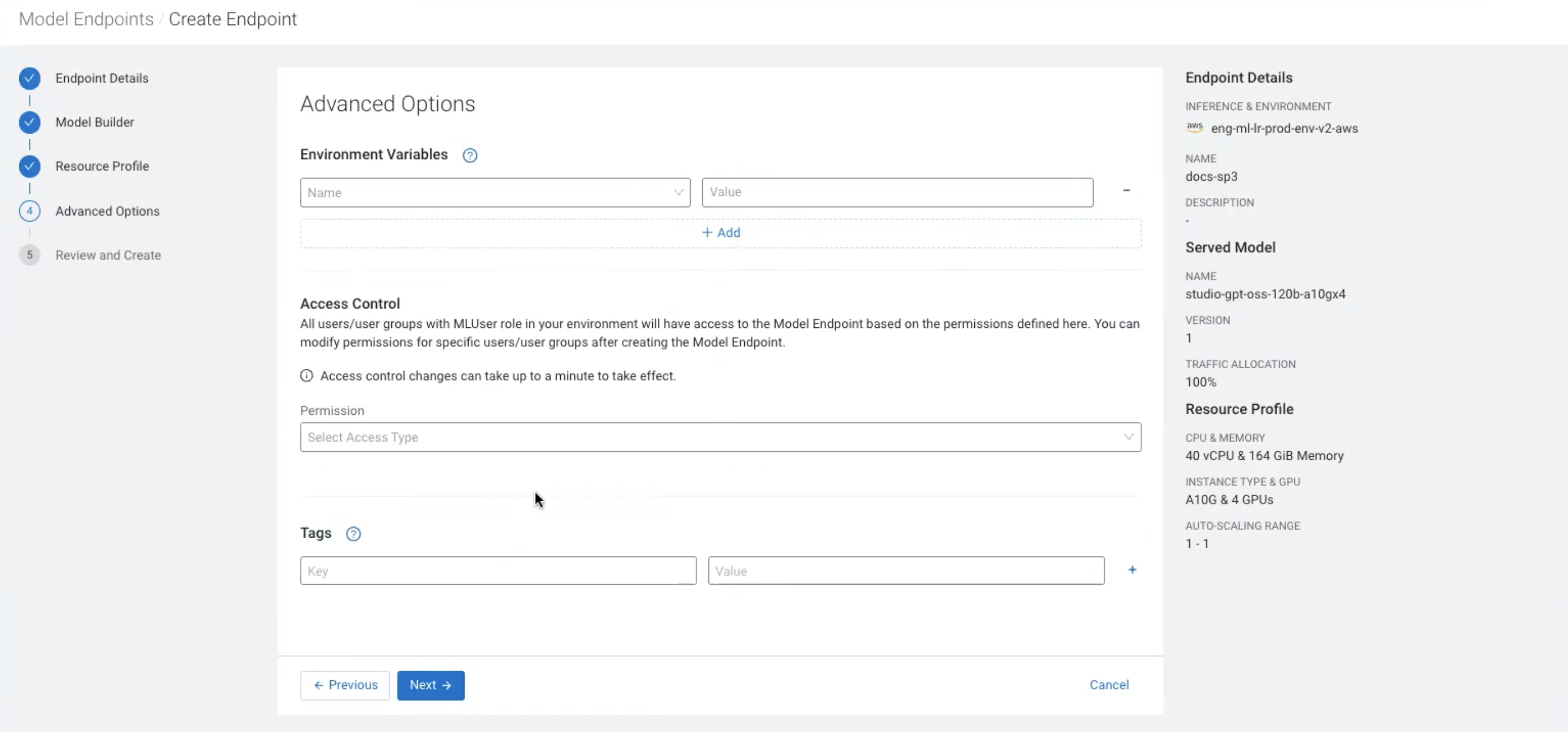
Go to Endpoint Details > Model Builder > Resource Profile > Advanced Options and enter the required details.
Figure 1. Configuring advanced options and environment variables for Model
Endpoint creation
Click Add.
Select the NIM_PASSTHROUGH_ARGS environment variable from
the Environment variables drop-down list.
Enter the corresponding Value based on your chosen model
and precision
profile.
Nemotron Super 120B
(nvidia/nemotron-3-super-120b-a12b)
The plugin directory is precision-specific. Select the argument
configuration based on the precision profile you are launching.