Update a registered Large Language Model (LLM) in Agent Studio to modify
configuration settings.
In the Cloudera
console, click the Cloudera AI tile.
The Cloudera AI Home page is displayed.
Click on the name of the workbench.
The Cloudera AI Workbench Home page is displayed.
In the left navigation pane, click AI Studios.
The AI Studios page is displayed.
On the Agent Studio tile, click
Open.
The Agent Studio page is displayed.
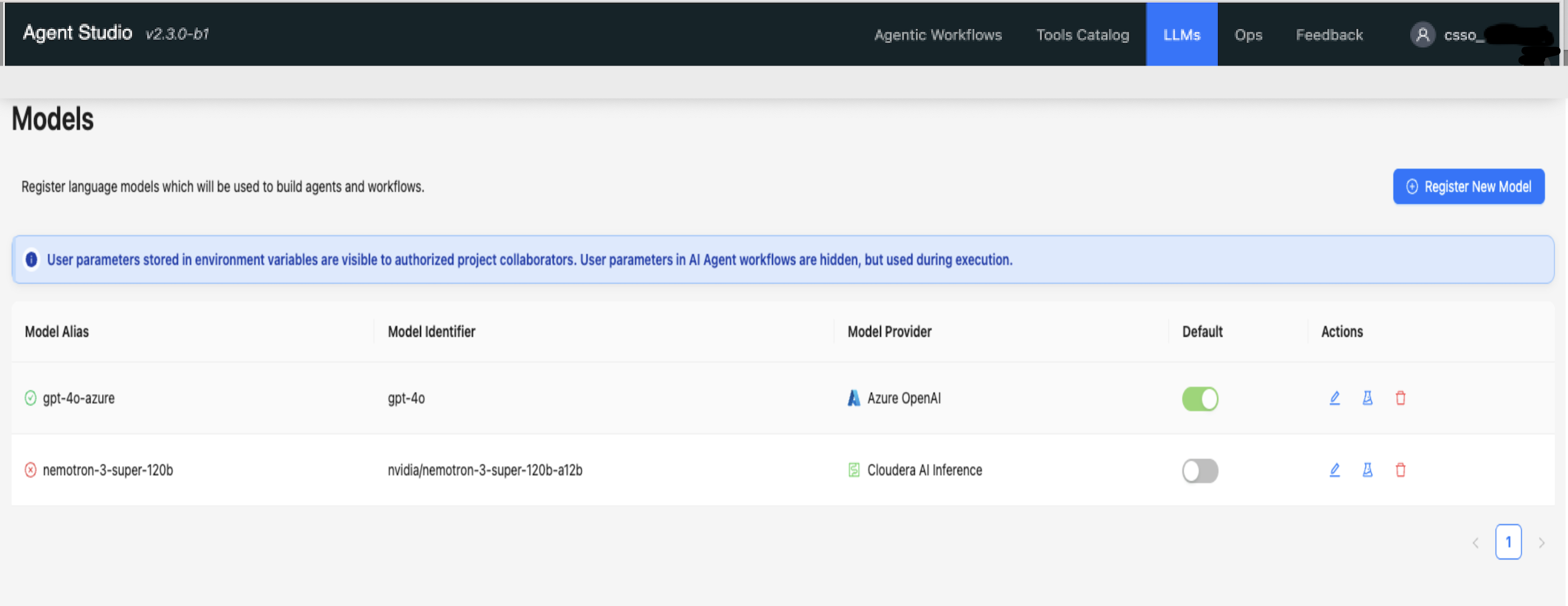
Click the LLMs tab.
The Models page displays a list of all registered
models.Figure 1. Registered models in the Models page
Select the model to edit, and click in
Actions.
The Edit Model dialog box is displayed.
Update the necessary values in the respective fields.
The fields in the Edit Model dialog box are identical to
the fields in the Register Model dialog box. For more
information, see Registering models in Agent Studio.
 in
Actions.
The Edit Model dialog box is displayed.
in
Actions.
The Edit Model dialog box is displayed.