Configuring AWS on-demand capacity reservations and capacity blocks
Cloudera AI supports AWS on-demand capacity reservations and
capacity blocks to ensure instance availability for critical workloads.
On-Demand capacity reservations: These allow you to reserve EC2 capacity for a
specific instance type in a particular Availability Zone without a long-term
commitment.
Capacity blocks: These are specialized reservations designed for short,
fixed-duration, high-performance workloads, primarily for GPU-based instances.
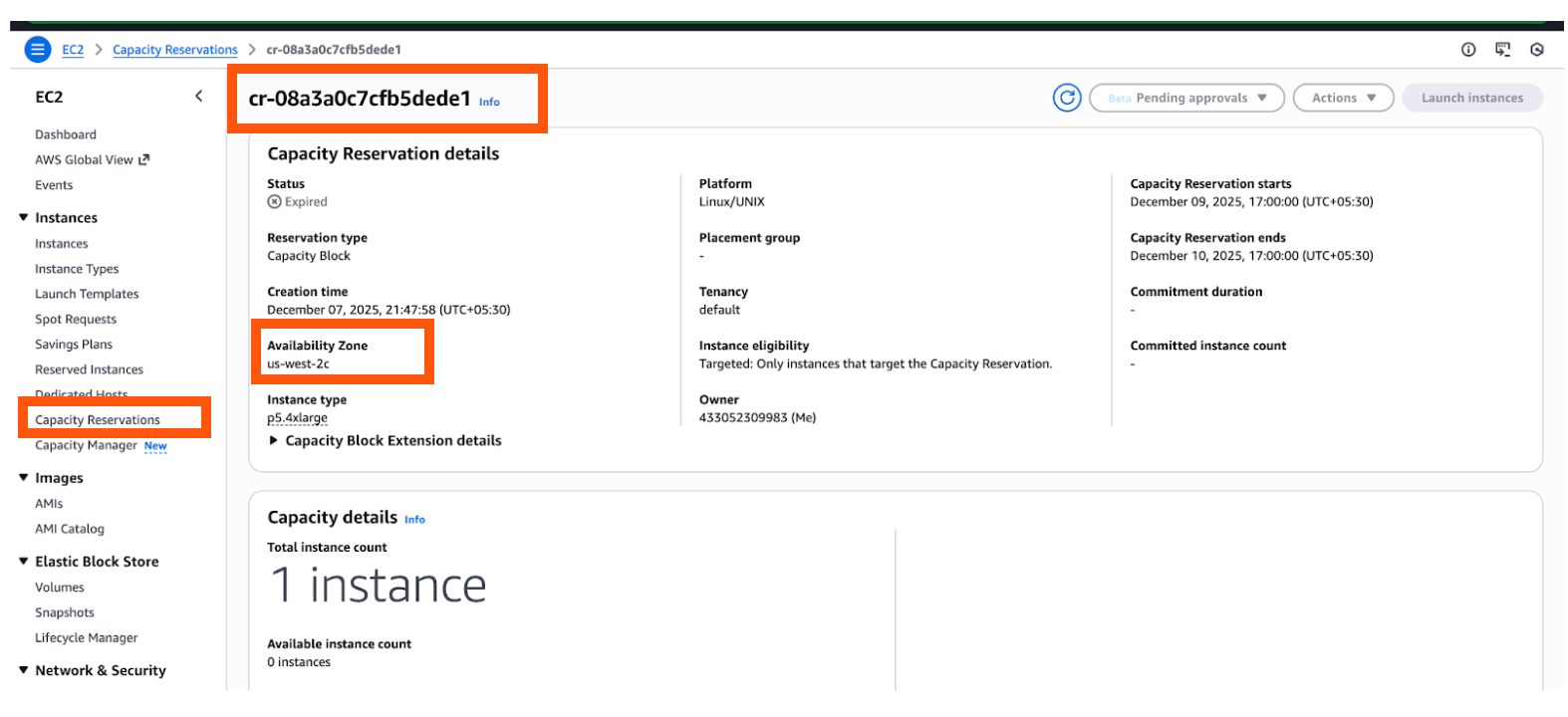
Create the Reservation in AWS
In the AWS Console, create a Capacity Reservation or Capacity Block.
Select the required instance type in the region where your Cloudera AI application will be hosted.
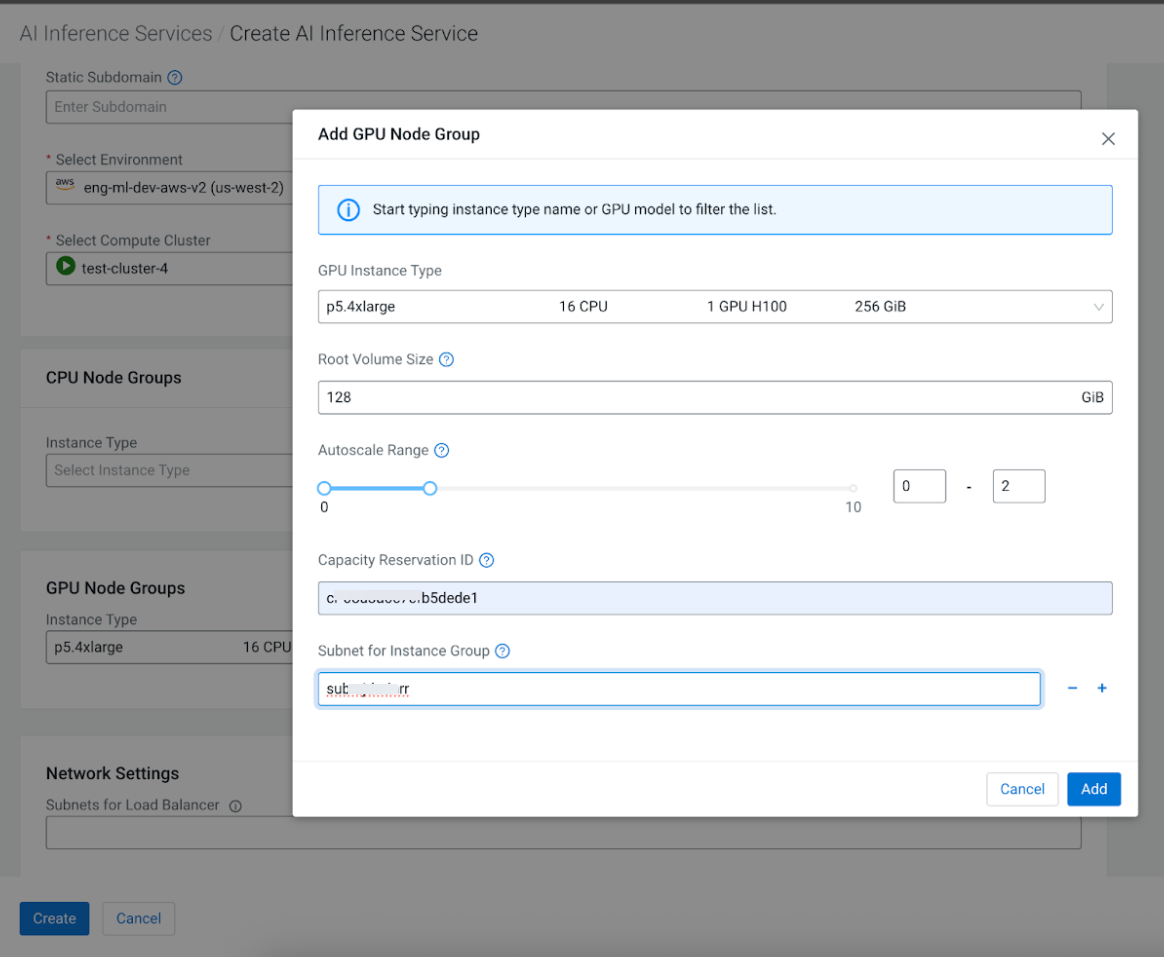
When creating or editing a Cloudera AI Inference service instance, perform the following:
Add a GPU node group.
Select the Instance Type that matches your AWS
reservation.
Enter the Capacity Reservation ID.
Select the Subnet associated with the cluster where
the application is being created.
.
Verification
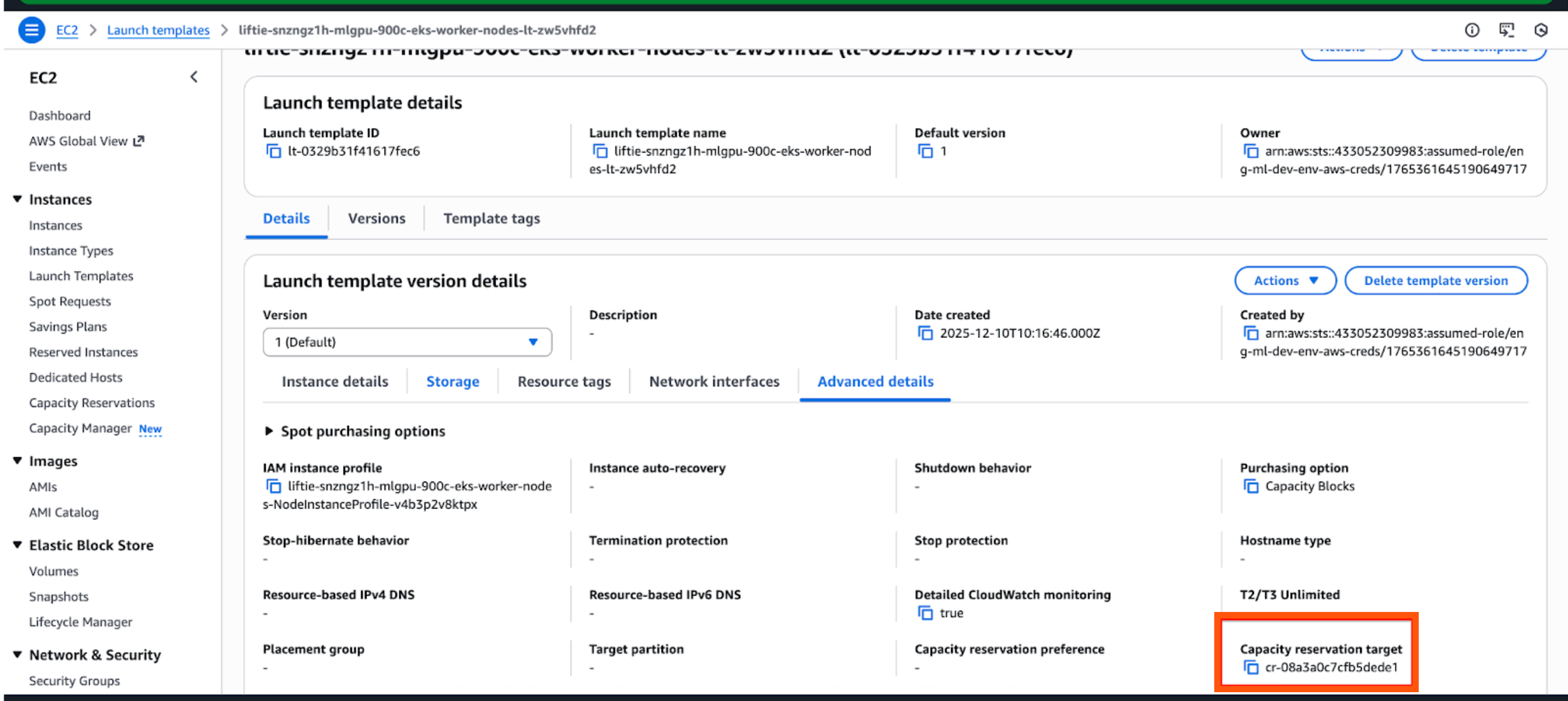
Once the application is created, verify the association by checking the
Launch Template page on the Amazon EC2 console
dashboard. Ensure the Capacity Reservation
Target matches your ID.