Knowledge Hub - Mass Update
Learn about simplifying Cloudera Data Lineage (formerly Octopai) Knowledge Hub curation by downloading assets to an Excel spreadsheet to enable effortless information definition and organization and dividing the workload among team members for efficient collaboration.
-
Download assets to an Excel spreadsheet.
-
Select a group of assets.
Figure 1. Select a group of assets 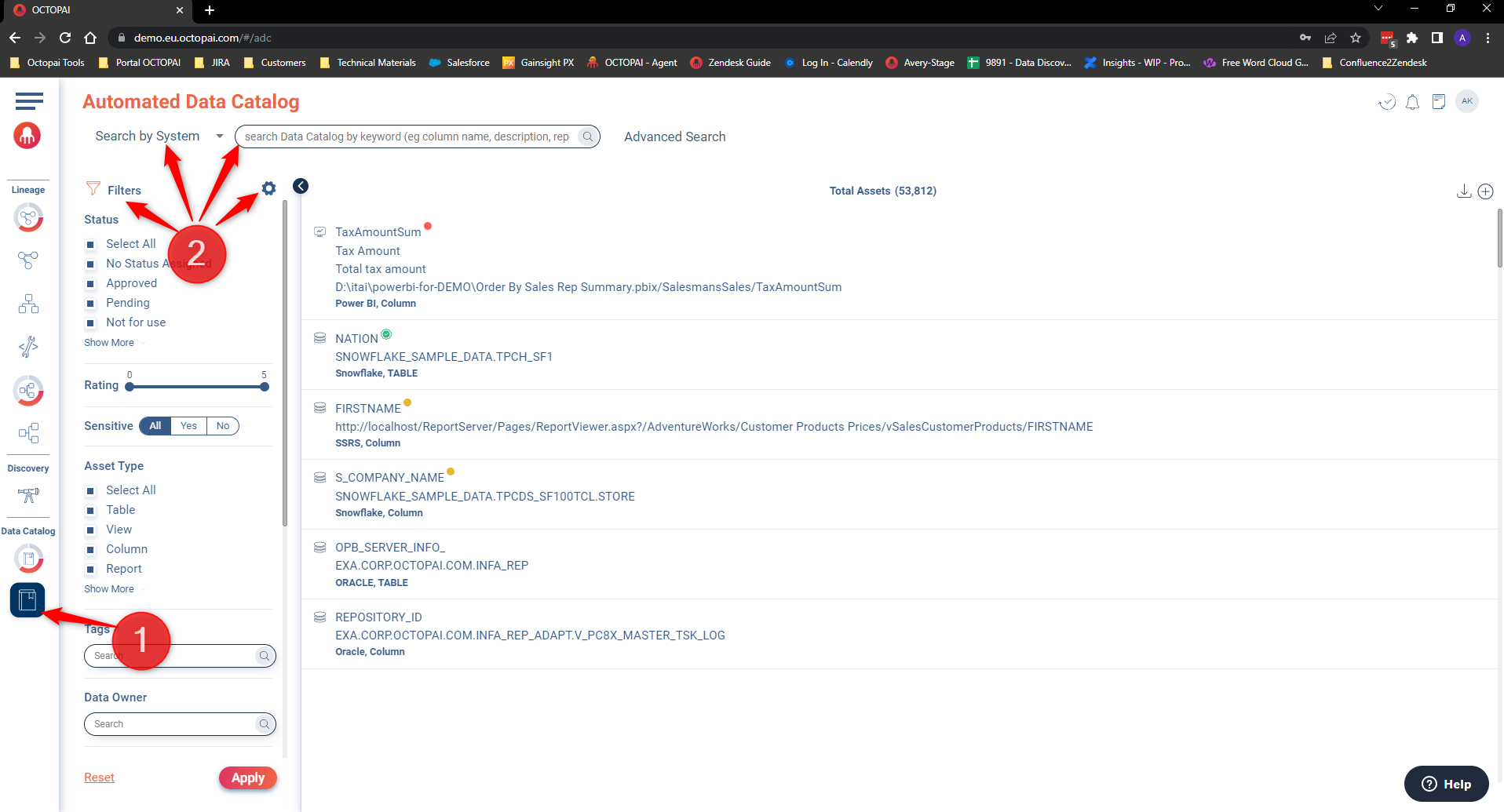
- Go to the Knowledge Hub.
- Combine the Search by System, Filters, Search box / Advanced Search, and Layer Settings Knowledge Hub functionalities to better filter your assets.
-
Click the
 icon to
download the Assets List.
icon to
download the Assets List.
Figure 2. Asset List download 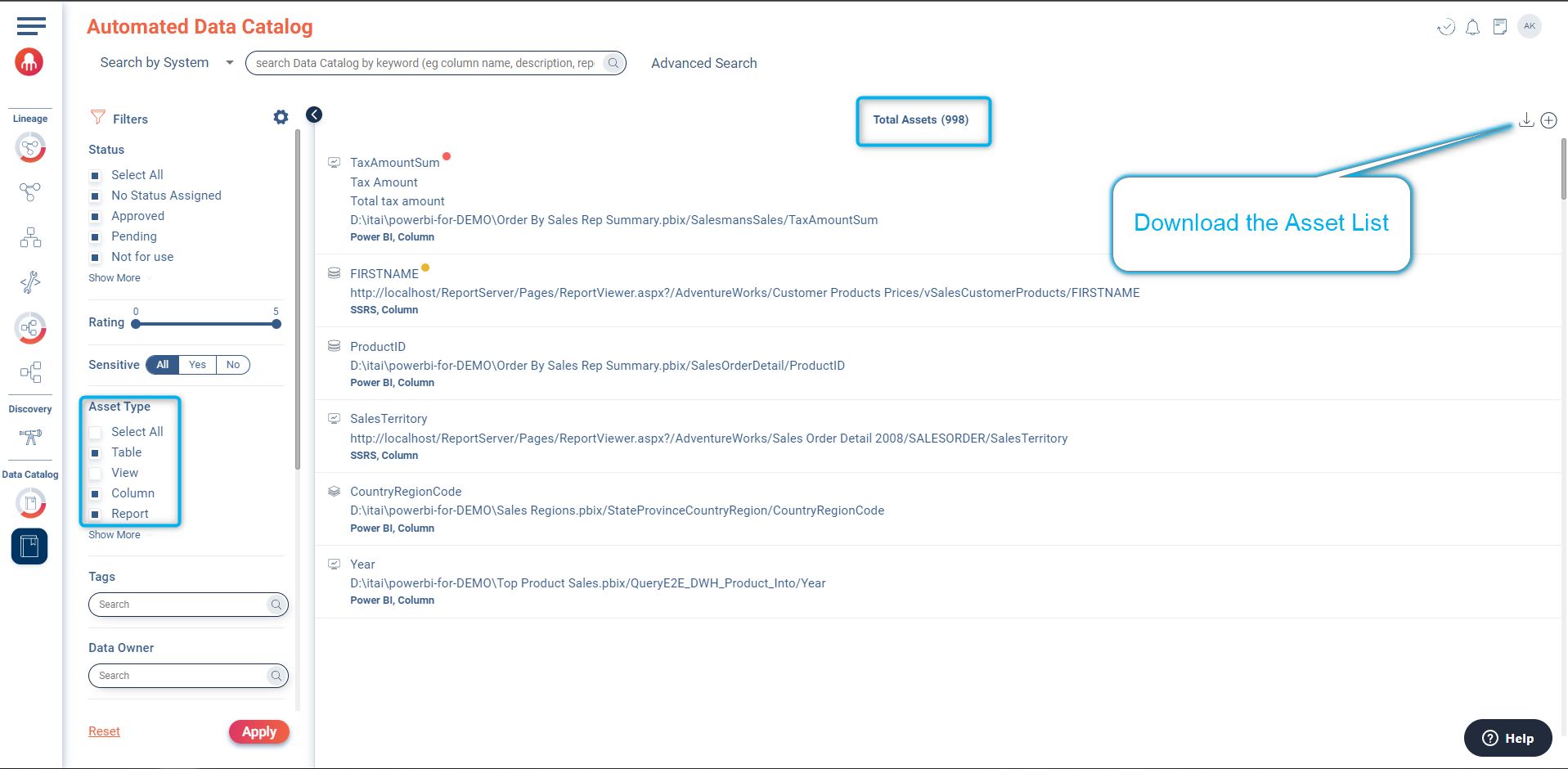
-
Click OK in the pop-up window.
Figure 3. Export pop-up window 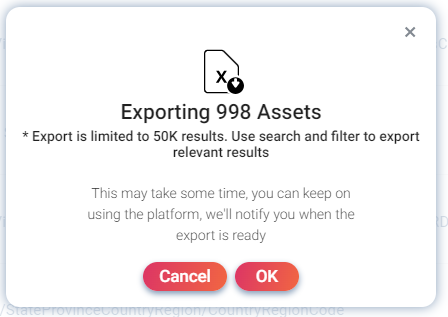
-
Select a group of assets.
-
Curate the Knowledge Hub.
Figure 4. Knowledge Hub curation 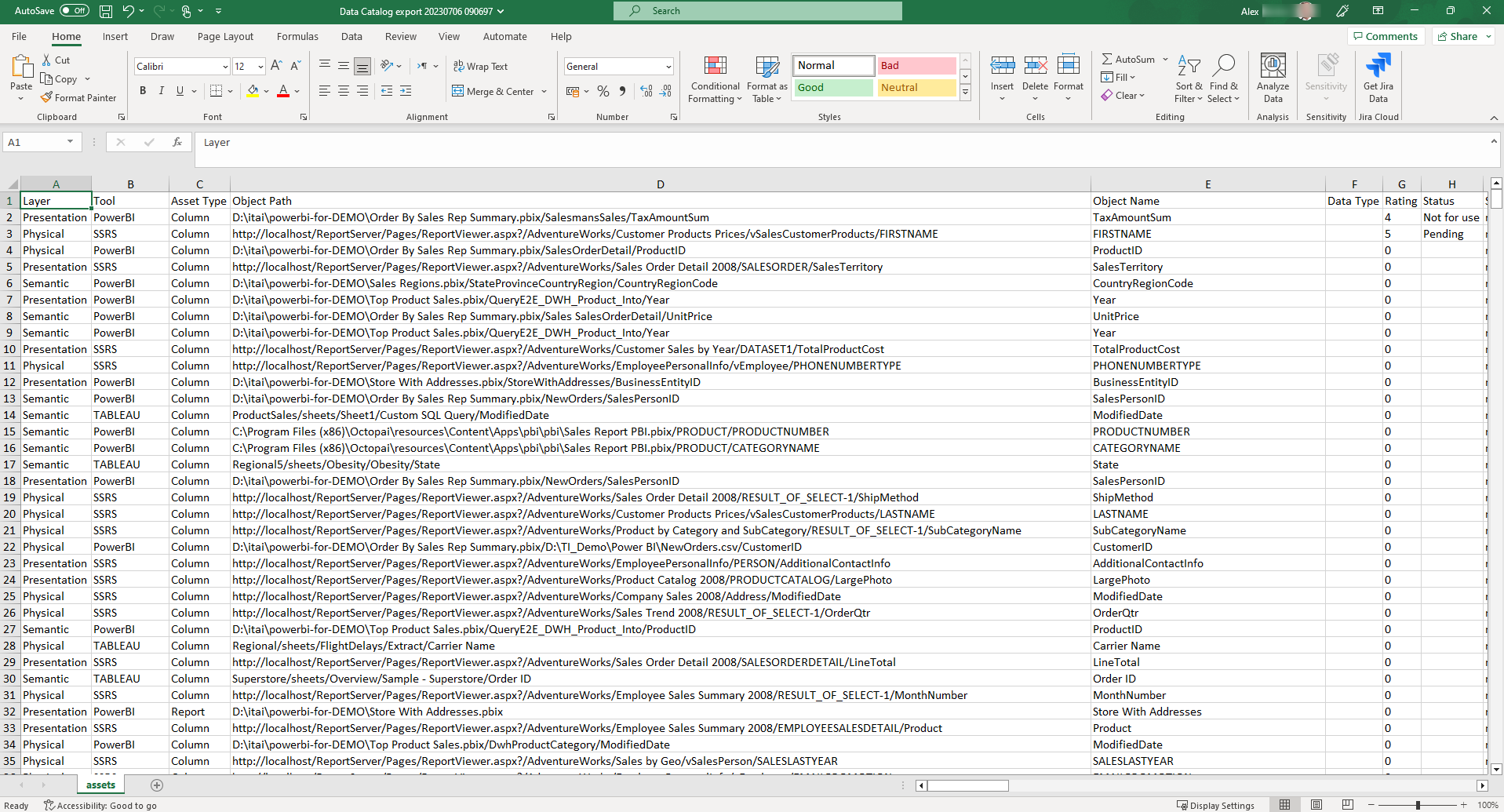
Customize data distribution based on your company requirements, allowing different team members to contribute the necessary information. Consolidate all curated definitions into the original downloaded file.
-
Perform mass update.
- Go to Admin Console.
- Go to the Manage Knowledge Hub Assets tab.
- Click Mass Update and browse the curated excel file.
Figure 5. Mass update 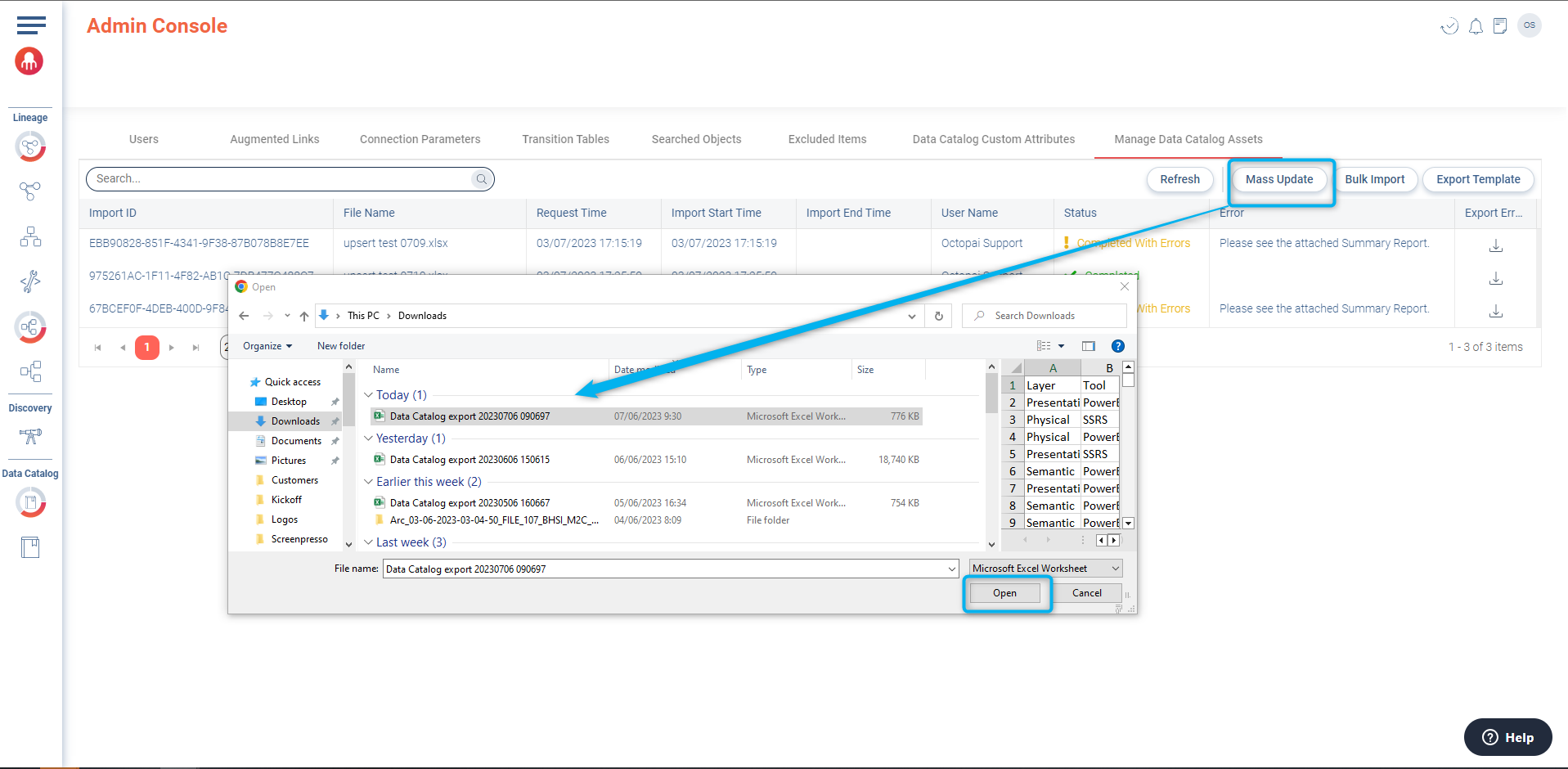
- Click Open.
During the upload, assets will be updated. The completion time of the process will vary based on the number of assets and available machine resources.
Check the process status.
| Status | Description |
|---|---|
 |
All the rows were updated successfully. |
 |
Potential errors occurred during the update. To identify them, download the
summary report by clicking the icon. |
